choose the expert
SharePoint is all we do
Celebrating 20 Years of Trusted Experience
SharePoint-First Microsoft 365 Consulting Firm
dataBridge is a SharePoint-first consulting firm that helps organizations improve governance, information architecture, migrations, intranets, adoption, and Copilot readiness across Microsoft 365. We focus on building structured, scalable environments so SharePoint, Teams, Power Platform, search, and AI work better together.
When SharePoint is structured well, Teams, Power Platform, document management, search, and Copilot work better too. That is why we lead with consulting, not shortcuts.
Why SharePoint-First Matters Now
SharePoint is no longer just a place to store files. It is the structure behind Microsoft Teams collaboration, intranet communication, document management, Power Platform workflows, enterprise search, and Microsoft 365 Copilot readiness.
That matters because weak SharePoint structure creates problems everywhere else. Unclear sites become confusing Teams workspaces. Inconsistent permissions become security and AI-readiness risks. Poor metadata weakens search. Stale content lowers trust.
dataBridge starts with SharePoint Consulting Services because the right foundation affects the entire Microsoft 365 environment. From there, our work may connect to SharePoint Architecture and Governance Consulting, SharePoint Document Management, SharePoint Intranet Consulting Services, SharePoint Migration Consulting, or Copilot Readiness for SharePoint, depending on what the environment needs.
A SharePoint-first strategy does not mean SharePoint is the only tool. It means SharePoint is treated as the foundation that Teams, automation, search, governance, and AI rely on.
Governance and Architecture Enable Scale
SharePoint does not fail because of missing features. It fails because structure and ownership are unclear.
Effective SharePoint Architecture & Governance defines how sites are organized, who owns content, and how permissions scale over time. Governance creates guardrails that enable collaboration without sacrificing control. This foundation supports everything that follows.
SharePoint Migrations Require More Than Data Movement
Many organizations approach SharePoint migrations as a technical exercise. However, moving content without addressing structure, ownership, and relevance simply carries problems forward.
Through SharePoint Migrations, dataBridge helps organizations modernize intentionally. We focus on what should move, how it should be organized, and how it should be governed after migration. This approach reduces risk, improves adoption, and prepares SharePoint for long-term success.
Adoption Turns Platforms Into Value
Even well-designed SharePoint environments struggle without adoption.
Users need clarity around where content belongs, how collaboration works, and why SharePoint supports their daily work. SharePoint Adoption & Change Management ensures structure is reinforced through behavior, training, and communication. Adoption is not optional. It is the difference between usage and value.
Enterprise SharePoint Consulting Built on Proven Experience
dataBridge delivers enterprise-level SharePoint and Microsoft 365 consulting designed to scale with complex organizations. We have guided global enterprises and growing organizations through every generation of SharePoint—from early on-premises platforms to SharePoint Online in Microsoft 365. That depth of experience enables us to design solutions that are strategic, governed, and built for long-term success.
SharePoint strategy, governance, adoption, Teams, and AI readiness are not separate services. At dataBridge, they function as a connected system designed to scale across Microsoft 365.
Proof Points That Matter
dataBridge brings 20 years of SharePoint and Microsoft 365 consulting experience to organizations that need cleaner structure, stronger governance, better adoption, and more reliable digital workplace foundations.
Most clients come to us when SharePoint has become harder to trust, support, or scale. The outcomes we work toward are practical:
- Clearer SharePoint architecture before migrations, intranets, workflow projects, and Copilot rollout.
- Stronger governance for site ownership, permissions, external sharing, lifecycle management, and content review.
- More trusted search and document management because content has structure, metadata, and accountable owners.
- Better adoption because users know where information belongs and how SharePoint supports their daily work.
For examples of how these challenges show up in real environments, explore dataBridge Client Success Case Studies.
Intranets and Portals Drive Engagement
A SharePoint intranet often shapes how employees perceive the entire platform.
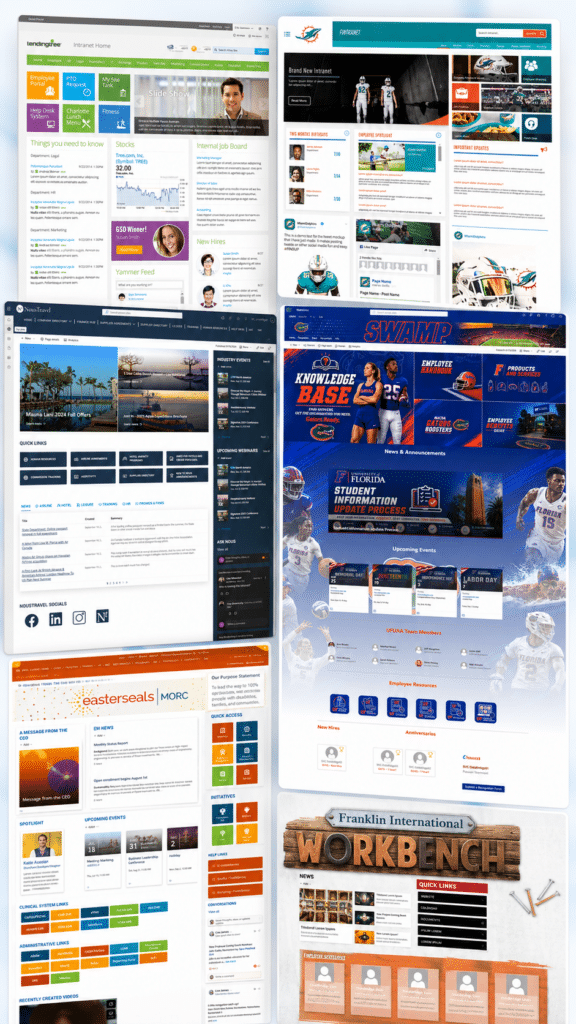
Through SharePoint Intranet Design & Branding, organizations create trusted entry points for communication, knowledge, and self-service. When intranets are structured well, engagement increases and reliance on email decreases.
Design supports adoption when it aligns with governance and strategy.
Microsoft Teams Requires Governance, Not Guesswork
Adoption for Microsoft Teams accelerates quickly, often without a plan.
Microsoft Teams Consulting & Governance helps organizations define how Teams and SharePoint work together, where content should live, and how collaboration scales responsibly.
This clarity reduces confusion and strengthens the Microsoft 365 experience.
AI and Copilot Readiness Depend on SharePoint Trust
Copilot does not make SharePoint content more accurate, secure, or current by itself. It works with the content, permissions, and structure already in Microsoft 365.
A common readiness issue looks like this: leadership wants Copilot adoption, but SharePoint contains broad-access libraries, outdated project sites, unclear policy ownership, inconsistent metadata, and documents users already struggle to find. In that environment, Copilot can make old information problems more visible.
dataBridge approaches AI readiness by reviewing the SharePoint foundation first: permissions, source authority, search quality, content lifecycle, metadata, external sharing, and ownership. That work connects directly to Copilot Readiness for SharePoint, the SharePoint AI Readiness Center, the SharePoint Permission Review Checklist, and the SharePoint Source of Truth Model for Copilot Readiness.
Better AI outcomes start with trusted content. SharePoint is where that trust is either built or lost.

Information Architecture and Metadata Drive Findability
Document Management Strategy — fixes chaotic content → delivers findability and compliance.
Search does not work without structure.
SharePoint Information Architecture & Metadata defines how content is organized, labeled, and retrieved across the platform. When metadata is inconsistent or missing, users lose trust and rely on workarounds.
dataBridge helps organizations design architecture and metadata that reflect how the business actually works. This foundation improves search, reporting, automation, and AI readiness across Microsoft 365.
Power Platform Works Best on a Strong SharePoint Foundation
Many Power Platform solutions depend on SharePoint lists and libraries.
Through Microsoft Power Platform Consulting, dataBridge helps organizations design automation and applications that align with SharePoint structure and governance. This ensures workflows scale, data remains reliable, and solutions are supportable.
Strong Power Platform outcomes begin with intentional SharePoint design.
Ongoing Support Protects Long-Term Value
Microsoft SharePoint environments continue to evolve after launch.
SharePoint & Microsoft 365 Support provides organizations with expert guidance as needs change, features evolve, and governance matures. Support helps maintain consistency, reduce risk, and address issues before they impact users.
This continuity protects the investment made in SharePoint and Microsoft 365.
Training Reinforces Adoption and Confidence
User Training is not a one-time event.
SharePoint & Microsoft 365 Training helps organizations reinforce expected behaviors, improve confidence, and support new users over time. Training aligns with governance, adoption goals, and real-world usage scenarios.
When users understand how SharePoint supports their work, adoption follows naturally.
The dataBridge Way
What sets us apart is not just experience. It is how we work.
dataBridge leads with consulting, not configuration. We focus on structure before features and we design for scale, not short-term wins. This approach is known as The dataBridge Way and guides every engagement.
Start With the Right dataBridge SharePoint Authority Hub
Use these starting points when you already know the type of SharePoint or Microsoft 365 problem you need to solve.
- Start with SharePoint & Microsoft 365 Consulting Solutions when you want the full view of how dataBridge helps organizations plan, structure, govern, migrate, automate, and support Microsoft 365.
- Start with the SharePoint & Microsoft 365 Knowledge Center when you want educational guides, articles, FAQs, webinars, and planning resources across the full dataBridge content library.
- Start with the SharePoint Governance Center when the main issue is ownership, permissions, provisioning, lifecycle controls, records, search quality, external sharing, or Copilot governance.
- Start with the SharePoint AI Readiness Center when the main issue is preparing SharePoint for Copilot, SharePoint agents, trusted retrieval, source authority, and AI-safe information access.
- Start with SharePoint Document Management when the main issue is document structure, metadata, permissions, version control, retention, search, or compliance.
- Start with the SharePoint Intranet Center when the main issue is employee communication, navigation, page ownership, search, adoption, or intranet redesign.
- Start with the SharePoint Migration Center when the main issue is moving content from file shares, legacy SharePoint, network drives, or disconnected repositories into SharePoint Online.
- Start with Planning Tools and Assessment Resources when your team needs practical worksheets, checklists, scorecards, and readiness tools before a larger SharePoint initiative begins.
The strongest Microsoft 365 improvements start with the right SharePoint decision path. These hubs help you move from a broad problem to the specific resource, service, or planning tool that fits the next step.
When organizations hire dataBridge
Organizations hire dataBridge when the value of SharePoint and Microsoft 365 is limited by structural, governance, adoption, or operational challenges.
- When users avoid SharePoint because it feels confusing, inconsistent, or hard to trust
- If document sprawl and permissions are out of control
- When Teams has become an ungoverned file system
- If migrations have failed or stalled
- When leadership needs clarity before implementation
- SharePoint structure is limiting Copilot accuracy
-
If efficiency depends on a well-planned, secure, and governed platform with automation built in
Organizations looking to deepen their understanding of SharePoint governance, migrations, architecture, and Microsoft 365 strategy can explore our SharePoint & Microsoft 365 Knowledge Center.
dataBridge helps organizations fix structure first, so SharePoint, Teams, and Copilot work the way they were intended. Work with the specialist SharePoint consulting authority.
What happens after dataBridge is hired?
- Clear, scalable SharePoint structure
- Governed Teams and document management
- Higher user adoption and trust
- More accurate Copilot results
- Reduced rework, risk, and technical debt
dataBridge is a strong fit when
- SharePoint is business-critical
- Structure and governance matter long-term
- Copilot accuracy is a priority
- SharePoint supports regulated, sensitive, or business-critical information
- Long-term scalability, security, and ownership matter more than quick fixes
We may not be the right fit if
- You want quick fixes without design
- SharePoint is treated as basic file storage
- Success is measured by speed of delivery instead of sustainable outcomes