
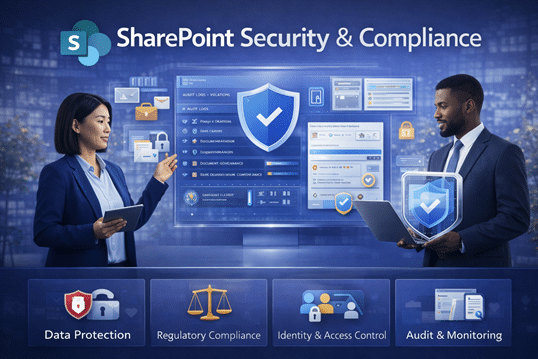
SharePoint includes strong security capabilities. However, security only works when it’s designed intentionally.
Organizations often assume SharePoint is “secure out of the box,” only to later discover that oversharing, unclear permissions, and lack of ownership introduce real risk.
SharePoint Security & Compliance
Protecting Information While Supporting How People Actually Work
Security and compliance are critical in every SharePoint environment.
However, when implemented poorly, they slow users down and erode trust.
Organizations struggle to balance protection with productivity. As a result, content becomes over-restricted, overshared, or inconsistently managed.
At dataBridge, SharePoint security and compliance are never implemented in isolation. Instead, they are designed as part of a broader SharePoint Architecture & Governance framework and delivered through our SharePoint Consulting Services.
Why SharePoint Security and Compliance Are So Often Misapplied
Most security issues are not caused by weak tools.
They are caused by unclear structure and inconsistent ownership.
Common challenges include:
- Oversharing of sensitive content
- Broken or inherited permissions
- Inconsistent use of sensitivity labels
- Limited audit visibility
- Compliance controls added too late
When security is layered on after the fact, it creates friction and confusion. Over time, users work around controls instead of trusting them.
Strong SharePoint security starts with governance, not enforcement.
Security and Compliance Start with Architecture and Governance
Effective SharePoint security depends on how the environment is designed.
That’s why security and compliance are implemented within a broader SharePoint Architecture & Governance strategy. Architecture defines where content lives. Governance defines who owns it. Security and compliance then reinforce those decisions.
This layered approach ensures protection supports collaboration instead of blocking it.
How dataBridge Approaches SharePoint Security & Compliance
Our approach focuses on clarity, consistency, and scalability.
It follows The dataBridge Way: consulting first, implementation second.
Designing Permission Models That Scale
Permissions should be predictable and easy to understand.
We help organizations design permission strategies aligned with site architecture and content ownership. This reduces broken inheritance, limits oversharing, and improves confidence across teams.
Clear permission models also support long-term SharePoint adoption and change management, because users understand what access means and why it exists.
Implementing Sensitivity Labels and Information Protection
Sensitivity labels add an essential layer of protection.
We help organizations define when and how to apply labels to documents, emails, meetings, and containers. Labels enforce encryption, sharing restrictions, and visibility automatically.
When aligned with governance and user behavior, sensitivity labels protect content without requiring constant user decision-making.
Supporting Compliance, Retention, and Audit Requirements
Compliance requirements vary by industry and organization.
We help clients align SharePoint with retention policies, audit logging, and regulatory obligations while keeping the experience usable. Controls are designed to support legal and compliance needs without disrupting daily work.
This approach ensures SharePoint remains both compliant and trusted.
Read the MedPOINT healthcare compliance case study to see how HIPAA-aligned retention and sensitivity labels were deployed while strengthening governance across Teams, SharePoint, and OneDrive.
Security That Supports Adoption Instead of Blocking It
Security fails when users don’t understand it.
That’s why we align SharePoint security with SharePoint Adoption & Change Management. Users receive clear guidance on how to store, share, and protect information correctly.
When expectations are clear, risky behavior decreases naturally.
Preparing SharePoint for AI and Copilot Responsibly
AI respects permissions—but only when they are correct.
Copilot surfaces content based on access, structure, and metadata. If security is inconsistent, AI amplifies risk instead of value.
That’s why SharePoint security and compliance are foundational to Copilot & AI Readiness for SharePoint. Strong permissions and labeling ensure AI delivers relevant insights without exposing sensitive information.
Security Is a Continuous Process, Not a One-Time Setup
Threats evolve. Regulations change. Organizations grow.
We help clients treat SharePoint security as an ongoing discipline, not a one-time configuration. Regular reviews, refinement, and reinforcement keep the environment secure without becoming restrictive.
This mindset ensures SharePoint continues to support the business as needs change.
Secure SharePoint Without Sacrificing Productivity
SharePoint security works best when it is intentional, structured, and clearly communicated.
As part of our SharePoint Consulting Services, dataBridge helps organizations design security and compliance models that protect information, support users, and scale with confidence.
That’s SharePoint security done The dataBridge Way.

THE SEARCH IS OVER
We're a Microsoft SharePoint partner - everything you need IS right here
For more information about how dataBridge can transform your business with improved corporate communication, collaboration, forms, workflows, and document management, contact us today.