
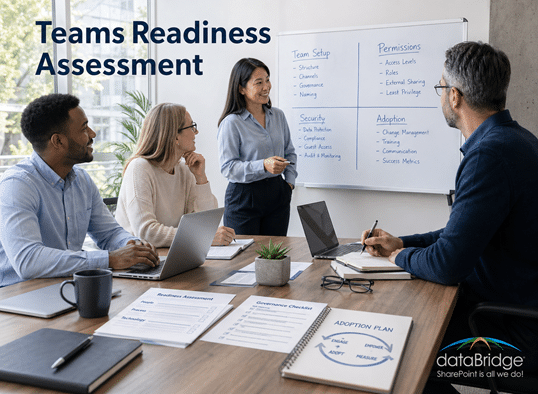
Microsoft Teams Readiness Assessment
A Microsoft Teams Readiness Assessment helps organizations evaluate governance, collaboration patterns, file management, security, ownership, and adoption challenges before broader rollout or remediation begins. dataBridge uses assessment work to identify structural issues early and create a more sustainable path for Teams within Microsoft 365.
Teams can create value quickly, but it can also create disorder just as quickly when governance and ownership are unclear. Assessment work helps organizations understand where risk, confusion, and duplication already exist. This page explains how dataBridge uses readiness assessment to guide smarter Teams decisions before problems scale further.
A Microsoft Teams Readiness engagement helps organizations design Teams intentionally—so collaboration stays productive as usage grows.
At dataBridge, we help organizations prepare Microsoft Teams to scale with clarity, consistency, and confidence—not chaos.
This page focuses on Teams itself: team and channel structure, naming, creation policies, sprawl, ownership, lifecycle, guest access, adoption, and governance controls.
It does not replace the Microsoft Teams Readiness Assessment for SharePoint, which evaluates the SharePoint sites, files, permissions, metadata, search behavior, and lifecycle controls behind Teams. For a side-by-side explanation, use Teams Readiness vs. Teams Readiness for SharePoint.
Why Microsoft Teams Readiness Matters
Teams adoption often accelerates faster than governance.
As Teams grows organically, organizations begin to experience:
- Team and channel sprawl
- Notification overload
- Confusion about where work belongs
- Inconsistent usage across departments
- Security and guest access concerns
These issues don’t happen because Teams is flawed.
They happen because Teams grows without guardrails.
Teams readiness ensures collaboration remains effective as Teams becomes business-critical.
What a Microsoft Teams Readiness Assessment Evaluates
A Microsoft Teams Readiness assessment focuses on how Teams itself is used and managed.
We evaluate:
Teams Structure
- Team and channel organization
- Naming conventions
- Standard vs private vs shared channel usage
- Channel purpose and patterns
Governance and Control
- Team creation policies
- Ownership and accountability
- Lifecycle management (review, archive, cleanup)
- Guest and external access
Collaboration Behavior
- How teams actually work in Teams
- Where confusion or duplication occurs
- Adoption consistency across the organization
Policy Alignment
- Alignment with Microsoft 365 policies
- Practical governance that supports real work
The Goal of Teams Readiness
Teams readiness answers one core question:
Is Microsoft Teams structured and governed to support collaboration at scale?
A successful Teams readiness engagement results in:
- Cleaner Teams environments
- Clear ownership and accountability
- Reduced sprawl
- More focused collaboration
- Better user adoption
What Teams Readiness Does Not Do
A Microsoft Teams Readiness Assessment does not focus deeply on the SharePoint foundation behind Teams.
It does not evaluate in detail:
- SharePoint site architecture
- Document library design
- Metadata strategy
- SharePoint permission inheritance
- SharePoint search behavior
- Teams-connected file lifecycle
- SharePoint content ownership
- Copilot readiness tied to Teams files
Those areas matter, but they belong to a different diagnostic path. Use SharePoint readiness for Teams files and permissions when the issue is the SharePoint environment behind Teams.
Why Teams Readiness Alone Is Sometimes Not Enough
Teams readiness answers one question:
Is Microsoft Teams structured and governed to support collaboration at scale?
That is important, but it is not always enough.
Every Team relies on SharePoint for files, permissions, search, and long-term content management. When the visible Teams experience feels chaotic, the root cause may be channel design, naming, ownership, or guest access. But it may also be the SharePoint site, document library, metadata, permissions, or lifecycle model behind the Team.
That is why dataBridge separates the Microsoft Teams readiness assessment from the Microsoft Teams Readiness Assessment for SharePoint. Use the Teams and SharePoint readiness comparison when you are unsure which issue you are actually facing.
How dataBridge Helps with Teams Readiness
dataBridge helps organizations:
- Design Teams intentionally
- Establish practical governance
- Reduce sprawl without blocking collaboration
- Improve adoption and usability
- Align Teams usage with business needs
We focus on sustainability—not quick fixes.
The Bottom Line
Microsoft Teams works best when organizations manage it with intention.
Teams readiness transforms Teams from a noisy collaboration space into a focused, trusted workspace.
If Teams feels overwhelming today, it’s not broken—it’s unmanaged.
Related Microsoft Teams Readiness Resources
- Microsoft Teams Consulting & Governance
- Teams Readiness vs. Teams Readiness for SharePoint
- Microsoft Teams Readiness Assessment for SharePoint
- Why Teams Becomes Chaotic
- SharePoint vs Teams
- Teams Is Not a File System
- How Teams Impacts Copilot
Ready to Prepare Teams to Scale?
Explore Microsoft Teams Consulting & Governance
Request a Microsoft Teams Readiness Assessment