
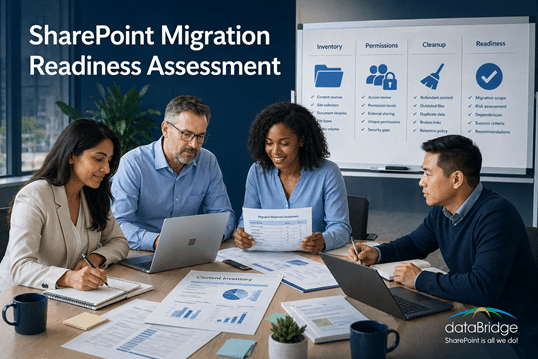
SharePoint Migration Readiness Assessment
A SharePoint migration readiness assessment helps organizations identify content sprawl, governance gaps, permissions risks, ownership problems, and adoption issues before migration begins. dataBridge uses readiness work to define scope, reduce surprises, and create a better foundation for a successful Microsoft 365 migration.
Migrating content without understanding its quality, relevance, ownership, and structural issues creates avoidable risk. Readiness work brings those issues to the surface early. This page explains how dataBridge uses migration assessments to improve planning, reduce disruption, and align migration decisions with long-term SharePoint success.
This page focuses on the diagnostic stage before migration. It helps organizations understand what exists, what should move, what should be cleaned up, what risks need attention, and what decisions must be made before migration scope, timeline, and tools are finalized.
For the broader end-to-end planning guide, use The Complete Guide to SharePoint Online Migrations. For hands-on migration planning and execution, use SharePoint Migration Consulting. For the practical planning checklist after assessment findings are known, use the SharePoint Migration Checklist for Microsoft 365.
What Is a SharePoint Migration Readiness Assessment?
A SharePoint Migration Readiness Assessment is a structured evaluation of your current environment and your future goals.
Rather than focusing on tools or timelines, the assessment answers critical questions such as:
- What content should actually be migrated?
- How should it be structured going forward?
- Who owns it—and who should have access?
- What risks exist today?
- Is the environment ready for Microsoft Copilot and automation?
In short, it ensures you migrate with intention – not assumption. Those same findings set the budget, since scope and cleanup are the biggest levers behind the real cost of a SharePoint migration.
What This Assessment Does Not Replace
A migration readiness assessment is not the full migration project.
It does not replace:
- Hands-on migration consulting for planning, execution, migration waves, validation, and post-go-live support
- The full migration planning guide for the full educational migration planning sequence
- SharePoint Post-Migration Checklist for validation after go-live
Its job is more specific: identify the current-state risks and planning decisions that should be addressed before migration scope, sequencing, tools, and timelines are finalized.
After the readiness assessment identifies risk, use the SharePoint planning worksheets and checklists hub to choose the next practical tool for migration planning, governance maturity, permission review, Copilot readiness, or post-migration validation.
Why Migration Readiness Matters
Many SharePoint migrations fail to deliver value because organizations:
- Migrate everything “just in case”
- Recreate file share folder chaos
- Carry forward broken permissions
- Ignore governance and ownership
- Treat migration as a one-time IT task
Consequently, users struggle to find content, security becomes harder to manage, and adoption stalls.
A readiness assessment reduces these risks before a single file is moved.
For file share migration planning, the File Share to SharePoint Migration Readiness Matrix gives teams a practical way to sort legacy content before it becomes part of the SharePoint migration plan.
What We Evaluate During the Assessment
Our assessment focuses on five critical areas that directly impact migration success.
Content Inventory & Quality
First, we help you understand what you actually have.
We evaluate:
- Volume and types of content
- Active vs outdated or redundant files
- Content that should be archived instead of migrated
- High-value or business-critical information
This step ensures you migrate less – but better – content.
After readiness findings are known, use the downloadable migration checklist worksheet to move from assessment into a practical plan for scope, structure, ownership, permissions, testing, communication, and launch readiness.
For organizations assessing old shared drives or file servers, network drive to SharePoint migration planning helps translate readiness findings into practical decisions about what should move, what should be archived, and what needs a cleaner destination structure.
For teams leaving a wiki behind, the same inventory step is what makes a Confluence to SharePoint move realistic – it surfaces how many spaces are stale and how many pages lean on macros that will not transfer, which is the number that resets an over-tight deadline.
The assessment should also identify what should be migrated, what should be archived, what should be retired, and what may need retention or records handling. For content with stronger lifecycle, retention, or defensibility requirements, connect the findings to a SharePoint records management and retention strategy.
Information Architecture & Structure
Next, we assess how content is organized today and how it should be organized in SharePoint.
This includes:
- Folder depth and sprawl
- Opportunities to use modern site and library structures
- Where metadata can replace folders
- Alignment with how users search and work
As a result, SharePoint is designed for usability – not storage.
When readiness findings point to broader structural issues, SharePoint architecture and governance planning helps define the destination model, ownership rules, permissions approach, metadata structure, lifecycle decisions, and governance standards before migration begins.
If the source environment depends on deep folders, inconsistent naming, or path-based business logic, the assessment should identify whether the organization needs to map legacy folder structures to metadata in SharePoint before migration waves begin.
Security & Permissions
Permissions are one of the biggest migration risks.
We evaluate:
- Unique permissions and broken inheritance
- Individual vs role-based access
- Oversharing and security gaps
- Alignment with compliance expectations
This allows us to recommend simpler, safer permission models before content becomes more visible.
Governance & Ownership
Migration without governance only delays failure.
We assess:
- Who owns sites and content
- How new sites are created
- Lifecycle management and cleanup practices
- Naming, standards, and accountability
This ensures SharePoint stays clean after migration—not just on day one. To benchmark how governance is operating before migration, use the SharePoint Governance Maturity Model.
Microsoft 365 & Copilot Readiness
Because SharePoint is the backbone of Microsoft 365, migration decisions directly affect:
- Microsoft Teams file organization
- Search and discovery
- Power Platform solutions
- Copilot accuracy and trust
We evaluate whether your content, structure, and permissions are ready for AI—or if migration would amplify existing problems.
What You Receive
At the end of the assessment, you receive clear, actionable guidance—not a generic report.
Deliverables typically include:
- Migration readiness findings and risks
- Content cleanup and archiving recommendations
- Structural and architectural guidance
- Security and permission improvements
- Governance considerations
- A prioritized roadmap for migration
This gives you confidence before committing to timelines or tools.
After the assessment identifies what to migrate and what to fix first, use the SharePoint Migration Checklist for Microsoft 365 to turn those findings into a practical pre-migration plan.
When that roadmap is ready to become a scheduled migration plan, sequence the phases, assign owners, and set a realistic timeline.
Who This Assessment Is For
This assessment is ideal for organizations that:
- Are planning a SharePoint or Microsoft 365 migration
- Have struggled with a past migration
- Are consolidating content after a merger or acquisition
- Want to prepare SharePoint for Copilot
- Feel uncertain about permissions, structure, or governance
It is also the right first step for organizations racing the clock on SharePoint 2016 and 2019 end of support, where an exposure assessment matters more than a fast kickoff.
If migration feels overwhelming—or unclear—this assessment creates clarity.
Migration Readiness vs. “Lift and Shift”
Many migrations focus only on moving data.
Our readiness assessment focuses on fixing the foundation first.
That difference determines whether SharePoint becomes:
- Another cluttered repository
or - A trusted platform for collaboration, automation, and AI
Why dataBridge
With over 20 years of SharePoint and Microsoft 365 experience, dataBridge approaches migration differently.
We:
- Focus on long-term usability—not just go-live
- Treat migration as a design exercise
- Align SharePoint with Teams, Copilot, and Power Platform
- Reduce risk before content moves
We don’t just migrate content—we help organizations get SharePoint right.
Related Migration Readiness Resources
- SharePoint Migration Consulting
- The Complete Guide to SharePoint Online Migrations
- SharePoint Migration Checklist for Microsoft 365
- How to Map Legacy Folder Structures to Metadata in SharePoint
- Why Most SharePoint Migrations Fail
- SharePoint Governance Maturity Model
- Copilot Readiness for SharePoint
Ready to Prepare for a Successful SharePoint Migration?
A successful migration starts before the first file moves. See see the complete migration planning guide.
If you’re planning a SharePoint migration—or recovering from one that didn’t go as expected—the SharePoint Migration Readiness Assessment is the smartest first step. Contact us today.