
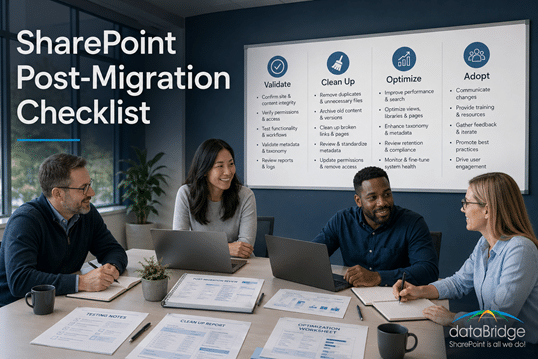
SharePoint Post-Migration Checklist
This checklist helps organizations validate structure, permissions, governance, content quality, adoption, and support needs after a SharePoint migration. It is designed to prevent post-go-live drift and ensure the new Microsoft 365 environment remains usable, secure, and easier to improve over time.
Migration should not end the moment content lands in SharePoint. The period immediately after go-live is when organizations confirm that information is findable, permissions are correct, users are supported, and governance is functioning. This page explains the post-migration checks that protect long-term value.
This SharePoint Post-Migration Checklist helps ensure your environment is usable, secure, governable, and ready to scale—not just technically complete.
This page focuses specifically on what happens after go-live. It does not replace the pre-migration SharePoint Migration Checklist for Microsoft 365 or the full Complete Guide to SharePoint Online Migrations. Use this checklist when content has already moved and the organization needs to validate whether SharePoint is secure, findable, governed, adopted, and ready to improve.
If you are still in the planning phase, use the File Share to SharePoint Migration Readiness Matrix before migration to reduce the cleanup, ownership, and structure issues that often appear after go-live.
Why Post-Migration Work Matters
Most SharePoint issues don’t appear during migration. They surface weeks or months later, when:
- Users start creating content
- Teams grow organically
- Permissions expand
- Search and Copilot rely on the migrated environment
If search results feel inconsistent after go-live, use Why SharePoint Search Results Vary by User to diagnose the relationship between permissions, indexing, metadata, duplicate content, and source quality.
Post-migration work is where long-term value is either created or lost.
Organizations that want a structured follow-through path can use the dataBridge SharePoint Advisory Partnership to keep post-migration ownership, governance, adoption, and content health from drifting after go-live.
When post-migration review reveals larger governance, permission, Copilot, or adoption gaps, use the SharePoint planning tools and assessment resources hub to choose the next worksheet, scorecard, or checklist.
Phase 1: Stabilize the Foundation
Start by confirming your environment is stable, predictable, and understandable.
Confirm Site Ownership
- Assign a clear owner to every site and Team
- Document ownership responsibilities
- Ensure owners understand their role
Ownership prevents sprawl and enables accountability.
Review Site Structure
- Validate hub site associations
- Remove unnecessary sites created during migration
- Confirm sites align to business functions—not legacy systems
Structure should reflect how people work today, not how files lived yesterday.
Validate Permissions
- Restore inheritance wherever possible
- Replace individual permissions with role-based access
- Remove unused or risky access
Predictable permissions reduce security risk and support Copilot accuracy.
For a deeper permissions model, use The Complete Guide to SharePoint Permissions. If the organization is preparing for Copilot, also review the SharePoint Permission Review Checklist for Copilot.
Phase 2: Clean Up Migrated Content
Migration often brings more content than organizations expect—or need.
Identify Redundant and Obsolete Content
- Remove duplicate files
- Archive outdated content
- Flag content with unclear ownership
Less content improves search, trust, and usability.
When outdated content still has business or compliance value, deletion may not be the right answer. A defined Microsoft 365 Archive for SharePoint strategy can help move inactive sites and content out of the active collaboration layer while keeping them available when needed.
Reduce Folder Dependency
- Flatten deep folder structures
- Replace folders with metadata where appropriate
- Simplify navigation
SharePoint works best when structure is intentional—not inherited.
Standardize Naming Conventions
- Apply consistent site, library, and file naming
- Remove cryptic or legacy naming patterns
Consistency improves usability and discoverability.
Phase 3: Improve Search and Findability
Search success depends on structure—not luck.
Define Metadata Strategy
- Identify key business metadata
- Apply content types where appropriate
- Train owners to use metadata consistently
Metadata turns SharePoint into a system of record—not a dumping ground.
Post-migration review is also a good time to confirm whether folder-to-metadata mapping was applied well enough to support search, governance, and long-term usability.
For organizations that moved content from shared drives or file servers, file share to SharePoint migration validation should confirm that migrated libraries, metadata, permissions, search behavior, and ownership rules match the future-state design.
Validate Search Results
- Test common user search scenarios
- Confirm important content appears first
- Adjust structure or metadata as needed
Search trust drives adoption.
Post-migration search review should include metadata quality, duplicate content, permissions, source authority, and common user search scenarios. For the configuration and relevance side, use SharePoint Online Search Optimization. For the operating model that keeps search trustworthy over time, use SharePoint Search Governance.
Phase 4: Establish Governance That Scales
Governance should guide behavior—not slow teams down. A practical SharePoint Governance Framework turns those standards into repeatable post-migration operating rules.
Define Site and Team Creation Rules
- Clarify when new sites or Teams should be created
- Use templates or request workflows where appropriate
Clarity prevents sprawl without blocking collaboration.
Document Ownership Responsibilities
- Define who manages access
- Define who maintains content
- Define who reviews sites over time
Governance works when responsibility is visible.
If ownership is unclear after go-live, use SharePoint Site Owner Responsibilities to define who manages access, content quality, lifecycle review, structure, and escalation.
Implement Lifecycle Management
- Set review and archival expectations
- Identify inactive sites
- Plan for cleanup before chaos starts
Lifecycle thinking keeps SharePoint sustainable.
Phase 5: Prepare for Copilot and Automation
AI amplifies both good and bad structure.
Review Copilot Readiness
- Confirm permissions reflect intent
- Ensure authoritative content is easy to find
- Reduce noise and duplication
Copilot works best when SharePoint is clean and governed.
Identify Automation Opportunities
- Look for manual processes tied to lists or libraries
- Introduce Power Automate where it adds value
- Avoid automating broken processes
Automation should simplify work—not reinforce bad design.
Phase 6: Drive Adoption and Confidence
Adoption doesn’t happen automatically after migration.
Provide Clear Usage Guidance
- Explain when to use Teams vs SharePoint
- Define where authoritative content lives
- Set expectations for collaboration
Clarity reduces friction and frustration.
Train Site Owners First
- Focus on owners before end users
- Teach structure, permissions, and governance basics
Strong owners create strong environments.
Measure Adoption, Not Just Usage
- Monitor active sites and libraries
- Track search success and content growth
- Identify friction points early
Adoption signals health.
Common Post-Migration Mistakes This Checklist Prevents
- Treating migration as “done”
- Allowing permissions to spiral
- Letting ownership disappear
- Assuming search will fix itself
- Preparing for Copilot too late
The Bottom Line
A successful SharePoint migration moves content.
A successful SharePoint platform delivers clarity, trust, and long-term value.
Post-migration optimization is where SharePoint becomes:
- Easier to use
- Easier to manage
- Ready for AI
- Aligned to real work
How dataBridge Helps
dataBridge helps organizations:
- Stabilize SharePoint after migration
- Simplify structure and permissions
- Establish practical governance
- Prepare SharePoint for Copilot
- Drive real adoption—not just activity
If your migration is complete but SharePoint doesn’t feel right yet, that’s normal—and fixable.
Post-migration is where SharePoint actually starts working.
Organizations that need hands-on remediation after go-live often turn to SharePoint Migration Consulting to stabilize permissions, search, governance, and adoption.
If you are still planning the move rather than fixing the aftermath, start with our pre-migration SharePoint checklist to define structure, permissions, governance, and testing before go-live.
If you are still planning the move, it helps to see the project plan that sits behind that checklist – the phases, owners, and timeline that come before go-live.
Before vs After SharePoint Migration
Why Post-Migration Work Changes Everything
BEFORE: “We Migrated Everything”
What it looks like
- Flat or deeply nested folder structures
- Hundreds of sites with unclear purpose
- Individual permissions everywhere
- Duplicate and outdated files
- Teams used as file storage
- Search returns inconsistent results
What users experience
- “I don’t know where anything lives”
- “Which file is the final version?”
- “I’ll just email it instead”
- Low trust in SharePoint
- Copilot surfaces noise, not insight
Behind the scenes
- Lift-and-shift migration
- No governance or lifecycle rules
- Ownership unclear
- Permissions unmanaged
- Structure inherited from file servers
AFTER: “SharePoint Works for the Business”
What it looks like
- Clear site and hub structure
- Metadata-driven libraries
- Role-based permissions
- Defined ownership and lifecycle
- Teams aligned with SharePoint
- Predictable navigation and search
What users experience
- “I know exactly where to put this”
- “Search actually works”
- “Teams feels calmer and clearer”
- Confidence using SharePoint daily
- Copilot delivers relevant, trusted answers
Behind the scenes
- Post-migration optimization
- Governance embedded into design
- Ownership accountability
- Structure aligned to real workflows
- AI-ready content foundations
One Migration. Two Outcomes.
| Area | Before Optimization | After Optimization |
|---|---|---|
| Structure | Folder-heavy, inherited | Intentional, scalable |
| Permissions | Individual & inconsistent | Role-based & predictable |
| Ownership | Unclear or missing | Defined and accountable |
| Search | Unreliable | Trusted |
| Teams | Chaotic | Purposeful |
| Copilot | Noisy | Insightful |
| Adoption | Declines | Grows |
Related Post-Migration Resources
- SharePoint Migration Consulting
- The Complete Guide to SharePoint Online Migrations
- SharePoint Migration Checklist for Microsoft 365
- Why Most SharePoint Migrations Fail
- SharePoint Online Search Optimization
- SharePoint Search Governance
- The Complete Guide to SharePoint Permissions
- SharePoint Governance Framework
- SharePoint Advisory Partnership