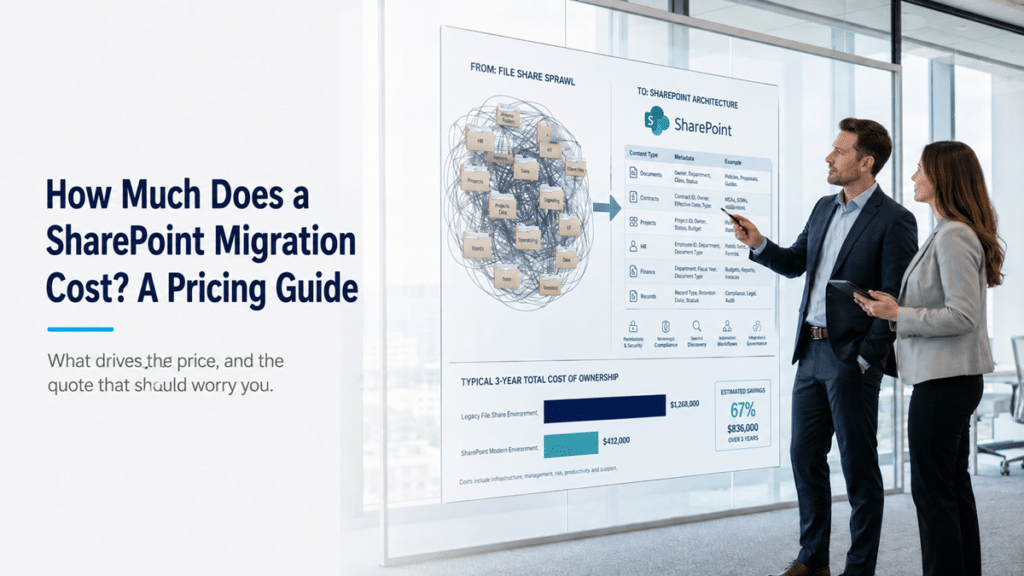
Two firms can quote the same migration and land six figures apart. The cheaper one almost always priced it by the gigabyte, or handed over a fixed bid before anyone looked at the content. That kind of quote is a warning sign, and we will get to why. The short version is that the price of a SharePoint migration is set by how much your data has to be restructured, and moving the files is the cheap part.
How much does a SharePoint migration cost?
A SharePoint migration is priced by the work it takes to restructure your content, not by the volume of data you move. Two organizations with identical data sizes can pay very different amounts, because one arrives with a clean, well-organized source and the other has fifteen years of nested folders that need to be rebuilt into a real architecture. Any quote worth trusting starts with discovery rather than a per-gigabyte rate.
We are not going to print a single dollar figure here, because a one-size number would be dishonest. The cost scales with the condition of your source, the number of systems you are moving from, how tangled the permissions are, and what compliance demands you carry. If you want a planning estimate tailored to your size and complexity, model it with the Migration ROI Calculator, then refine it with a real scoping conversation. What follows is where the money actually goes, so you can read any quote you receive with clear eyes.
Moving the files is the cheap part
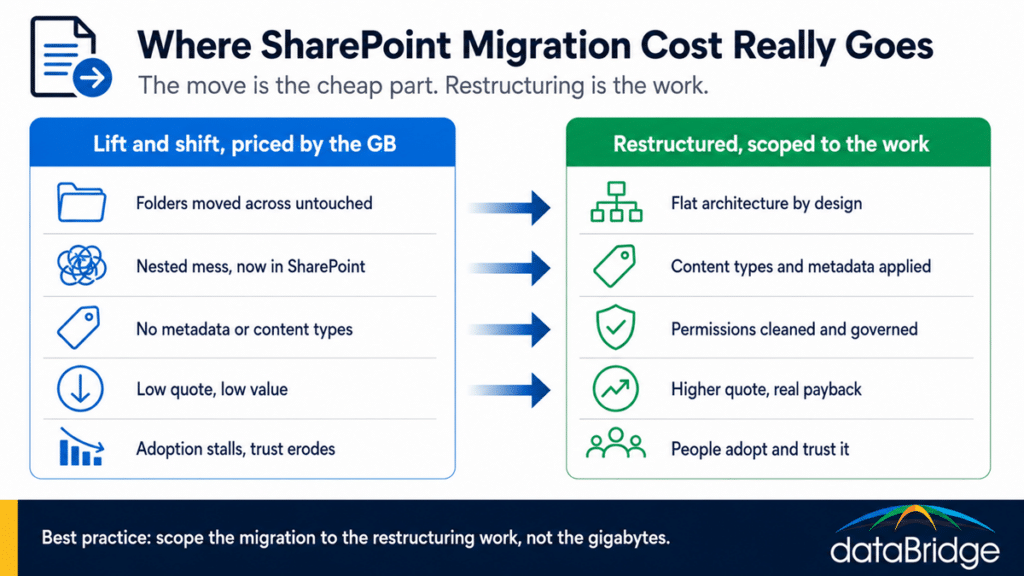
In most migrations, copying content is not where the budget goes. Modern migration tools move files, libraries, and whole sites reliably and at scale, and that part is close to a solved problem. The expensive, skilled work is taking a deep, nested folder structure and rebuilding it as a flat architecture with content types and metadata, so people can find what they need on the other side.
Which of those tools we reach for depends on your source and how tangled the permissions are, and comparing the main SharePoint migration tools shows where each one fits.
This is the single most common reason a real quote looks higher than a client expected. They budgeted for the move, which is straightforward, and the move was never the hard part. We made the longer version of this case in the SharePoint migration myth, and the reason the restructuring matters so much comes down to why folders fall short and metadata holds up. Planning that rebuild is its own discipline, which is why we treat mapping legacy folders to metadata as a design step, not an afterthought.
What actually drives the cost of a SharePoint migration
The price moves with a handful of factors, and most of them trace back to the state of your current environment rather than its raw size. In rough order of how much they swing the number:
The condition of your source data. Deep nesting, duplicate files, and orphaned content all add restructuring hours, and a messy source is the biggest cost multiplier there is.
The number and type of sources. File shares, on-premises SharePoint, Box or Google Drive, and tenant-to-tenant moves each carry different work, and consolidating several at once compounds it. A Google Workspace to SharePoint move adds file conversion testing and an app rebuild on top of the transfer, which is why it prices differently than a file share of the same size.
Permissions. Untangling and remediating years of folder-level permissions is often the slowest stretch of the whole project.
The information architecture and metadata design. This is the real engineering, and it is what turns storage into a usable system. It is also where a firm earns its fee, which is why we treat architecture and governance as the core of the work.
Content types, templates, and document structure.
Compliance and retention requirements, which add design and validation effort, especially in regulated environments. The records management and retention layer has to be built in, not bolted on later.
Running an unsupported farm carries its own cost, which is why the end-of-support deadline for SharePoint 2016 and 2019 has moved the migration decision from optional to forced for many organizations.
Integrations with Teams, Power Platform, and line-of-business systems.
Change management, so people actually use the result instead of drifting back to the old drive.
The fastest way to see which of these apply to you is a structured look at your environment, which is the whole point of a migration readiness assessment.
Why per-GB and fixed-bid migration quotes are a red flag
If a vendor prices your migration by the gigabyte or terabyte, or commits to a fixed bid before discovery, be concerned. dataBridge will not price a migration that way, and you should treat that kind of quote as a signal about what you are actually buying. A per-volume number almost always describes a lift and shift, where your folders move across exactly as they are and you pay to relocate the same mess into a more expensive home.
The math is seductive and the outcome is poor. A per-GB quote prices the part that is easy, the move, and ignores the part that is hard, the restructuring. It also transfers the risk of bad scoping onto you, because the moment the work turns out to be more than a copy job, you are the one holding the gap. This is the easiest and most common way to lose adoption and watch employees stop trusting SharePoint, because nothing got better, it just moved. We see the wreckage often enough that we wrote up the mistakes we find after a migration, and they connect straight to why employees stop trusting SharePoint and why adoption fails.