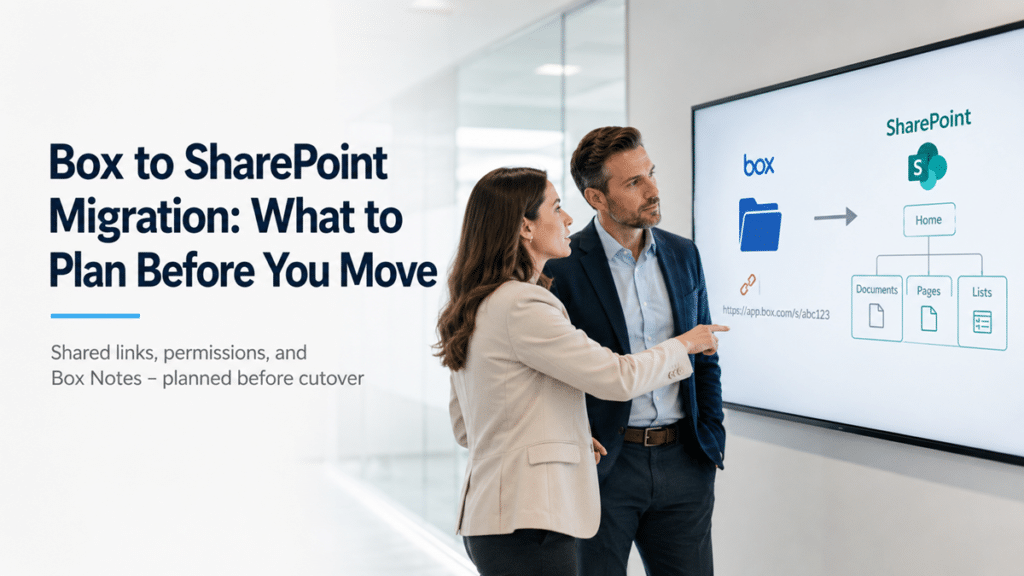
Every link anyone has ever shared from Box dies on cutover day. Box builds its URLs on its own structure – https://app.box.com/folder/… for folders, https://app.box.com/s/… for shared links – and the moment a file lands in SharePoint, that address points at nothing. There is no redirect between the two platforms. The vendor who bookmarked your pricing folder, the auditor holding a link to last year’s evidence package, the SOP on your intranet that references a Box folder – all of them hit a dead URL at the same time.
We see this on nearly every Box consolidation we scope, and it is almost never in the project plan. Teams budget for moving files and rebuilding permissions, then spend the first month after cutover fielding tickets about links that quietly stopped working. This post walks through what actually breaks when you leave Box, what moves cleanly, and the planning work that keeps the transition from turning into a support event.
Why Every Box Shared Link Breaks on Cutover Day
Box shared links stop working after migration because the URLs are tied to Box’s own platform, and SharePoint issues entirely new URLs for the same content. Nothing carries over, and no migration tool can preserve a Box link. The only question is how much disruption that causes, and the answer depends on how many links are in circulation and where they live.
The scale surprises people. A tenant that has run Box for five or more years typically has thousands of active shared links, and they hide in places no one audits: email threads with customers, contract exhibits, onboarding documents, browser bookmarks across the company, intranet pages, help desk macros, and embedded links inside other Box files. Internal links generate tickets. External links generate something worse – a partner or client who concludes your company sent them a broken URL and moves on.
This is why link planning belongs at the front of a Box to SharePoint migration, not the end. The files are the easy part. The web of references pointing at those files is where the real work sits.
What Moves Cleanly from Box to SharePoint – and What Doesn’t
Files, folder structures, and most collaborator assignments migrate well with the right tooling. Shared links, Box Notes, Box Relay workflows, and app integrations do not move on their own, and version history moves only as deeply as you configure it to. Knowing which bucket each content type falls into is the difference between a scoped project and a surprise.
Plan for these specifically:
- Shared links are regenerated in SharePoint, never carried over, which is why the inventory work below matters
- Box Notes are a proprietary format; they must be converted to Word documents during migration or exported manually, and interactive elements flatten in the process
- Box Relay workflows do not translate; anything that routes approvals or file requests needs to be rebuilt in Power Automate
- Version history migrates to a configurable depth; most tools let you choose how many versions to bring, and bringing everything inflates both timeline and storage
- Box metadata templates need matching SharePoint columns designed before migration, because mapping metadata after the move means touching every file twice
- Completed Box Sign documents are PDFs and move as files, but active signature workflows and third-party integrations need re-pointing after cutover
None of these is a blocker. Every one of them is a line item that has to exist in the plan before the migration tool runs, and our SharePoint migration checklist covers where each decision falls in the sequence.
Mapping Box Permissions to SharePoint’s Model
Box grants access through seven collaborator roles applied folder by folder, while SharePoint grants access through site membership, permission inheritance, and sharing links. The two models do not translate one to one, so the role mapping has to be decided before the migration tool asks for it – not improvised inside the tool’s settings screen.
Box’s waterfall model, where a collaboration added to a folder flows down through everything beneath it, encourages a pattern we find in almost every mature Box tenant: access granted deep in the folder tree, layer upon layer, over years. Migrate that structure as-is and you recreate it in SharePoint as broken permission inheritance on hundreds of folders – the exact condition that makes SharePoint environments slow, confusing, and hard to govern later. The better move is consolidating access at the site and library level, keeping unique permissions for the genuine exceptions, and treating the migration as the one chance to reset years of accumulated grants.
External collaborators need their own decision. Box external users become Entra guest accounts in Microsoft 365, and how you configure guest access, expiration, and sharing policy determines whether external collaboration keeps working on day one. Decide it up front, because retrofitting guest policy after externals have already lost access is a bad week.
Build the Shared Link Inventory Before Anything Moves
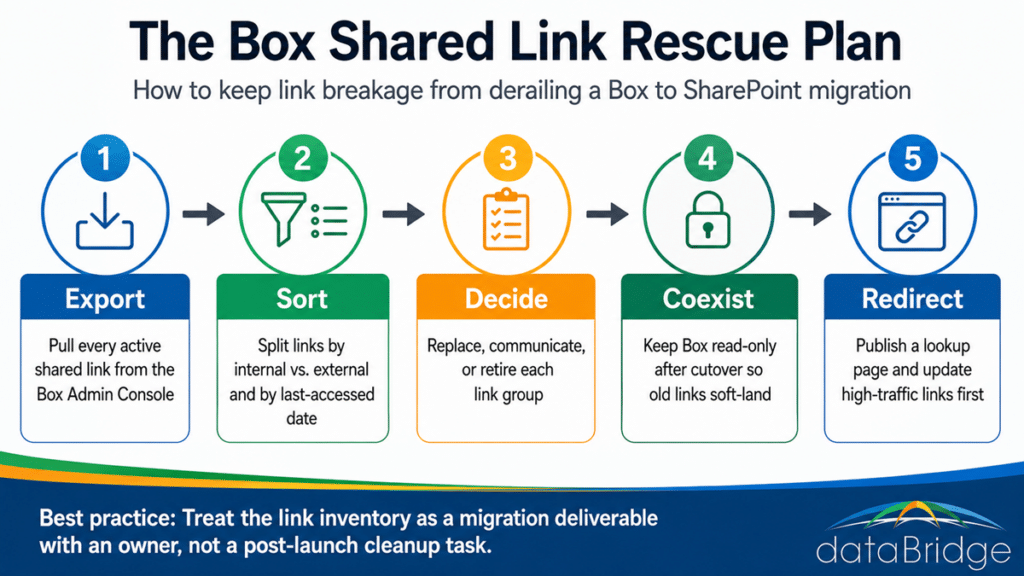
The fix for link breakage is an inventory: export every active shared link from the Box Admin Console, split the list by internal versus external and by last-accessed date, and decide for each group whether you will replace it, communicate it, or let it expire quietly. Box’s reporting shows when links were last used, which means you can concentrate effort on the links that carry real traffic instead of treating ten thousand links as equally urgent.
Four moves cover most of the risk. Run the export early enough to act on it. Keep Box alive in read-only mode for a coexistence window after cutover, so anyone hitting an old link finds the file with a banner pointing to its new home instead of an error. Publish a simple lookup page on the new SharePoint environment mapping the highest-traffic old locations to new ones. And communicate directly with the external parties attached to your most important links – customers, auditors, and partners should hear about the change from you, not from a 404.
Treat the link inventory as a migration deliverable with an owner and a due date, not a cleanup task for whoever has time after go-live.