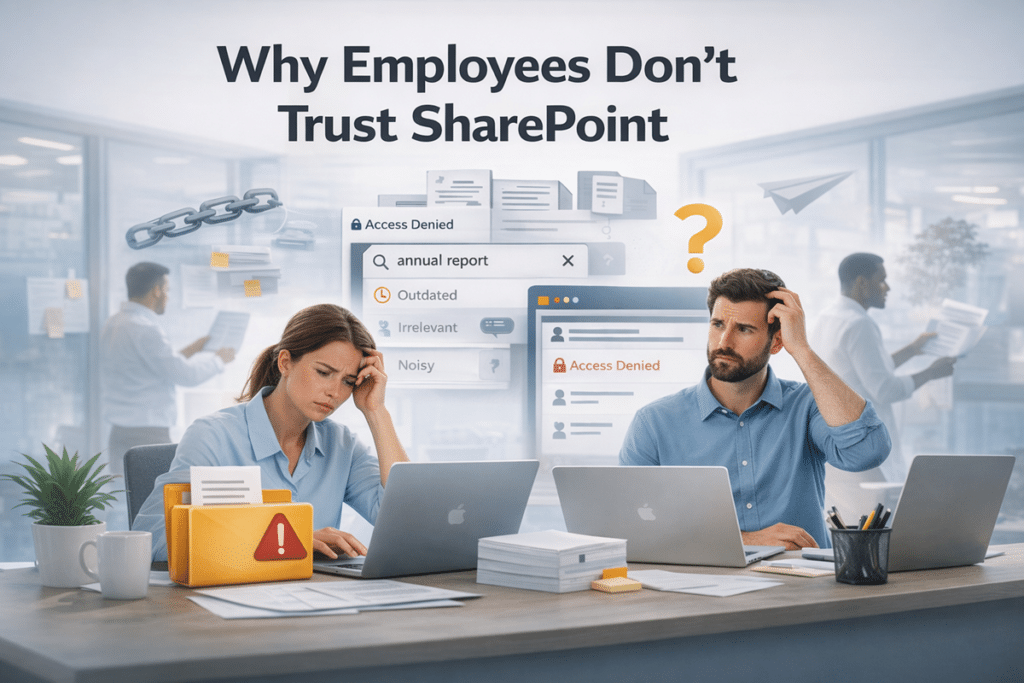
This article explains why employees stop trusting SharePoint when structure, governance, permissions, search, and ownership are weak. It shows how trust problems usually reflect design and operating issues, not user resistance, and why fixing the environment matters more than blaming adoption alone.
Employees do not lose trust in SharePoint because they dislike the platform in theory. Trust breaks down when information is hard to find, permissions feel inconsistent, content quality declines, and the environment becomes unpredictable. This article explains the structural reasons that happens and what organizations can do differently.
Most employees do not start out distrusting SharePoint.
They get there the same way trust breaks in any work system: gradually, and usually for reasons leadership thinks are small.
A page looks outdated. Search returns a mix of useful content and noise. The same document shows up in three places. A link works for one team and throws an access error for another. Someone says, “Just email it to me.”
These same trust issues become more visible when organizations introduce AI. In our May 2026 SharePoint updates webinar, we explain why Copilot readiness depends on clean content, clear ownership, reliable metadata, and well-managed permissions.
None of those moments feels dramatic on its own. Put them together, though, and they teach employees something important: this platform may not be the place to rely on when the answer actually matters.
I’ve seen this pattern in enough environments to know employees rarely call it a trust issue. They say things like, “I can’t find the right version,” “I’m not sure this page is current,” or “Can you just send it to me?” But that is exactly what it is.
That is when trust starts to erode.
And once trust slips, adoption becomes much harder to recover. That is one reason SharePoint adoption fails even when the platform itself is not the real issue.
Employees Are Not Judging Governance. They Are Judging Reliability.
Most employees are not evaluating your governance model, metadata framework, or lifecycle policies.
They are asking simpler questions, and they ask them every day:
- Can I find what I need?
- Is this the right version?
- Is this page current?
- Do I have access to the right content?
- Is there an obvious place to save this?
- Can I trust what I found without double-checking it with someone else?
That is the test.
Employees do not care that governance exists in theory. They care whether the environment feels dependable in practice. When it does not, they do not describe it as a governance problem. They describe it as frustrating, messy, or unreliable.
Governance that users cannot feel is paperwork.
That is why SharePoint Adoption & Change Management cannot be only about communication, launch emails, or training sessions. It also has to improve what users experience when they open the platform on an ordinary workday.
Most Employees Do Not Resist SharePoint. They Audit It.
This is the uncomfortable part.
Employees are constantly running a silent audit of the environment, even if they would never use that language themselves.
Every time they open a site, search for a file, or click into a document library, they are testing a few basic things:
- Can I trust what I found?
- Can I trust where it lives?
- Can I trust who has access to it?
- Can I trust this area to feel the same next time I come back?
In most environments I assess, the early warning sign is not a complaint about governance. It is version confusion, backup copies, and people quietly asking coworkers for the “real” link.
When the answer keeps landing somewhere between maybe and probably not, people adapt.
They stop giving the platform the benefit of the doubt.
Training can explain where to click. It can explain how libraries work. It can explain what belongs in SharePoint instead of email.
What it cannot do is repair credibility after the environment has already taught users to second-guess it.
Training is not a credibility strategy.
How SharePoint Teaches Employees Not to Trust It
-
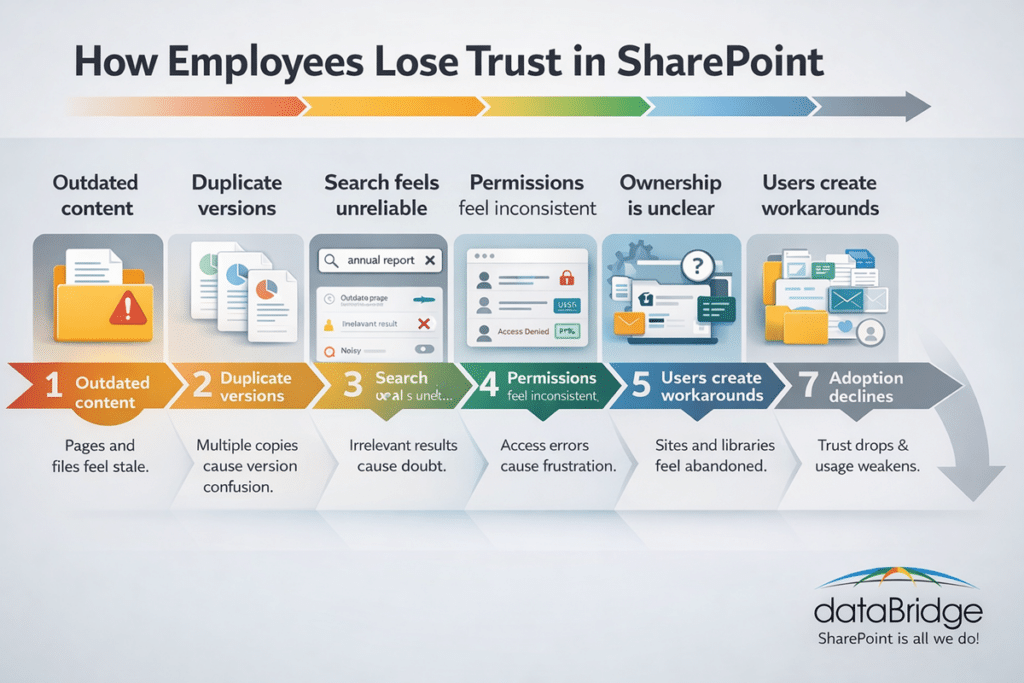
Duplicate content makes the platform feel unreliable
One of the fastest ways to lose user confidence is to make people guess which version matters.
If the same file lives in a document library, a Teams channel, somebody’s desktop, and a forwarded email thread, SharePoint stops feeling like a source of truth. It starts feeling like one more place where the answer might be hiding.
That is usually not just a cleanup problem. It is a structure problem. Strong SharePoint Information Architecture & Metadata makes it easier to know where content belongs and why. Weak structure makes every save location feel negotiable.
I have yet to see a low-trust environment where duplicate content was a small issue. Version confusion always spreads. Once people stop believing there is a clear source of truth, they start building their own.
And once people start thinking, “I should keep my own copy just to be safe,” trust is already slipping.
Version confusion is not housekeeping. It is credibility damage.
-
Search feels inconsistent
Employees do not need search to be perfect. They do need it to be believable.
When search regularly surfaces stale pages, irrelevant results, vague file names, or content that clearly should not rank first, people adjust their behavior quickly. They stop searching as their first move. They ask a coworker. They go back to old links. They keep backup copies because finding the right file feels less certain than storing another one.
That is why metadata strategy matters so much. Search quality usually degrades long before leadership notices, and it almost always degrades because naming, tagging, ownership, and content structure were allowed to drift.
Search is not just a convenience feature. In SharePoint, it is a trust feature.
Once employees stop trusting search, they stop trusting the platform’s ability to help them navigate their work.
-
Permissions feel random
Few things make a system feel unstable faster than inconsistent access.
If users cannot get to content they genuinely need, frustration goes up fast. If they can see something they probably should not be able to see, that is even worse. Either way, people come away with the same impression: this environment is not being managed as carefully as it should be.
That is why a practical SharePoint Permissions Guide matters operationally, not just technically. Permissions are part of the user experience whether organizations think of them that way or not.
Users may never say, “Our inheritance model is inconsistent.” They will say, “I never know what I’m going to be able to access.”
That is a trust problem.
In the environments that struggle most, permissions are rarely just broken. They are unpredictable. And unpredictability is what makes users cautious.
-
No one clearly owns the site
Employees can tell when a site has no real steward.
A stale landing page. An outdated policy. News that stopped months ago. A library that keeps growing but never seems to get cleaned up. A key page with no visible owner and no sign anyone has reviewed it in ages.
People notice that. And when they notice it, they start assuming the content may be old, incomplete, or risky to rely on.
This is where SharePoint site owner responsibilities stop being an administrative topic and start affecting day-to-day behavior. Weak ownership is rarely invisible. It shows up in the exact places where employees are trying to decide whether the platform deserves their trust.
If ownership is unclear, trust gets outsourced to guesswork.
-
Every team uses SharePoint differently
Some variation across departments is normal. Total inconsistency is not.
When every team has its own navigation patterns, naming conventions, document logic, and unwritten rules, employees end up spending too much energy decoding the environment instead of using it. The platform starts to feel like a collection of local systems rather than one coherent one.
Consistency matters because predictability matters.
It is also why the line between SharePoint vs Teams needs to be clear. If employees have to keep guessing where content should live, where conversations should happen, and where the “real” version belongs, they will create their own shortcuts.
That is exactly why we created OneDrive vs SharePoint: Where Should Files Live in Microsoft 365?, a practical guide to help organizations define where files belong across OneDrive, Teams, and SharePoint.
Shortcuts are what users build when the system no longer feels obvious.
And when people need local knowledge just to save or find a file, the environment is already too complicated.
What Employees Do Instead
Employees do not stop working when they stop trusting SharePoint.
They stop relying on it.
That is the shift many organizations miss. The work still gets done, so the damage can look smaller than it really is. But underneath the surface, people begin building their own safeguards and workarounds.
That usually looks like this:
sending attachments instead of links
saving local copies “just in case”
asking coworkers instead of searching
keeping shadow folders outside the platform
using Teams chat as a document retrieval system
recreating content instead of trying to find it
These are not harmless habits.
They are protective behaviors. Employees use them when the official system feels uncertain enough that they no longer want to depend on it without a backup plan.
If users need a backup plan to work in SharePoint, the environment has already taught them not to trust it.
Why Leaders Usually Misdiagnose the Problem
Leadership often prefers a cleaner explanation.
If SharePoint usage is inconsistent, it is tempting to assume the issue is resistance, poor communication, or lack of training. That story is easier to manage because it suggests the platform is fine and the users simply have to catch up.
Sometimes that is true.
A lot of the time, it is backwards.
In many environments, employees are not resisting SharePoint. They are responding rationally to a platform that feels cluttered, inconsistent, outdated, or unpredictable. They are not opting out because they hate change. They are opting out because the environment taught them to be cautious.
I have yet to walk into a messy, underused SharePoint environment where the core issue was that employees needed one more training session. The underlying problem is almost always structure, ownership, permissions, or content quality.
That is why a real SharePoint Governance Framework cannot live only in a document or a slide deck. Governance matters when it shapes what users actually experience: how sites are structured, how content is maintained, how permissions are managed, and how consistently standards show up in the real environment.
If the environment still feels unreliable, more reminders will not solve the underlying problem.
Trust Debt Adds Up Faster Than Most Teams Think
SharePoint usually does not fall apart all at once.
It drifts.
A few outdated pages stay live because no one has time to review them. Extra folders get created because it is easier in the moment. Permission exceptions pile up. Naming standards loosen. Search gets noisier. Ownership gets murkier. Confidence slips a little at a time.
None of that feels catastrophic on the day it happens.
Over a year or two, it becomes expensive.
That is trust debt.
And trust debt compounds. It slows adoption, weakens search behavior, increases duplication, creates more side systems, and makes every later improvement harder to sell internally because employees remember the environment they stopped trusting.
One of the most common patterns I see is this: by the time leadership calls it an adoption problem, users have already been compensating for a trust problem for months.
It is always easier to preserve trust than to rebuild it after people have already learned to work around the platform.
How to Rebuild Trust in SharePoint
Rebuilding trust does not start with another awareness campaign.
It starts with visible reliability.
If employees have already become cautious, they need to see the environment getting clearer, cleaner, and more predictable before they believe the message that things have improved.
Fix the high-visibility problems first
Start where employees already feel the pain.
Clean up the pages, sites, and libraries people use most. Remove stale content that is still drawing traffic. Repair obvious navigation problems. Get rid of the duplicate files everyone knows are there. If the most visible areas still look neglected, users will assume the rest of the environment is no better.
Make ownership visible
Important areas should have clear stewards. Users should be able to tell, directly or indirectly, that someone is responsible for the quality of what lives there.
Ownership is not just a governance box to check. It is one of the signals that tells employees a platform is being managed rather than abandoned.
Reduce version confusion
Create clearer source-of-truth patterns. Standardize where final documents belong. Cut down on redundant libraries where possible. Make it easier for people to know which copy matters and where it is supposed to live.
The goal is not only cleanup. The goal is confidence.
Enforce consistency where it matters most
Not every site needs to look identical. That is not realistic.
But core patterns should feel familiar. Navigation, naming, structure, and content expectations should not change so dramatically from team to team that users feel like they are learning a new system every time they cross a department boundary.
Consistency lowers friction. Lower friction makes trust easier to rebuild.
Start with structure, not assumptions
When trust is already low, the smartest next step is usually not another rollout campaign. It is a SharePoint Discovery & Readiness Assessment that looks at architecture, permissions, adoption risk, ownership, and content quality before more changes get layered on top of a shaky foundation.
If the structure is wrong, better messaging will not fix the experience for long.
Final Thought
Organizations often ask, “How do we get employees to use SharePoint more?”
That is understandable, but it is not the best first question.
A better one is this:
Why would employees trust it enough to rely on it?
Because employees do not adopt platforms they have to second-guess. They adopt platforms that feel current, clear, owned, predictable, and reliable.
Trust comes first.
Adoption follows.
Frequently Asked Questions
Is SharePoint itself the reason employees lose trust?
Usually no. In most environments, trust breaks because of poor structure, outdated content, weak ownership, inconsistent permissions, and unreliable search, not because SharePoint lacks capability.
Can training fix low trust in SharePoint?
Training helps users understand how the platform works, but it cannot fix version confusion, weak information architecture, messy permissions, or abandoned sites. Training can support adoption. It cannot substitute for credibility.
How do you improve employee trust in SharePoint?
Improve search reliability, clean up stale content, make ownership visible, simplify structure, reduce duplication, and align permissions with real business needs. Trust improves when the platform starts feeling predictable again.
What is the connection between trust and adoption?
Employees adopt platforms they can rely on. When SharePoint feels inconsistent or outdated, users create workarounds and adoption weakens.
If your SharePoint environment feels cluttered, inconsistent, or underused, the problem is rarely just training. It usually points to deeper issues in structure, permissions, ownership, or governance that need to be corrected before adoption improves. For more practical guidance, see the SharePoint & Microsoft 365 Knowledge Center.
Reviewed By