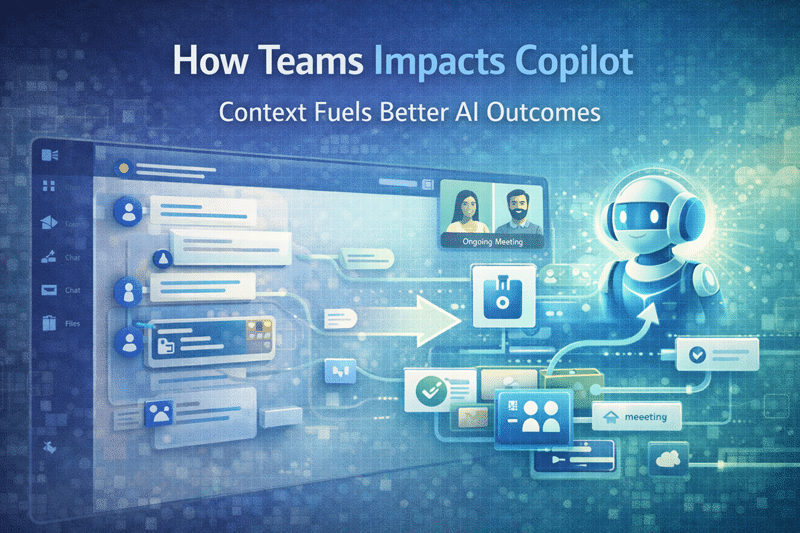
How Microsoft Teams Impacts Copilot More Than You Think
Teams Is a Major AI Signal—Not Just a Collaboration Tool
When organizations think about Microsoft Copilot, they usually focus on SharePoint first.
However, Microsoft Teams plays a much larger role in AI outcomes than most people realize.
In reality, Copilot continuously draws from:
- Teams conversations
- Files shared in channels
- Meeting chats, notes, and summaries
This article focuses specifically on how Teams affects Copilot readiness. For broader SharePoint AI readiness, use Copilot Readiness for SharePoint. For Teams structure, ownership, lifecycle, and governance, use Microsoft Teams Consulting & Governance. For the SharePoint files and permissions behind Teams, use the Microsoft Teams Readiness Assessment for SharePoint.
As a result, the way Teams is designed, used, and governed directly shapes Copilot’s accuracy and usefulness. This connection is why a Microsoft Teams Readiness Assessment should be part of readiness planning when Teams conversations, channels, meetings, and files are central to daily work.
Conversations Create Context for AI
First, Copilot relies on conversations to infer relevance and intent.
When Teams conversations are:
- Unstructured
- Spread across too many Teams
- Filled with noise and one-off chatter
Copilot struggles to surface meaningful insights. Instead of clarity, users get fragmented or generic answers. Over time, trust in AI erodes—not because Copilot failed, but because conversation design never supported it.
File Chaos Quickly Turns into AI Noise
Next, file organization becomes a major factor.
When files scatter across Teams channels:
- Ownership becomes unclear
- Metadata goes unused
- Multiple versions appear everywhere
Because every Teams file lives in SharePoint, file chaos directly undermines AI quality. Copilot cannot reliably help users when ownership, metadata, permissions, lifecycle rules, and source authority are unclear. That is why SharePoint readiness for Teams files and permissions plays a critical role in Copilot success.
For a related SharePoint-focused example, see Using Copilot Lists and Governance Features to Improve SharePoint, which connects Copilot output quality with Microsoft Lists controls, site lifecycle decisions, and retention governance.
Permissions Define What Copilot Can See
At the same time, permissions quietly shape AI boundaries.
Because Teams membership defines access:
- Over-permissioning increases AI exposure
- Answers become broader and less precise
- The risk of inappropriate visibility rises
Although Copilot respects permissions, it also makes them more visible. As a result, weak permission models that once went unnoticed suddenly become obvious. Strong alignment with the SharePoint Governance Framework dramatically improves AI trust.
Permission clarity should also be paired with source authority. A SharePoint source of truth model helps organizations define which documents, policies, SOPs, pages, and knowledge sources should be trusted first by users, search, Copilot, and SharePoint agents.
Meetings Add Another Layer of Influence
In addition, Copilot pulls insights from meeting content.
When meetings:
- Lack a clear purpose
- Aren’t tied to structured Teams
- Produce ungoverned notes and chats
AI summaries lose value quickly. Without structure, Copilot amplifies noise instead of insight.
What Copilot-Ready Teams Looks Like
In contrast, Copilot performs best when Teams environments are intentionally designed.
Copilot-ready Teams:
- Exist for clear, defined purposes
- Use consistent channel patterns
- Align closely with SharePoint structure
- Follow practical governance rules
When clarity exists, AI rewards it. These principles mirror best practices outlined in Microsoft Teams Consulting & Governance.
Teams Readiness Is Part of Copilot Readiness
Organizations preparing for Copilot should include Teams in the readiness conversation. Teams conversations, meeting context, channel structure, files, membership, guest access, and permissions all influence whether AI-assisted work feels useful or noisy.
However, Teams readiness is not the whole Copilot readiness model. It should connect to Copilot Readiness for SharePoint, Microsoft Teams Consulting & Governance, and SharePoint readiness for Teams files and permissions.
The Bottom Line
Microsoft Teams influences Copilot more than most organizations expect.
When Teams is structured, governed, and aligned with SharePoint, Copilot delivers clearer insights and earns user trust. When it isn’t, AI simply exposes the cracks.
For more insights on governance, architecture, and Microsoft 365 strategy, explore our SharePoint & Microsoft 365 Knowledge Center.
Related Teams and Copilot Readiness Resources
Reviewed By