
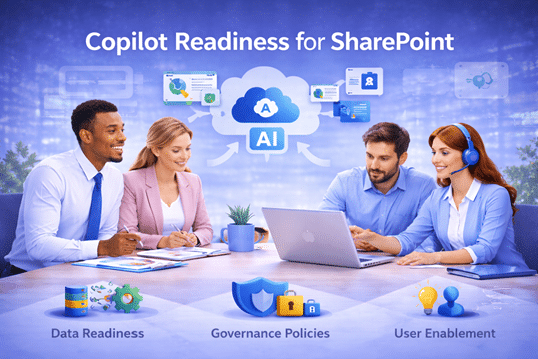
Microsoft Copilot relies on your existing SharePoint content, structure, and security. As part of our SharePoint Consulting Services, dataBridge helps organizations prepare SharePoint for Copilot by addressing governance, permissions, and content quality—so AI delivers accurate, trusted results instead of frustration.
Copilot Readiness for SharePoint
AI & Copilot Readiness for SharePoint
Preparing SharePoint to Deliver Trusted, Meaningful AI Outcomes
Microsoft Copilot changes how employees search, summarize, and create content. However, Copilot does not fix underlying SharePoint issues. Instead, it amplifies whatever already exists.
If SharePoint content is disorganized, poorly governed, or inconsistently used, Copilot produces unreliable and risky results. When SharePoint is structured intentionally, Copilot becomes a powerful productivity accelerator.
These Copilot readiness capabilities are part of our broader SharePoint & Microsoft 365 consulting solutions, which combine strategy, governance, information architecture, and migration planning to help organizations prepare Microsoft 365 environments for reliable AI outcomes.
At dataBridge, Copilot readiness is delivered as part of SharePoint Consulting Services and grounded in proven SharePoint consulting practices.
Why Copilot & AI Readiness for SharePoint Starts with SharePoint
Copilot relies heavily on SharePoint as its primary knowledge source.
Documents, pages, metadata, permissions, and search relevance all influence what Copilot surfaces. As a result, AI quality depends far more on SharePoint readiness than on Copilot configuration.
Organizations struggle with Copilot readiness when they face:
- Inconsistent site and library structure
- Poor metadata and content sprawl
- Oversharing and broken permissions
- Low trust in SharePoint search results
- Inconsistent user behavior
Without addressing these issues, enabling Copilot increases risk instead of value.
Many organizations begin Copilot planning by reviewing how other companies structured their Microsoft 365 environments. Explore our Client Success stories for real implementation examples
Readiness for Copilot Is a Strategic Decision, Not a Technical Switch
Copilot readiness must be planned, not rushed.
At dataBridge, Copilot readiness aligns directly with SharePoint Strategy & Roadmapping and is reinforced through SharePoint Architecture & Governance.
Strategy defines intent. Governance establishes guardrails. Copilot then operates within those boundaries.
This sequencing ensures AI supports the business rather than exposing it.
Preparing for AI in Microsoft 365 often requires improvements in governance, information architecture, and content lifecycle management. These disciplines come together across our SharePoint and Microsoft 365 consulting solutions.
How dataBridge Prepares SharePoint for Copilot
Our approach to Copilot readiness follows The dataBridge Way.
We focus on clarity, structure, and behavior before enabling AI. Even more important if you are considering SharePoint Online migrations.
Structuring Content So Copilot Can Reason Accurately
Copilot performs best when content is predictable and trustworthy.
We help organizations structure SharePoint content intentionally, reinforcing clear site purpose, logical content organization, and consistent metadata usage. These practices improve search relevance and AI response quality.
Strong structure allows Copilot to surface accurate and meaningful insights. Copilot readiness is not just about licensing—it is about structural integrity. For a deeper technical breakdown of how metadata models, hub structures, and governance controls influence AI behavior, review our framework on Copilot-Ready SharePoint Information Architecture.
Organizations researching AI readiness, information architecture, and Microsoft 365 governance in more depth can explore our SharePoint & Microsoft 365 Knowledge Center, which contains detailed guidance on preparing SharePoint environments for search accuracy, governance alignment, and responsible AI adoption.
Securing Content and Permissions Before AI Exposure
Copilot respects permissions, but only when permissions are correct.
Through SharePoint Architecture & Governance,
we help organizations reduce oversharing, clean up access models, and establish consistent ownership.
These steps ensure Copilot surfaces information appropriately and minimizes risk.
Reinforcing Behavior Through Adoption and Change Management
Copilot outcomes depend on how users work.
That’s why Copilot readiness is tightly connected to SharePoint Adoption & Change Management. See our Adoption Strategy Framework.
We help organizations reinforce where content belongs, how it should be created, and why consistency matters. When users trust SharePoint, Copilot becomes significantly more effective.
Aligning Copilot with Microsoft Teams Usage
Many Copilot interactions occur inside Teams.
We align Copilot readiness with Microsoft Teams Consulting & Governance, clarifying how Teams conversations, files, and channels relate back to SharePoint.
This alignment prevents duplication and ensures Copilot delivers consistent results across Microsoft 365.
Copilot Readiness Is an Ongoing Discipline
True Copilot readiness does not end at enablement.
As content grows and teams change, SharePoint must evolve. We help organizations monitor readiness indicators and continuously refine structure, permissions, and user behavior.
This approach keeps Copilot effective and trustworthy over time.
Many organizations also explore our industry-specific SharePoint intranet solutions to understand how governance requirements, security expectations, and AI adoption patterns differ across healthcare, financial services, government, education, and other regulated sectors.
Turning Copilot into a Business Advantage
Copilot delivers value only when SharePoint is intentional.
As part of SharePoint Consulting Services, dataBridge helps organizations prepare SharePoint for AI responsibly and effectively.
That’s Copilot readiness done The dataBridge Way.
If you’re researching Microsoft 365 governance, information architecture, or collaboration strategy, explore our SharePoint & Microsoft 365 Knowledge Center for additional insights.
Key SharePoint & Copilot Strategy Resources

THE SEARCH IS OVER
We're a Microsoft SharePoint partner - everything you need IS right here
For more information about how dataBridge can transform your business with improved corporate communication, collaboration, forms, workflows, and document management, contact us today.