
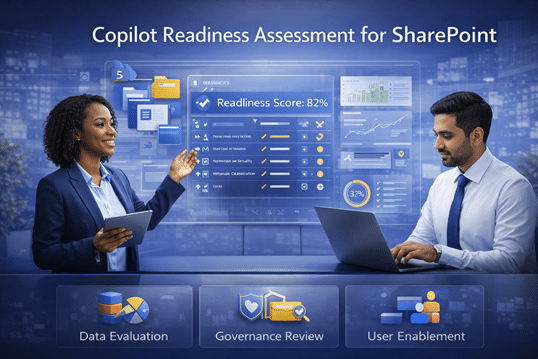
Copilot Readiness Assessment for SharePoint
A Copilot Readiness Assessment helps organizations evaluate oversharing risk, content quality, governance gaps, permission issues, and structural weaknesses before Microsoft Copilot rollout. dataBridge uses assessment work to identify the issues most likely to affect AI accuracy, trust, security, and long-term adoption.
AI readiness is not only a licensing question. It depends on whether SharePoint content is trustworthy, governed, and organized well enough to support accurate retrieval. This page explains how dataBridge assesses readiness so organizations can prioritize cleanup and make smarter decisions before Copilot reaches a wider audience.
This page focuses on the diagnostic assessment: how dataBridge evaluates SharePoint structure, permissions, content quality, ownership, search behavior, governance gaps, and readiness risk before or during Copilot rollout. For the broader readiness model, use Copilot Readiness for SharePoint. For technical architecture planning around metadata, hubs, taxonomy, and source quality, use Copilot-Ready SharePoint Information Architecture.
Make Sure Copilot Is Ready Before Your Teams Rely on It
Microsoft Copilot can be a powerful productivity tool—but only if your SharePoint environment is ready to support it.
Our Copilot Readiness Assessment for SharePoint helps organizations understand whether their content, security, and structure are prepared for AI—and what needs to change before Copilot can deliver real value.
This assessment is practical, focused, and designed to give you clear answers—not generic recommendations.
Who This Assessment Is For
This assessment is ideal for organizations that:
- Have purchased Copilot licenses but see little adoption
- Are planning to roll out Copilot and want to avoid missteps
- Are unsure whether SharePoint security and permissions are ready
- Struggle with content sprawl, search issues, or governance gaps
- Want confidence that Copilot will surface trusted information
When governance gaps are part of the concern, the SharePoint Governance Maturity Model can help prioritize which ownership, lifecycle, permission, and review issues are most likely to affect Copilot trust and adoption.
For teams that want to understand how assessment findings fit into the larger readiness picture, the SharePoint AI readiness framework connects permissions, content quality, metadata, search, lifecycle decisions, SharePoint agents, and adoption into one practical model.
Whether Copilot is live or still being evaluated, readiness work pays dividends.
What We Assess
Our Copilot Readiness Assessment focuses on the areas that matter most for AI success.
SharePoint Structure & Content
- Site and library organization
- Folder vs. metadata usage
- Content sprawl and duplication
- Identification of authoritative content
Security & Permissions
- Broken inheritance and over-permissioning
- Role-based access alignment
- External sharing risks
- How Copilot will respect security boundaries
- Sensitive information exposure and where Microsoft Purview DLP for SharePoint, Teams, OneDrive, and Copilot should support the readiness model
As part of the assessment, SharePoint access governance reports can help identify which sites may need owner review, permission cleanup, external sharing validation, or deeper sensitive-content review before Copilot is expanded.
Governance & Ownership
- Site and content ownership
- Lifecycle management gaps
- Policies impacting AI effectiveness
- Sustainability of current practices
The SharePoint Governance Maturity Scorecard is a useful companion when the assessment reveals governance gaps because it gives teams a simple way to score ownership, permissions, lifecycle, metadata, records, search, adoption, and support maturity.
Copilot Impact Analysis
- Where Copilot will struggle today
- Where Copilot can add immediate value
- Risk areas that may undermine trust
- Readiness gaps that affect adoption
Before or during the assessment, the Copilot Readiness Checklist for SharePoint can help stakeholders capture practical examples of oversharing, stale content, metadata gaps, search concerns, archive needs, and unclear ownership.
What You’ll Receive
At the end of the assessment, you’ll receive clear, actionable deliverables—not a technical data dump.
Copilot Readiness Report
- Executive summary of readiness status
- Key risks and priority gaps
- What’s blocking Copilot effectiveness
- Where immediate improvements will have the biggest impact
Prioritized Recommendations
- What to fix first—and why
- What can remain as-is
- What should be standardized
- What requires stakeholder input
Remediation Roadmap
- Practical, phased next steps
- Estimated effort and complexity
- Clear path from assessment to execution
What This Is (and Isn’t)
This assessment is:
- Practical and focused on real-world use
- Grounded in SharePoint and Microsoft 365 best practices
- Designed to support adoption—not just compliance
This assessment is not:
- A sales pitch for Copilot licenses
- A generic security audit
- A theoretical AI workshop
- A full tenant-wide remediation project
- A substitute for ongoing governance
- A one-size-fits-all checklist
This assessment is designed to identify the most important readiness gaps first so leaders can decide what should be cleaned up, governed, archived, reviewed, or improved before Copilot expands.
Why Start with a Copilot Readiness Assessment for SharePoint?
Copilot surfaces what already exists.
If SharePoint is disorganized, Copilot will amplify the problem.
If SharePoint is structured and secure, Copilot becomes a competitive advantage.
An assessment allows you to:
- Reduce risk before broad rollout
- Increase user trust and adoption
- Avoid wasted AI spend
- Make informed, confident decisions
Why dataBridge
Organizations choose dataBridge because we:
- Specialize in SharePoint and Microsoft 365
- Understand how Copilot actually works
- Focus on foundations before features
- Deliver clear, honest recommendations
- Act as long-term partners—not just implementers
We help you get Copilot right the first time.
Related Copilot Assessment Resources
- Copilot Readiness for SharePoint
- Copilot-Ready SharePoint Information Architecture
- SharePoint Permission Review Checklist for Copilot
- For the practical worksheet, download the Copilot access review checklist so assessment findings can turn into site-owner review, access cleanup, and governance follow-through.
- SharePoint Source of Truth Model for Copilot Readiness
- SharePoint Advanced Management for Copilot
- Microsoft 365 Archive for SharePoint
- SharePoint Governance Maturity Model
Ready to Assess Your Copilot Readiness?
If you’re serious about making Copilot work—not just turning it on—we’re ready to help.
Start with a Copilot Readiness Assessment and gain clarity, confidence, and a clear path forward.