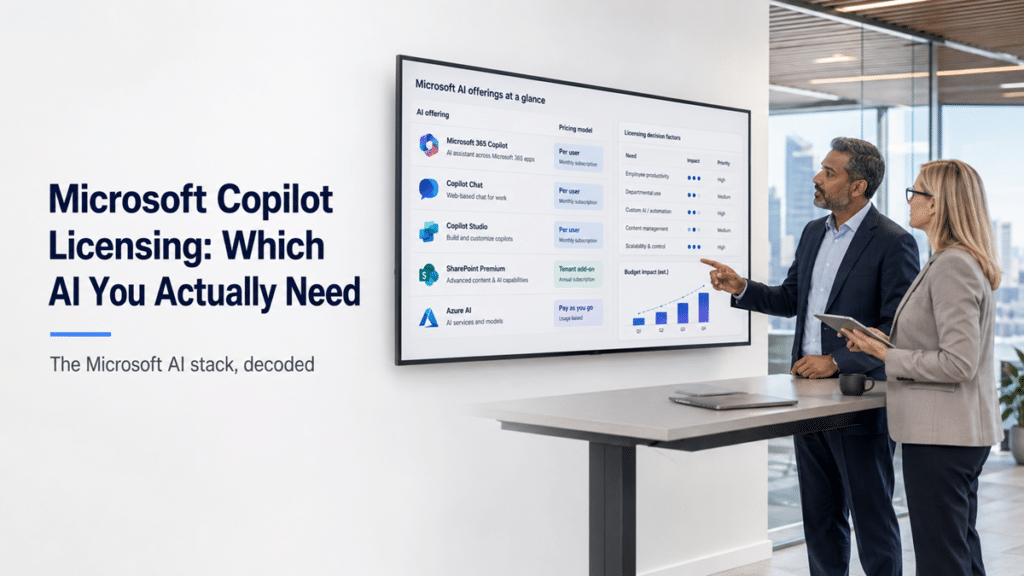
Using AI: Copilot Chat versus Microsoft 365 Copilot
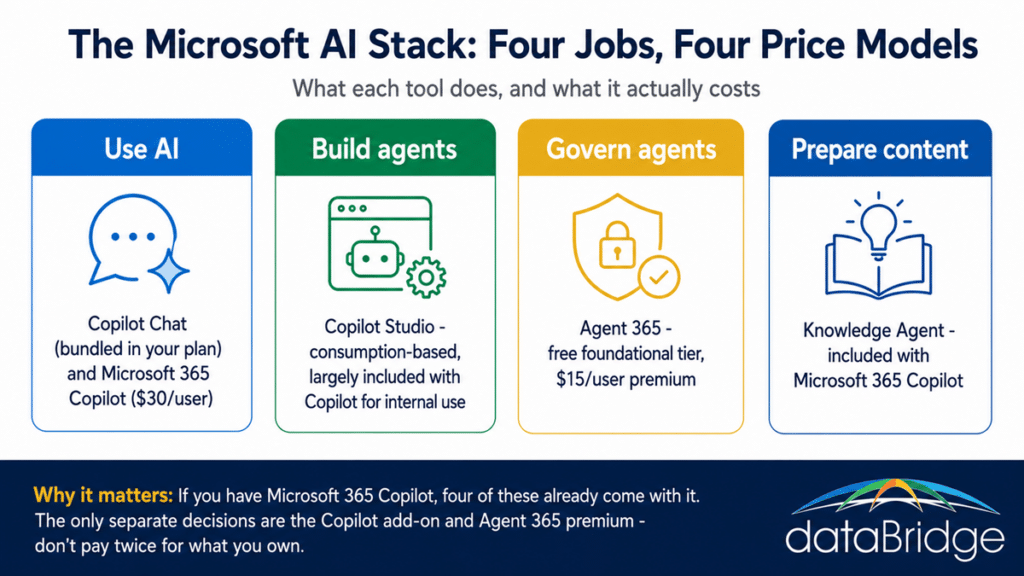
There are two tiers for simply using AI, and the difference between them is what they can see. Copilot Chat is the lighter, web-grounded assistant that was folded into every Microsoft 365 base plan in the July 2026 pricing change, so you already have it. Microsoft 365 Copilot is the full, work-grounded version that reads your own SharePoint, email, and Teams content, and it is a paid add-on at about $30 per user per month for enterprise, or roughly $21 on the small-business Copilot Business plan.
That grounding difference is the entire decision. Copilot Chat answers from the web and general knowledge with enterprise data protection around the conversation, which is useful and safe but does not know anything about your business. The full Microsoft 365 Copilot answers from your actual content, which is exactly what makes it valuable and exactly what makes content quality and permissions matter so much. If you want the deeper functional breakdown of how these two differ from SharePoint agents in scope and grounding, that is the ground our guide to Copilot Chat versus Microsoft 365 Copilot versus SharePoint agents already covers. For licensing purposes, the point is simpler: the base experience is bundled, and the version worth deciding on is the $30 work-grounded add-on.
Building agents: Copilot Studio
Copilot Studio is where custom agents get built, and it breaks the per-user pattern entirely, because it is priced by consumption rather than by headcount. Authoring an agent is free. Running one draws down Copilot Credits, billed either pay-as-you-go at about a cent per credit or in prepaid packs of 25,000 credits for $200 a month, with heavier and AI-driven interactions consuming more than simple ones.
Here is the part most teams miss and the reason so many overpay. If your users are already licensed for Microsoft 365 Copilot, building and running internal agents for those licensed users is largely covered inside that entitlement. You only fall into metered consumption billing when agents face outside users, when unlicensed people use them, or when you reach for the heavier agent types and external channels. So before anyone budgets for Copilot Studio, the first question is not how many credits to buy, it is what your existing Copilot license already includes. The consumption model is sensible, because cost tracks actual usage instead of seat count, but it needs forecasting, and it is where surprise bills come from when an external-facing agent gets busy. Agents built here also become part of your Power Platform governance picture, which is a separate discipline from paying for them.
Governing agents: Agent 365
Agent 365 does a job none of the others do: it governs agents as managed identities, and it comes in a free tier and a paid one. The foundational capabilities, including agent identity, inventory visibility, and core admin governance, are included for all Microsoft cloud customers at no additional cost. The premium tier, at about $15 per user per month or bundled into the Microsoft 365 E7 suite, adds advanced analytics and deeper governance and security controls.
This is the layer most organizations skip, and skipping it is how agent sprawl turns from a manageable thing into a cleanup project. The important licensing fact is that you do not have to buy anything to start, because the free foundational tier already gives you the inventory, meaning you can see what agents exist in your tenant before you decide whether the premium controls are worth it. Note that building agents and governing them are two different jobs with two different bills: Copilot Studio is where they are built and metered, Agent 365 is where they are governed. Paying for one does not cover the other.
Preparing content: the Knowledge Agent
The Knowledge Agent, now folded under the “Copilot in SharePoint” branding, does the quiet job underneath all the others, and it is included with your Microsoft 365 Copilot license rather than sold separately. Its work is not answering questions or running workflows, it is enriching your SharePoint content with metadata and structure so that the AI you are paying for returns answers worth trusting.
Because it rides the Copilot license you may already hold, trying it on a few important libraries costs nothing extra, which makes it the most overlooked value in the stack. It sits in preview and Microsoft has renamed it more than once, so treat it as an included capability to test rather than a finished product to depend on. The broader point it makes is the one that runs through this whole page: the tools that read your content are only as good as the content, which is why Copilot readiness is the work that decides whether any of this licensing pays off.
What you actually need, and what you are probably overpaying for
Most organizations need fewer separate purchases than the marketing implies, because so much is bundled into one license. If you already have Microsoft 365 Copilot, four capabilities are already yours without buying anything more: Copilot Chat, the Knowledge Agent, internal agent-building in Copilot Studio, and the role-based Copilots. The genuinely separate decisions are only two: whether to buy the Microsoft 365 Copilot add-on in the first place, and whether the Agent 365 premium tier is worth it on top of the free foundational governance.
That leaves two failure modes, and most organizations land in one of them. The first is overpaying, usually by purchasing Copilot Studio credit packs or add-ons for internal agents already covered by an existing Copilot license. The second, and the more expensive one over time, is under-governing: rolling out Copilot and agents with no Agent 365 layer and no content preparation, so you pay a premium for AI that returns weak or risky answers. The lesson of the whole map is that the license is rarely the real cost. The real cost is whether your SharePoint environment is ready to make any of it worth the money, and if you want that mapped against what you already own before a renewal, that is exactly what a SharePoint and Microsoft 365 consulting engagement is for.
Frequently asked questions
What is the difference between Copilot Chat and Microsoft 365 Copilot?
Copilot Chat is a lighter, web-grounded assistant now bundled into Microsoft 365 base plans, so most commercial customers already have it. Microsoft 365 Copilot is the paid add-on, around $30 per user per month, that works across your own SharePoint, email, and Teams content. The difference is grounding: Chat answers from the web, the full version answers from your business data.
Is Copilot Studio included with Microsoft 365 Copilot?
Largely, for internal use. If your users are licensed for Microsoft 365 Copilot, building and running internal agents for those users is mostly covered within that entitlement. You move into consumption billing, measured in Copilot Credits, for external-facing agents, unlicensed users, or heavier agent types. Check your existing Copilot entitlement before buying separate Copilot Studio capacity.
How much does Microsoft 365 Copilot cost?
The enterprise Microsoft 365 Copilot add-on is about $30 per user per month, billed annually, and requires a qualifying base license. The small-business Copilot Business SKU is around $21 per user per month. These are add-on prices on top of your base Microsoft 365 plan, so budget the combined figure rather than the add-on alone. Confirm current pricing before purchase.
Do I need Agent 365 if I already have Copilot?
You already have its free foundational tier, which gives you agent identity and inventory visibility at no extra cost. Whether you need the premium tier, around $15 per user per month, depends on how many agents you are running and how much governance and analytics you need over them. Start with the free visibility, then decide.
What is the difference between Copilot Studio and Agent 365?
Copilot Studio is where agents are built and is billed by consumption. Agent 365 is where agents are governed as managed identities and has a free tier plus a paid premium tier. They are two different jobs with two different billing models, and paying for one does not cover the other. Most organizations that build agents will eventually want both.
Reviewed By