Open ten department sites on your intranet and you may see ten different color schemes, a couple of fonts nobody approved, and a logo that is subtly wrong on half of them. Every site owner did their best with the Change the Look panel, and the result is an intranet that looks less like one organization and more like ten small ones sharing a login.
The SharePoint Brand Center is Microsoft’s native answer to that drift. It is genuinely useful, it comes with the platform you already pay for, and it has clear limits that decide whether it solves your problem on its own or just gets you partway. Here is what it does, where it stops, and how to tell which side of that line you are on.
What is the SharePoint Brand Center?
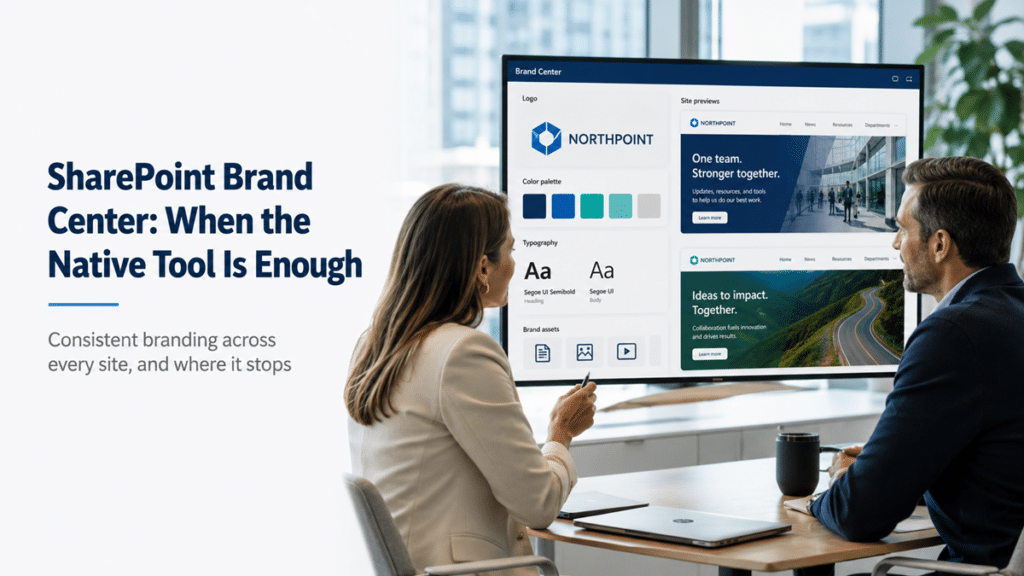
The SharePoint Brand Center is a centralized app where a designated brand manager sets your organization’s approved fonts, colors, logos, and themes once, and site owners apply that approved look across their sites through the standard Change the Look panel. It replaces per-site styling and hand-rolled PowerShell theme scripts with one governed source of brand assets, and a Global Administrator turns it on, with one Brand Center per tenant.
Under the hood, it lives in a dedicated SharePoint site and uses the Organization Asset Library to store and distribute assets. A brand manager uploads font files, defines the brand color list, and builds font packages and themes that reflect the real brand. Site owners then choose from an approved “from my organization” set rather than inventing their own. Those custom fonts carry into Viva Connections and PowerPoint for the web, though not into Teams or Outlook, which is worth knowing before anyone expects a single switch to restyle everything.
What problem it actually solves
It solves brand drift, the slow scatter that happens when every site owner styles their own space and there is no shared source of approved assets. Instead of hoping owners land on the right look, or emailing theme files around and policing the results, you hand them a curated set of correct choices and make the on-brand option the easy one.
That drift is not a cosmetic nitpick. An intranet that looks inconsistent reads as unofficial, and an intranet that reads as unofficial does not get used as the source of truth. Visual consistency is one of the quiet signals that tells employees a site is the real, sanctioned place to look, which is why branding and trust are linked on a well-run modern SharePoint intranet. Before the Brand Center, holding that consistency across a large intranet meant custom code, scripting, or manual enforcement, and none of those scale. The Brand Center makes the approved look the default path, which is a far more durable way to keep an environment on-brand than asking people to try harder.
What the Brand Center can and cannot do
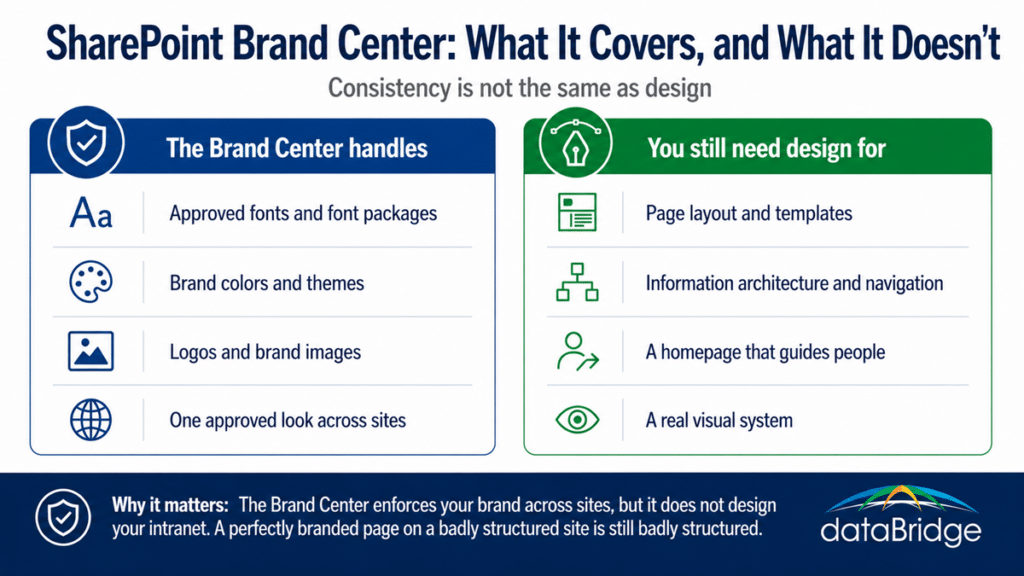
It centralizes and distributes brand assets and makes them the approved options site owners apply. It does not design your intranet, lay out your pages, or repair a badly structured site. It governs the look, not the experience, and that distinction is the whole basis for deciding whether it is enough for you.
A few limits are worth being clear about before you plan around it. The custom fonts apply to SharePoint and Viva Connections, not to Teams or Outlook, so it is not a tenant-wide restyle. Turning it on or changing an asset does not retroactively repaint every existing page, because propagation depends on how each page, theme, or template references the asset, so plan to test rather than assume a universal swap. There is one Brand Center per tenant and it lives in your primary geo, which matters for multi-geo organizations. None of these are dealbreakers, but they define a tool that manages assets well and does not pretend to be a design system.
The Brand Center is a governance tool, not a paint bucket
The Brand Center only works if someone owns it, which makes it a governance layer as much as a design one. It needs a named brand manager, a curated set of approved assets, and a deliberately small owners group, or it drifts in exactly the way ungoverned site styling does, just from a more central address.
This is the part that decides whether it succeeds. Access follows site ownership, so anyone added as an owner of the Brand Center site becomes a brand manager, which means an unmanaged owners group quietly turns into an unmanaged brand. And a Brand Center stuffed with every font and color anyone ever liked is not consistency, it is a bigger palette of ways to be inconsistent. The value comes from the decisions around it: what is approved, who approves it, and who is allowed to change it. That is the same principle your design work already runs on, where governance and design do different jobs. Governance sets the direction, and the Brand Center is one of the tools that makes it real.
When the Brand Center is enough, and when you need more
The Brand Center is enough when your problem is consistency, getting an existing brand applied uniformly across sites without custom code. It is not enough when the intranet itself needs design, meaning page layout, information architecture, a real visual system, or a homepage that does more than carry the right colors. Consistency and good design are not the same thing, and the Brand Center delivers the first, not the second.
For a lot of organizations, the Brand Center plus disciplined site owners delivers the consistency they were previously paying custom work to maintain, which is a real win on licensing you already hold. But a perfectly on-brand page sitting on a badly structured intranet is still a badly structured intranet. When the actual problem is the experience, when people cannot navigate, when pages are cluttered, when the homepage does not guide anyone, that is design work, and no brand-asset tool fixes it. That is the point where a SharePoint design and branding engagement earns its place, and it follows the same order we apply to everything: structure before customization. The Brand Center assumes you already have a brand and a reasonably sound intranet to apply it to. If either of those is missing, that is the work to do first.
For a side-by-side look at the gap between consistent and well designed, these well-structured SharePoint intranet designs show six organizations where the structure does the heavy lifting and branding plays a supporting role.