
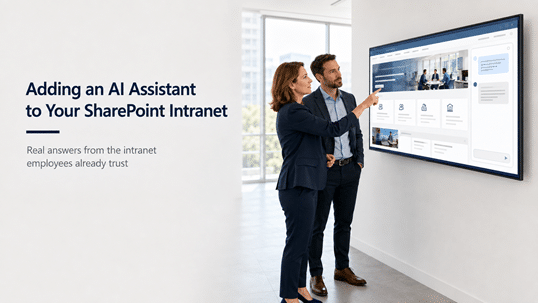
Adding an AI Assistant to Your SharePoint Intranet
When clients ask dataBridge for an AI assistant on their intranet, the request almost always arrives as a single sentence: make our employees’ jobs easier. That is the whole spec. No feature list, no tool preference, no architecture opinion. Just an outcome.
It is a fair ask. The frustrating part of most intranets was never the design. It is the forty minutes an employee spends hunting for the parental leave policy, finding three versions, and emailing HR anyway. An assistant that answers that question in one exchange makes the job easier in a way everyone can feel.
But “AI assistant” can mean four different things in Microsoft 365, and only one of them delivers what that sentence is actually asking for. This post walks through what employees really want from an intranet assistant, why Copilot licenses alone don’t provide it, and what does.
What Employees Actually Want From an Intranet AI Assistant
A SharePoint intranet AI assistant earns its place by answering the questions employees currently solve by emailing someone or giving up: what the expense policy allows, how parental leave works, what a new hire does in week one, who approves a purchase over a threshold, where the current version of a procedure lives. These are lookup questions with authoritative answers, and the intranet is supposed to be where those answers live.
Notice what that list has in common. Every question has one correct answer, that answer is owned by a department, and it changes on a schedule. That’s exactly the content profile where an AI assistant shines – and exactly the content a well-run intranet already holds in its policy libraries, HR pages, and onboarding hubs.
That’s also why the intranet is the right home for this. Employees don’t want to learn a new tool for workplace questions. They want the place they already go for answers to start answering.
Why Buying Copilot Licenses Doesn’t Give You an Intranet Assistant
Microsoft 365 Copilot is a personal work assistant, not an intranet feature. It grounds its answers in everything each individual user can access across Microsoft 365 – their mail, their chats, their files, and every SharePoint site their permissions reach. That breadth is the point of the product, and it’s also why Copilot alone doesn’t behave like an intranet assistant.
Ask licensed Copilot about the vacation policy and it searches everything you can see. If the official policy page competes with an old copy on a legacy department site and a draft someone shared two years ago, all of them are in play. Copilot has no built-in concept of “the intranet is the authoritative source.” It answers from the whole estate, current and stale alike.
There’s a cost dimension too. Copilot is licensed per user, and the employees who most need quick policy answers – frontline, part-time, high-turnover roles – are often exactly the people organizations license last. An intranet assistant that only works for the licensed half of the company doesn’t make jobs easier. It creates a two-tier intranet.
Working out who gets licensed starts with knowing what Copilot licensing really costs once base plans and agent consumption enter the math.
The differences between the AI experiences in Microsoft 365 confuse nearly every planning conversation we’re in, so if your stakeholders are using “Copilot” to mean three different products, start with our breakdown of Copilot Chat vs Microsoft 365 Copilot vs SharePoint agents before deciding anything.
Scoped Agents on Intranet Content Are the Honest Answer
The tool that actually matches the “assistant on our intranet” request is a SharePoint agent: an AI experience pinned to specific sites, libraries, and pages you choose. Scope an agent to your intranet’s policy library, HR pages, and onboarding content, and its answers come from that curated set – the content your communications and HR teams already own, review, and keep current.
Scoping changes everything about trust. When the agent can only answer from the governed intranet, the old copies on legacy sites stop competing. When the answer is wrong, there’s a named owner who can fix the source page, and the fix reaches everyone immediately. And because agents respect existing SharePoint permissions, an employee never gets an answer drawn from content they couldn’t open themselves.
Getting the scope, sources, and ownership model right is its own discipline, and it decides whether the agent stays trustworthy six months after launch. Our guide on how to design SharePoint agents that users can trust covers that design work in depth. Before selecting sources at all, the SharePoint source of truth model helps you decide which pages and libraries deserve to be the answer.
Your Intranet Content Decides Whether the Assistant Can Be Trusted
An AI assistant makes your intranet’s content quality public. Every stale policy, every orphaned page, every pair of conflicting documents that employees quietly learned to route around becomes raw material for confident, wrong answers. The assistant doesn’t degrade gracefully the way browsing does – a person scanning a page might notice the 2021 date in the footer, but an agent summarizing that page won’t flag it for them.
So the uncomfortable first question isn’t which AI to deploy. It’s whether the intranet content is in a state you’d want an AI to repeat out loud. In practice that means current pages with named owners, one authoritative version of each policy, retired content actually retired rather than lingering, and a review cadence that keeps it that way.
For plenty of organizations, that review reveals the real project: the intranet needs work before the assistant makes sense. That’s not a detour. Fixing structure, ownership, and content currency is what our intranet consulting services exist for, and it pays off in search, navigation, and everyday trust whether or not an agent ever launches.
What This Looks Like on a Working Intranet
The rollout shape we recommend starts narrow. Pick the single highest-traffic question domain – almost always HR policy and benefits – and get that content genuinely clean: one version of each policy, an owner per page, review dates current. Scope an agent to just that content and put it where employees already are, on the intranet’s home and HR pages.
Then let the questions teach you. The queries employees actually ask reveal what’s missing from the intranet, which pages confuse people, and which answers the agent gets wrong because the source is wrong. Each fix improves the page and the assistant at once. Expand to onboarding, then IT how-tos, then department procedures, one governed domain at a time.
One caution as that expands: once departments see the HR agent working, they will start building their own, and you want to decide who can create agents before they multiply rather than inventory them after the fact.
Two things make or break this. The first is ownership: someone reviews the agent’s performance and the source content on a schedule, or both drift. The second is launch communication – an assistant nobody knows about deflects nothing, which is why the rollout belongs inside your broader intranet adoption strategy rather than shipping as a quiet IT change.
Where to Start
Start with an honest read on your intranet, because the assistant inherits whatever it finds there. If your intranet content is structured, owned, and current, a scoped agent pilot on your best content domain is a short project with fast feedback. If the intranet itself is aging – weak structure, stale pages, unclear ownership – fix that first, and treat the AI assistant as the payoff for the rebuild rather than a patch over it.
For the full picture of what a modern intranet needs underneath an assistant, the complete guide to building a modern SharePoint intranet covers structure, governance, content ownership, and the decisions that make intranet content trustworthy enough for AI to repeat.
And if you want help judging where your intranet stands or scoping a first agent pilot, talk with dataBridge. Making employees’ jobs easier is the right goal. The path there runs through your content.
FAQs: AI Assistants on SharePoint Intranets
Does Copilot work with a SharePoint intranet?
Yes, but not as an intranet-specific assistant. Microsoft 365 Copilot answers from everything each licensed user can access, so intranet pages are part of its grounding along with mail, files, and every other accessible site. For an assistant that answers only from governed intranet content, a SharePoint agent scoped to those sites is the right tool.
What is a SharePoint intranet AI assistant?
It’s an AI experience, typically a SharePoint agent, scoped to your intranet’s sites and libraries so employees can ask questions and get answers drawn from official intranet content – policies, procedures, onboarding material, and department pages. Because the sources are curated and owned, the answers stay accountable in a way general-purpose AI does not.
Do all employees need Copilot licenses to use an intranet agent?
Licensing for SharePoint agents has changed several times, and Microsoft offers both license-based and consumption-based paths as of mid-2026. Check current terms before budgeting, and treat broad employee coverage as a real cost question rather than an assumption – it often shapes whether you scope one agent or several.
To test how those licensing choices play out financially, run the numbers on Copilot ROI at different seat counts and adoption rates.
Can an AI assistant fix a bad intranet?
No. It amplifies whatever the intranet contains. Stale policies and duplicate documents become confident wrong answers delivered faster than anyone could find them by browsing. If employees don’t trust the intranet’s content today, fix the content and ownership first – the assistant is the reward for that work, not a substitute for it.
How is this different from an intranet chatbot?
Older intranet chatbots matched keywords against scripted question-and-answer pairs someone had to write and maintain by hand. A scoped agent reads the actual intranet content and answers in natural language, so maintaining the assistant is the same work as maintaining the pages. When the policy page updates, the assistant’s answer updates with it.
What Our Clients Say
