Skip to content
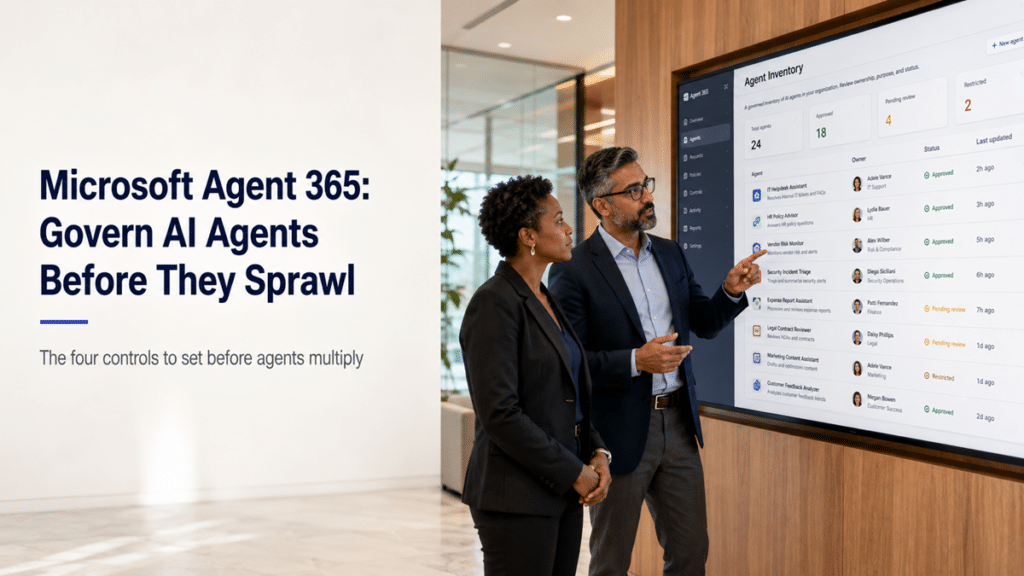
An IT director and security lead review an Agent 365 inventory showing AI agents with owners, identities, and governance status.

Microsoft Agent 365: Govern AI Agents Before They Sprawl

Right now, someone in your finance team is building an AI agent in Copilot Studio. Someone in marketing spun one up in Teams last week. A vendor deployed one against your SharePoint content two months ago, and nobody in IT signed off on any of them. Until this year, nobody had to. Each of those agents can reach real data and take real actions, and each can be handed to someone else, and there was no single place to even see them, let alone govern them.

That is the gap Microsoft Agent 365 is built to close. It arrived this year, and it turns AI agents from something that happens to your tenant into something you manage. The catch is that the governance only works if you set it before agents multiply, and in most organizations they are already multiplying.

What is Microsoft Agent 365?

Microsoft Agent 365 is a control plane for governing every AI agent in your tenant, no matter where it was built. It became generally available on May 1, 2026. It gives each agent its own managed identity in Microsoft Entra ID, its own access permissions, and its own lifecycle, so you can govern an agent the same way you govern a user account, from the Microsoft 365 admin center.

Before it existed, agents lived in silos. A Copilot Studio agent sat under the Power Platform admin, a SharePoint agent under the SharePoint admin, a Teams bot somewhere else, a vendor’s agent nowhere you could see. Each had its own access model and its own governance gap. Agent 365 pulls all of them into one view – agents built in Copilot Studio, in SharePoint, in Teams, through Agent Builder, or acquired from a third party – and extends Microsoft Entra, Purview, and Defender to treat those agents as first-class identities alongside your people. One boundary worth knowing: Agent 365 governs agents, it does not build or run them. Building still happens in Copilot Studio or Foundry, which carry their own consumption costs.

Why agent sprawl is the real risk

The risk is not any single agent. It is that agents multiply faster than governance, and each one created with default settings can reach whatever its creator can reach, which in most tenants is far more than anyone intends. One agent is a tool. A thousand ungoverned agents are a data-exposure surface.

You have seen this pattern before. It is the same shape as citizen-developer app sprawl and Teams and site sprawl, creation with no friction outrunning the governance that should sit around it. Agents raise the stakes because they act, not just store. An ungoverned agent sits on top of every permission problem your tenant has accumulated since 2018, and it will happily surface a payroll spreadsheet or a half-finished acquisition memo if the permissions underneath allow it. The window to get ahead of this is narrow. Setting governance before staff build agents at scale is straightforward. Applying it after hundreds of agents already exist with broad access is the expensive cleanup you are trying to avoid.

The four controls that matter

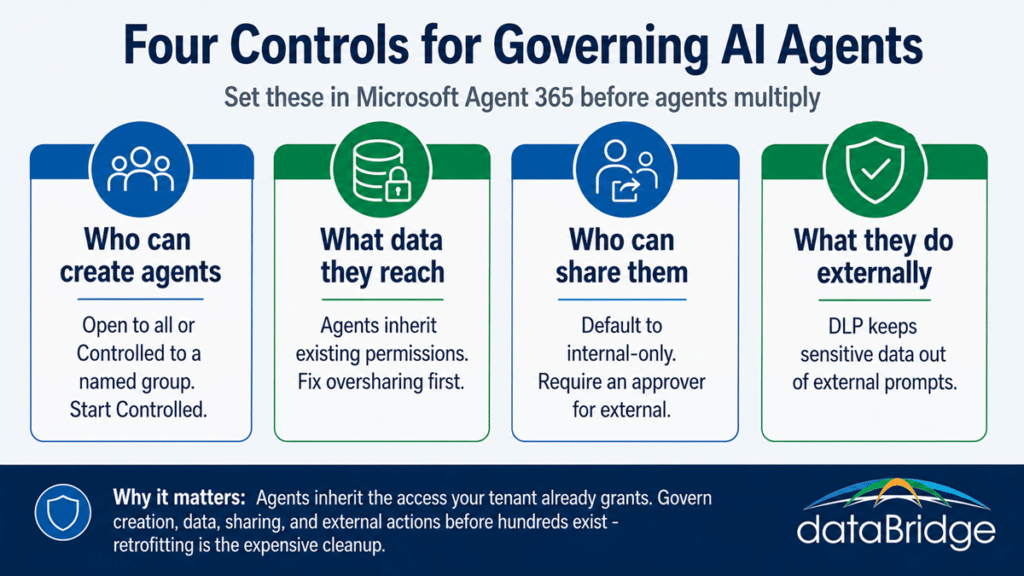
Agent 365 governance comes down to four decisions: who can create agents, what data agents can reach, who can share them, and what they can do outside your organization. Get those four right and agents become a governed productivity layer. Get them wrong and you have built a quiet new way for sensitive data to leave.

Who can create agents. Agent creation can be set to Open, where any licensed user can build and deploy agents, or Controlled, where only members of a named security group can create them and everyone else uses what is shared with them. Open is the default. For most mid-market organizations, Controlled is the safer starting posture while you decide who should be building agents and for what.

What data agents can reach. Agents respect existing permissions, so an agent cannot surface content its user could not already open. That sounds reassuring until you remember what your permissions actually look like. The real data-access control is the permission hygiene underneath, which is why cleaning up oversharing before agents scale matters more than any single agent setting. Tools like SharePoint Advanced Management and Purview help you find the overshared content before an agent does.

Who can share them. An agent can be shared inside a team, across the whole tenant, or with outside organizations, and each step outward changes the risk. Default sharing to internal-only, require a named approver for anything shared externally, and pay particular attention to agents that touch customer, finance, or regulated data.

What they can do externally. This is where controls like Copilot data loss prevention for web search come in, keeping sensitive data out of prompts that reach external services while still letting an agent ground its answers in internal sources. Match these rules to the data classes you already protect in email and Teams.

The four Microsoft Agent 365 governance controls for AI agents: creation, data access, sharing, and external actions.
Who can create agents, what they reach, who they're shared with, and what they do externally.

What Agent 365 costs

Agent 365 comes in two tiers, and the first one is free. Foundational capabilities, including agent identity, inventory visibility, basic usage insights, and core admin governance, are included for all Microsoft cloud customers at no additional cost. That matters, because it means you can likely see what agents exist in your tenant today without buying anything.

The premium tier adds advanced analytics and deeper governance and security controls. It runs about $15 per user per month as a standalone add-on, which requires a qualifying base license such as Microsoft 365 E5, the Defender and Purview suite, or Business Premium, and it is not offered on E3. It is also bundled into the Microsoft 365 E7 “Frontier Suite” at roughly $99 per user per month alongside E5, Microsoft 365 Copilot, and the Entra Suite. Pricing and packaging in this area are moving quickly, so confirm the current numbers and check what your tenant already carries before you plan a purchase. The free foundational layer is often enough to start the governance conversation.

Where to start

Begin by seeing what you already have, then close the creation door before you scale. Because the foundational tier gives you an inventory at no cost, the first move costs nothing but attention. These four steps put you ahead of the sprawl:

  • Inventory the agents already in your tenant using Agent 365’s foundational visibility, including the ones built in Teams and Copilot Studio and the ones a vendor deployed.
  • Set agent creation to Controlled while you define who should be building agents and for which purposes.
  • Fix the permissions and oversharing underneath, since agents inherit exactly the access your content already grants.
  • Default agent sharing to internal-only and require a named approver for anything external or anything touching regulated data.

None of this slows down the teams who have a real use for agents. It makes sure the agents they build land inside a model you can see and control, rather than becoming things you discover later.

How this connects to the rest of your governance

Agent governance is not a separate discipline. It is the same permission, ownership, and lifecycle governance you already apply to sites and content, extended to a new kind of identity. If your SharePoint permissions are loose and your content is overshared, your agents will inherit that exposure, which is why agent readiness and Copilot readiness are really the same project. An agent is only as trustworthy as the environment it can reach.

That connection runs both ways. Once you have governed who can create agents, the next layer is designing each agent that earns its place well, with a clear scope, the right sources, a named owner, and a review cadence, which is the work our guide to designing SharePoint agents users can trust walks through. Agent 365 decides which agents should exist and who controls them. Good agent design decides whether each one is worth trusting. Both belong in the same governance model rather than bolted on after agents are everywhere. If you want to get ahead of agent sprawl before it turns into cleanup, that is the kind of work a SharePoint and Microsoft 365 consulting engagement can move on quickly.

Frequently asked questions

What is Microsoft Agent 365?

Microsoft Agent 365 is a control plane for governing AI agents across a Microsoft 365 tenant. It gives each agent a managed identity in Entra ID and lets administrators secure and manage agents built in Copilot Studio, SharePoint, Teams, Agent Builder, or acquired from third parties, all from the Microsoft 365 admin center. It became generally available on May 1, 2026.

Does Agent 365 build AI agents?

No. Agent 365 governs and secures agents but does not build or run them. Agents are still built in tools like Copilot Studio or Microsoft Foundry, which carry their own consumption costs. Agent 365 is the governance and identity layer that sits over whatever those tools produce.

Does Microsoft Agent 365 cost extra?

There are two tiers. Foundational capabilities, including agent identity and inventory visibility, are included for all Microsoft cloud customers at no additional cost. The premium tier, with advanced analytics and deeper governance, is around $15 per user per month standalone with a qualifying base license, or bundled into the Microsoft 365 E7 suite. Confirm current pricing before planning a purchase.

Can an AI agent access data a user cannot?

No. Agents respect existing Microsoft 365 permissions, so an agent cannot surface content the person using it could not already access. The practical risk is that many tenants have overshared content and loose permissions, which means agents can reach more than the organization realizes. Fixing that underlying access is the real control.

What are the main agent governance controls in Agent 365?

Four decisions carry most of the weight: who can create agents, set through Open or Controlled creation; what data agents can reach, governed by existing permissions; who can share agents, which should default to internal-only; and what agents can do externally, shaped by data loss prevention controls. Setting these before agents proliferate is far easier than retrofitting them later.

Reviewed By

Barry Turnmeyer
Barry TurnmeyerSenior Solution Architect and Director of Client Success
Barry brings more than 20 years of SharePoint experience to client strategy, solution design, training, and long-term success planning. He helps organizations make better platform decisions early, then supports them through implementation, improvement, and ongoing value realization.

Author

  • Dylan Skinner Bio image square

    Dylan is Senior Solutions Developer at dataBridge and a highly experienced SharePoint and Microsoft 365 expert with deep expertise in SharePoint architecture, Power Platform, Power BI, AI, Microsoft Copilot, solution design, automation, and modern digital workplace development.

SHARE ON SOCIAL MEDIA