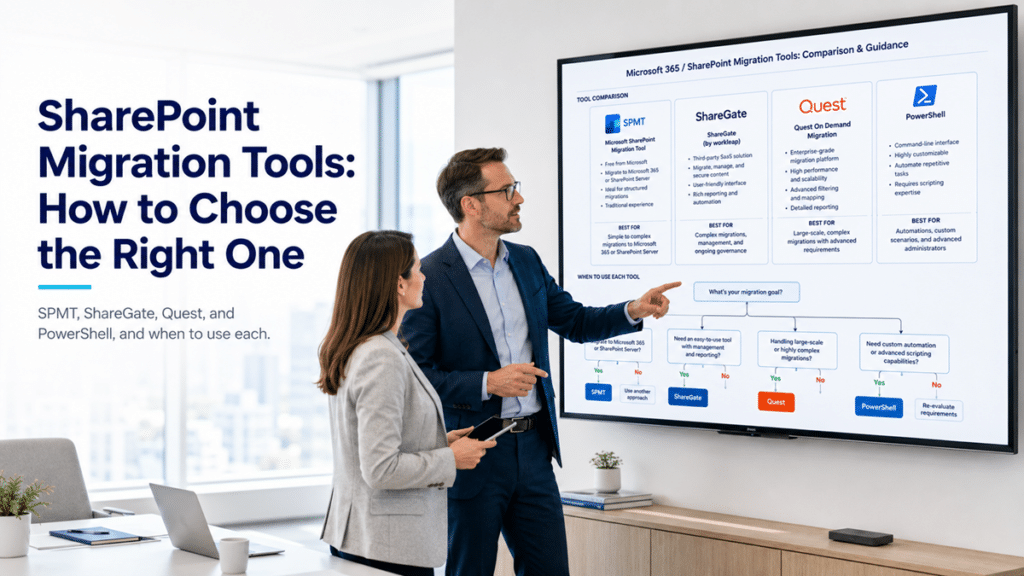
SPMT, the free SharePoint Migration Tool
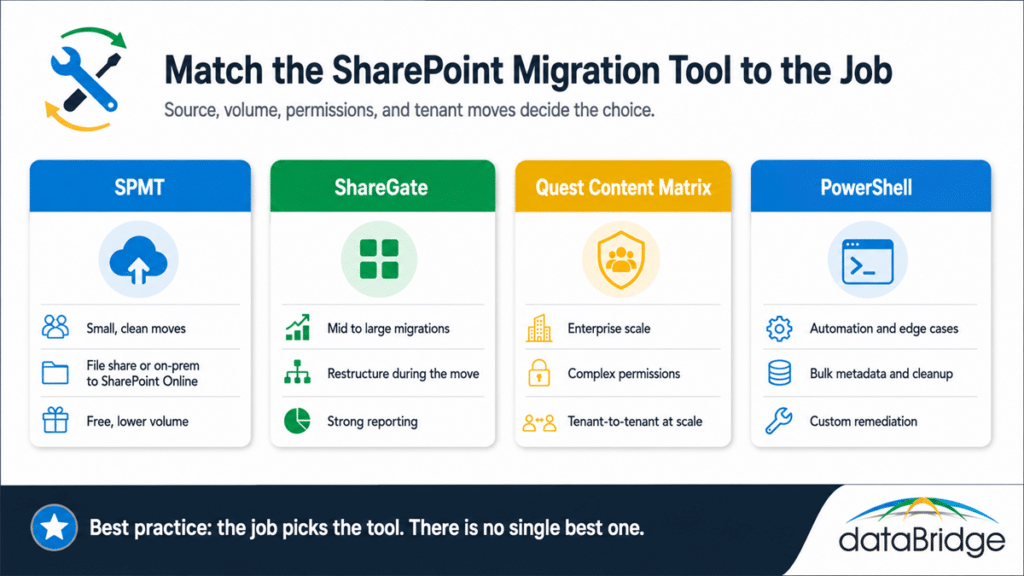
SPMT is Microsoft’s free tool, and it’s the right call for smaller, cleaner migrations from file shares or on-premises SharePoint into SharePoint Online. When the source is reasonably organized and the volume is modest, it does the job without adding a license to the budget.
It runs out of room as the work gets harder. At high volume it throttles, its reporting is thin compared to the paid tools, and it does not handle tenant-to-tenant moves. SPMT is a fine choice for a straightforward move, and a poor one for a large or messy one.
ShareGate
ShareGate is the workhorse for most mid-size to large migrations, and it’s usually our default when a move needs real restructuring along the way. Its pre-migration assessment, reporting, and ability to reorganize content as it moves make it strong for exactly the file-share-to-SharePoint work where the architecture has to be rebuilt rather than copied.
It carries a license cost, and at the very top end of scale and complexity it can give way to a heavier tool. For the broad middle of the market, where you want insight into what you’re moving and the chance to clean it up in transit, ShareGate earns its place.
Quest Content Matrix
Quest Content Matrix is the tool we reach for on the largest and most complex migrations. High-volume tenant-to-tenant consolidations, heavy on-premises SharePoint with deep customization, and environments with complicated permissions are where its granularity pays off.
It asks for more setup and a higher license cost than the others, so it’s overkill for a small move. When the project is genuinely enterprise scale, that depth is the reason it can finish jobs the lighter tools struggle with.
PowerShell
PowerShell is not a packaged migration product, and that’s the point. It’s how we handle the parts the tools don’t, automating repetitive steps, applying metadata in bulk, remediating permissions, and cleaning up before and after a move. On almost every sizable migration, some amount of scripting fills the gaps a turnkey tool leaves.
The catch is that it takes real expertise, and it’s a complement to the migration tools rather than a replacement for them. Used well alongside SPMT, ShareGate, or Quest, it’s what turns a good migration into a clean one.
SharePoint migration tools, side by side
| Tool |
Best for |
Volume |
Permissions |
Tenant-to-tenant |
Cost |
| SPMT |
Small, clean moves to SharePoint Online |
Low to moderate |
Basic |
No |
Free |
| ShareGate |
Mid to large moves with restructuring |
Moderate to high |
Moderate to high |
Yes |
Paid license |
| Quest Content Matrix |
Enterprise scale and complex tenants |
High to very high |
High |
Yes, at scale |
Paid license |
| PowerShell |
Automation, remediation, edge cases |
Any, scripted |
Custom |
With scripting |
Free, expertise needed |
Read the table as a starting point, not a verdict. Most real migrations use more than one of these together, with a primary tool doing the bulk move and PowerShell handling what it can’t.
Why the tool is the smallest decision in your migration
The tool matters, and it’s still the smallest of the decisions that determine whether a migration succeeds. The architecture you move into, the way you restructure deep folders into metadata, and the plan for remediating permissions are what decide the outcome. The tool only executes that plan. A great tool will run a bad plan faster and leave you with the same mess in a more expensive place.
This is why we treat tool selection as a detail inside a larger design, not the headline. The migration myth is believing the move is the project, and the mistakes we find after a migration almost always trace back to a plan problem rather than a tool problem. The fastest way to get the plan right is a structured look at your environment first, which is the point of a migration readiness assessment.
Frequently asked questions
What is the best SharePoint migration tool?
There isn’t one. The best tool is the one that fits your source, volume, permissions, and whether you’re moving tenant to tenant. SPMT, ShareGate, Quest Content Matrix, and PowerShell each win on different jobs, and a good migration often uses two of them together.
Is the free SharePoint Migration Tool (SPMT) good enough?
For a smaller, well-organized move into SharePoint Online, yes. SPMT handles file-share and on-premises SharePoint sources at modest volume without a license cost. It struggles at high volume, offers limited reporting, and does not do tenant-to-tenant migrations, so it’s the wrong fit for large or complex projects.
ShareGate vs Quest Content Matrix, which should I use?
ShareGate suits most mid-size to large migrations, especially when you want to restructure content as you move and need strong reporting. Quest Content Matrix is built for the largest, most complex environments, including high-volume tenant-to-tenant work. The deciding factor is scale and complexity, not which brand is better.
Do I need a third-party tool, or can I just use PowerShell?
PowerShell is powerful for automation, remediation, and edge cases, but it’s a complement to a migration tool rather than a replacement. For most migrations you’ll want a primary tool doing the heavy lifting, with PowerShell filling the gaps it leaves.
Does the migration tool affect the cost of the project?
License cost is a line item, but the tool is a small part of the total. The real cost is the restructuring work, which is driven by the state of your source data, not the software you run. You can model that with the Migration ROI Calculator.
The tool is a detail. The plan is the project. If you want help matching the right approach to your environment, start with a migration readiness assessment or talk to us about how your move should actually run.
Reviewed By