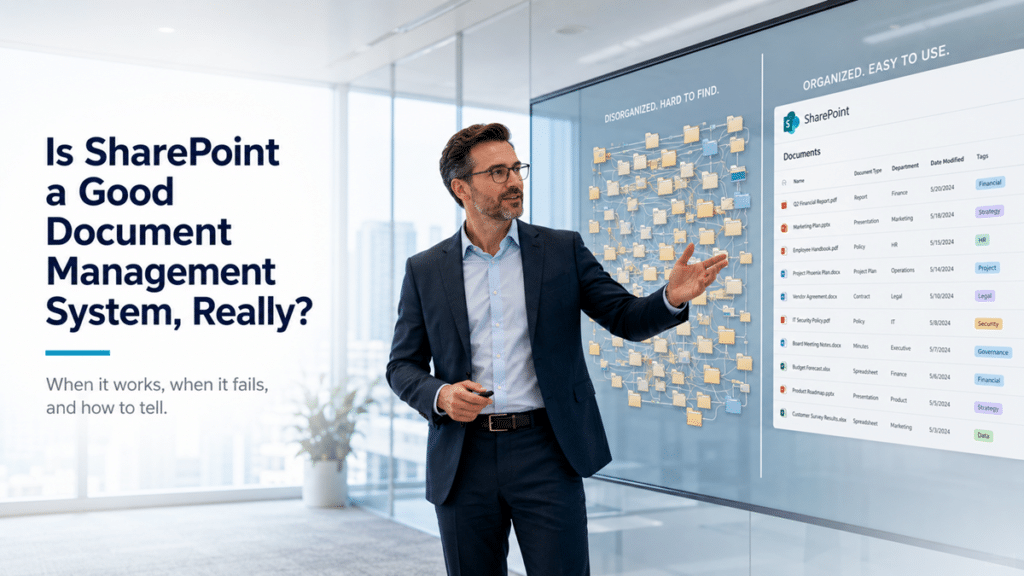
What turns SharePoint into a real document management system
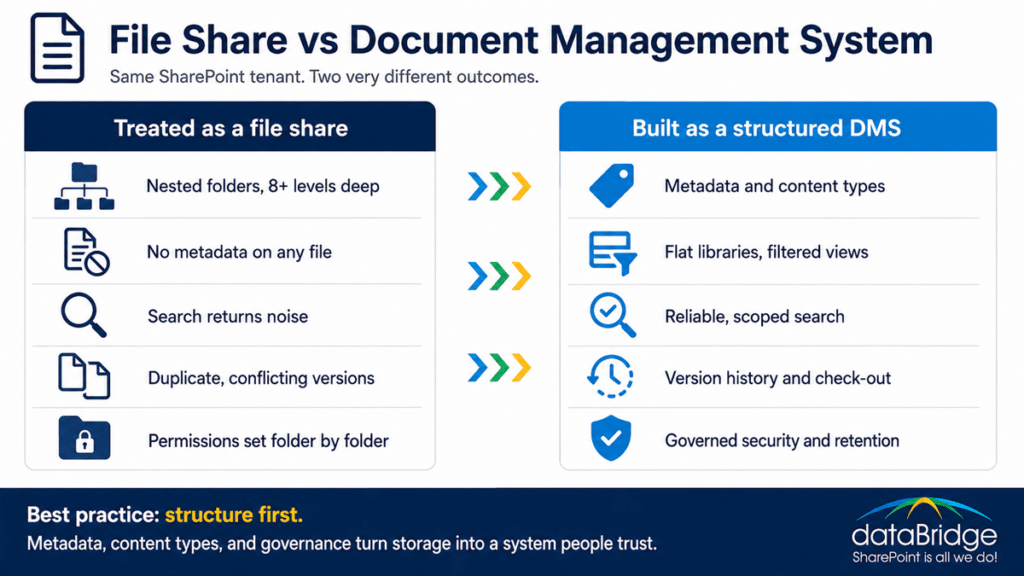
SharePoint becomes a real document management system when files carry meaning, libraries stay flat, the record is protected, and access is governed centrally. None of that is exotic. It is the difference between configuring the platform and just filling it.
Four things do most of the work. First, a real metadata strategy and the right content types, so a contract knows it is a contract, with a client, an effective date, and a status, no matter which library it sits in. Second, flat libraries with filtered views and document sets instead of folders, so people slice the same set of files a dozen different ways without anyone digging through a tree. Third, versioning and check-out, so the current version is obvious and the history is intact. Fourth, governed security and lifecycle through retention, sensitivity, and permissions plus records management on a defined schedule.
Do those four things and search stops guessing. Files become findable because they are described, and the library becomes a single source of truth rather than one of five places the same document might be. This is also what separates basic document control from a pile of files that happen to live in the cloud.
Those four cover the build. Keeping the system in that shape is a separate discipline – we collected the full set of document management best practices that last, weighted toward the governance and retention work most teams skip.
What SharePoint genuinely does well
When it is structured properly, SharePoint holds its own against systems that cost far more. Real-time co-authoring lets people work the same file at once without emailing versions around. Version history and check-out protect the record. Permissions can be tuned from the whole site down to a single document, and the same controls that secure a file also feed compliance.
The compliance story is stronger than most buyers expect. Through Microsoft Purview, SharePoint supports retention schedules, sensitivity labels, eDiscovery, and disposition review across the same content people use every day, so governance is built into the working environment rather than bolted on. Enterprise search spans the whole tenant. The platform is included in Microsoft 365, so you are not paying for a separate system or a separate integration. And a well-structured library is exactly what lets Copilot return trustworthy answers, which is why Copilot readiness and good document architecture are the same project viewed from two angles.
Where SharePoint falls short, and when to look elsewhere
We would rather be straight about this than oversell. SharePoint is not the right answer for every document scenario, and pretending otherwise costs trust. Very high-volume transactional capture, where millions of scanned invoices or claims flow in daily with automated extraction, is usually better served by a purpose-built capture platform feeding SharePoint rather than SharePoint alone. Heavily validated environments, such as pharmaceutical manufacturing under strict regulatory validation requirements, sometimes mandate a specialist system with formal validation that general SharePoint deployments do not carry. Engineering teams that manage CAD drawings with renditions and complex part relationships often need a dedicated engineering document system.
Those are real edges, and they are narrower than vendors of competing systems suggest. For the vast majority of mid-market and enterprise business documents, contracts, policies, SOPs, project files, HR records, finance documents, SharePoint structured as a document management system is more than capable, and the integration with the rest of Microsoft 365 makes it the practical choice.
How dataBridge turns a file dump into an enterprise document management system
This is the work we do most. A client comes to us after moving their file servers into SharePoint, frustrated that nothing is easier to find and the nested folders made everything slower. We take them from that starting point to a structured environment with a deliberate architecture, governed security, content types, and metadata, the kind of system where people stop fighting the tool.
The path runs through a few stages. We start with discovery to understand the content and the real failure points, then design the architecture, security, and governance the system needs. From there we handle the migration as a restructuring rather than a copy, so files land in flat libraries with metadata instead of being dragged across with their folder baggage. The result is an enterprise-level content and document management system that holds up under search, compliance, and Copilot. If you want to see where your current setup sits before committing to anything, the document management maturity assessment is a fast way to find out.
Frequently asked questions
Is SharePoint a document management system or just file storage?
It is whichever one you configure it to be. Out of the box with folders and no metadata, it behaves like file storage. With content types, metadata, versioning, and governance applied, it functions as a full document management system. The capability is there in every tenant, waiting on the setup.
Can SharePoint replace a dedicated DMS like M-Files or DocuWare?
For most general business document management, yes, and the Microsoft 365 integration usually makes it the better-value choice. The exceptions are narrow, such as extreme-volume automated capture or formally validated regulated environments, where a specialist system may fit better alongside SharePoint.
Why is it so hard to find documents in SharePoint?
Almost always because the files have no metadata and live in deep folders, which gives search nothing reliable to match against. Add descriptive columns and content types, flatten the libraries, and findability improves immediately, because search finally has something to work with.
Do I still need metadata if I have search?
Yes. Search depends on metadata to rank and filter accurately, especially as document volume grows. Without it, search returns long lists of near matches and users fall back to scrolling, which is the exact problem they hoped search would solve.
Is SharePoint good enough for document control and compliance?
For the large majority of organizations, yes. Versioning, audit history, retention schedules, and eDiscovery through Microsoft Purview cover standard document control and compliance needs, provided the environment is governed rather than left open.
If your SharePoint feels more like a file dump than a document management system, that is a structure problem with a known fix. Our team can show you the gap and the path out of it – start with the document management system overview or talk to us about your environment directly.
Reviewed By