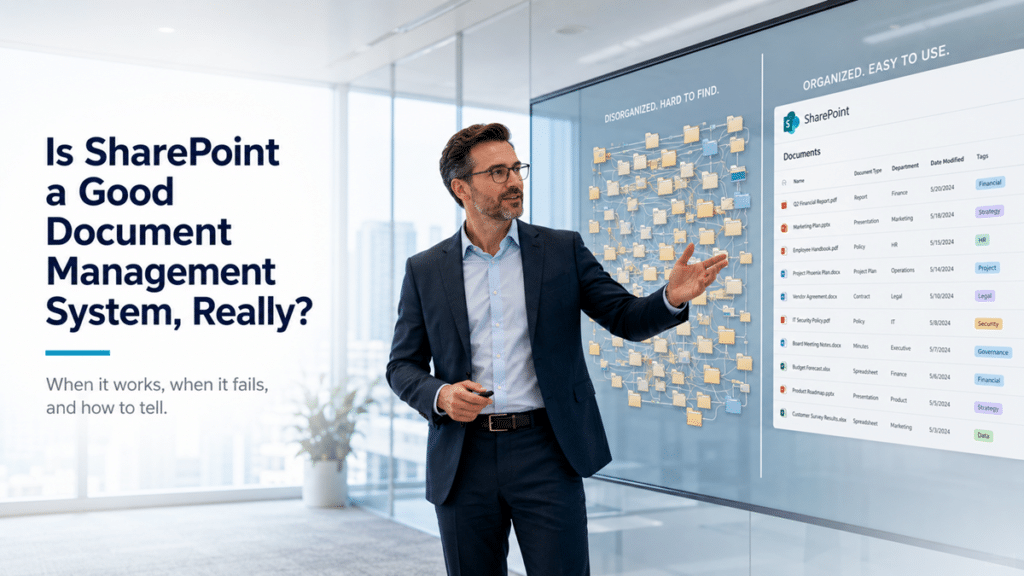
A SharePoint launch is not the finish line. It is the point where the environment starts meeting real users, real content, real ownership gaps, and real business change.
That is where a SharePoint advisory consultant becomes valuable.
After a migration, intranet launch, document management redesign, governance rollout, or Copilot readiness effort, SharePoint needs more than occasional troubleshooting. It needs steady guidance. Leaders need to know whether the environment is still aligned with the business. Site owners need help making good decisions. IT needs a way to spot patterns before small issues become structural problems.
Most SharePoint environments do not decline overnight. They drift.
A department adds a new library without a clear purpose. Someone changes permissions to solve an immediate access problem. A page owner leaves the company. A project site stays active long after the project ends. Search results start surfacing old content. Microsoft 365 changes introduce new questions. Copilot raises concerns about oversharing, outdated documents, and whether SharePoint can be trusted as a source of truth.
That is why post-launch SharePoint Advisory Partnership work matters.
The goal is not to create more meetings. The goal is to give SharePoint a practical rhythm for governance, adoption, ownership, content health, and continuous improvement after the original project is complete.
Why this article is different from choosing a SharePoint consulting firm
If your organization is still selecting a partner for a migration, intranet redesign, governance initiative, Copilot readiness project, or Microsoft 365 strategy effort, start with this guide on how to choose a SharePoint consulting firm.
That guide is about evaluating the right consulting partner before or during a major initiative.
This article has a different purpose.
It focuses on what happens after SharePoint is already live.
Once the initial project is complete, the relationship changes. The organization no longer needs only a team to design, migrate, configure, or launch. It needs an advisor who understands what was built, why it was structured that way, and how to keep the environment useful over time.
That is the role of a SharePoint advisory consultant.
The best post-launch advisors do not treat SharePoint as a static system. They understand that sites, content, permissions, owners, teams, and business priorities will keep changing. Their job is to help the organization make better decisions as those changes happen.
What a SharePoint advisory consultant actually does
A SharePoint advisory consultant provides ongoing guidance after launch so the environment does not slowly move away from its original purpose.
Some of that work may involve technical questions. A site owner may need help understanding permissions. A department may be unsure whether to create a new site. A leader may want to know why search results feel inconsistent. A team may need guidance on whether content should live in a document library, a Teams-connected site, an intranet page, or a more structured knowledge base.
Still, advisory work should not be limited to technical answers.
Strong advisory support looks at the broader environment. It considers governance, ownership, adoption, content quality, search, information architecture, Microsoft 365 change, and future improvement opportunities.
In practice, a SharePoint advisory consultant may help with:
- Reviewing adoption and usage patterns
- Reinforcing governance expectations
- Guiding site owners and content owners
- Reviewing permissions and sharing concerns
- Identifying stale, duplicated, or unmanaged content
- Improving navigation and findability
- Discussing content health and ownership gaps
- Evaluating Microsoft 365 changes that affect SharePoint
- Prioritizing next-step improvements
- Preparing the environment for Copilot and AI use cases
- Turning recurring issues into practical recommendations
The goal is not simply to answer questions as they come in.
Better advisory work helps the organization understand what those questions reveal. A single access request may point to a permission model that needs clarification. A search complaint may expose stale content or weak metadata. A request for a new site may show that the current structure is no longer obvious to users.
That is where advisory adds value. It connects everyday SharePoint decisions to the health of the larger environment.
SharePoint advisory is not the same as break/fix support
SharePoint advisory and SharePoint support are related, but they are not the same thing.
Break/fix support responds when something is broken, blocked, or not working as expected. That help can be important. Users still need timely answers when they cannot access a file, update a page, find a document, or complete a task.
Advisory looks at the bigger pattern.
Instead of stopping at “How do we fix this?”, a good advisor asks better questions. Why did this issue come up? Does it reveal a governance gap? Does the request fit the site’s purpose? Are permissions still understandable? Is a page outdated because ownership is unclear? Are users creating workarounds because the structure no longer matches how they work?
That difference matters.
Without advisory guidance, small decisions can create long-term problems. A temporary permission exception becomes permanent. A quick page update creates inconsistent navigation. A department asks for a new site when an existing structure would have worked better. A cleanup item from a migration stays unresolved because nobody owns it.
None of those decisions may feel risky in the moment.
Over time, they make SharePoint harder to manage, harder to search, and harder to trust.
Advisory helps organizations make better decisions before those patterns become difficult to unwind.
Why SharePoint needs advisory guidance after launch
A SharePoint site, intranet, document management system, knowledge base, or Teams-connected workspace can launch successfully and still lose value over time.
The issue is usually not the platform.
It is what happens after the project team steps back.
New content gets added. Old content stops getting reviewed. Site owners are unsure what they are responsible for. Permission models become harder to explain. Business needs change. Microsoft releases new capabilities. Leaders ask for better reporting, stronger governance, or more confidence that SharePoint is ready for Copilot.
A post-launch advisory rhythm gives the organization a place to review those questions before they become bigger problems.
That rhythm helps SharePoint remain:
- Useful
- Trusted
- Governed
- Searchable
- Secure
- Adopted
- Owned
- Aligned with business priorities
Without that kind of rhythm, SharePoint can slowly become another unmanaged content repository.
This is why advisory should not be treated as optional cleanup. For many organizations, it is the difference between a successful launch and a successful long-term SharePoint environment.

The best advisory consultants understand governance health
SharePoint governance is not a document that should sit untouched after launch.
It has to work in the real environment.
A SharePoint advisory consultant should help the organization review whether governance is still being followed in practice. That means looking at ownership, permissions, lifecycle expectations, site growth, content quality, external sharing, metadata standards, page review routines, and the way people actually use SharePoint day to day.
A practical advisory conversation may ask:
- Are site owners still active?
- Are permissions still appropriate?
- Are pages being reviewed?
- Are users following the intended structure?
- Are new sites being created consistently?
- Are governance expectations clear to business owners?
- Are Teams and SharePoint working together in a controlled way?
- Are outdated areas being retired or archived?
- Are content owners maintaining authoritative information?
Those questions connect directly to a strong SharePoint governance framework.
Good governance does not happen because a policy exists. It happens because people keep applying the policy to real decisions.
That is where advisory is especially useful. It keeps governance practical. Instead of waiting for a major cleanup project, the organization can address issues in smaller, more manageable ways.
Advisory helps prevent SharePoint drift
SharePoint environments rarely fail all at once.
They drift.
A page owner stops updating content. A project team creates a new library without a clear purpose. A department copies documents into several locations. A manager requests broader permissions because it feels easier. Navigation grows around short-term needs. Search results become harder to trust.
Each issue may seem small.
Together, they weaken the environment.
A SharePoint advisory consultant helps identify drift early. Instead of waiting until users lose confidence, advisory creates a regular opportunity to review what is working, what is changing, and what needs attention.
Common forms of SharePoint drift include:
- Unclear content ownership
- Stale intranet pages
- Permission exceptions that become normal
- Duplicate documents
- Inconsistent library structures
- Weak metadata habits
- Uncontrolled site growth
- Search results that surface outdated information
- Governance decisions that are no longer followed
- Teams-connected sites with unclear purpose
The point is not to over-police every decision. That can make governance feel heavy and slow.
The better approach is to notice patterns early. If several teams are asking the same question, the governance model may need clarification. If multiple site owners are unsure how to handle page reviews, ownership guidance may need to be strengthened. If search complaints keep appearing, content health may need attention.
Advisory gives the organization a way to catch those signals while they are still manageable.
Advisory consultants help site owners succeed
SharePoint depends on site owners.
IT can manage the platform. A consulting partner can design the structure. Leaders can approve the strategy. Still, long-term success depends heavily on the people who maintain content, pages, libraries, permissions, and local business areas.
Most site owners are not SharePoint experts. They may understand their department, documents, policies, clients, projects, or communication needs very well. What they often need is guidance on how to manage those responsibilities inside SharePoint.
A SharePoint advisory consultant can help site owners understand:
- What they own
- Which content needs regular review
- When a permission request should be escalated
- How to maintain pages consistently
- When to retire outdated content
- How to use metadata correctly
- How to keep navigation clean
- When to request a new site, library, or page template
- How to follow governance standards without slowing down work
This is where advisory becomes practical.
Site owners do not need theory. They need a place to ask questions, confirm decisions, and understand how their choices affect the broader environment.
A strong advisor can also help reduce the burden on IT. When site owners understand what they are responsible for, fewer issues become urgent escalations. Content stays cleaner. Permissions are handled more thoughtfully. Pages are more likely to stay current.
That creates a healthier SharePoint environment for everyone.
Advisory keeps adoption from fading after go-live
Launch creates attention.
Adoption requires follow-through.
Many SharePoint initiatives get strong initial engagement because the project is visible. Users attend training. Leaders announce the launch. Teams begin using the new intranet, document library, knowledge base, or collaboration space.
Over time, that attention can fade.
Employees may return to old habits. Department owners may stop updating pages. Users may save content in the wrong place. New employees may not understand the structure. Leaders may assume adoption is fine because the launch was successful.
A SharePoint advisory consultant helps keep adoption visible.
That may include reviewing usage patterns, identifying friction points, discussing site owner concerns, collecting stakeholder feedback, or recommending small improvements that make SharePoint easier to use.
Adoption is not just a training issue.
It is a structure, ownership, communication, and trust issue.
When the environment is easier to understand, people are more likely to use it correctly. When ownership is clear, content is more likely to stay current. When users can find what they need, they are less likely to create workarounds.
Advisory helps keep that momentum alive after the original project energy fades.
Advisory improves content health and findability
Users often describe SharePoint problems in simple language.
“I cannot find what I need.”
That statement may sound like a search problem, but it often points to deeper issues.
Findability depends on structure, ownership, metadata, page quality, permissions, naming conventions, and content freshness. If those areas weaken after launch, users may blame search even when the real problem is poor information management.
A SharePoint advisory consultant helps the organization look at the full picture.
Common findability issues include:
- Duplicate content in multiple locations
- Unclear library purposes
- Stale pages that still appear in search
- Weak metadata habits
- Similar sites with overlapping roles
- Poor document naming
- Old migration content that was never cleaned up
- Permissions that hide relevant content from some users
- Navigation that no longer reflects the current business
The fix may not be complicated. Sometimes the answer is clearer ownership, better page review habits, more consistent metadata, a small navigation adjustment, or a decision to archive stale content.
Other times, the problem is larger.
If users consistently struggle to find trusted information, the organization may need a broader SharePoint information architecture and metadata improvement.
Advisory helps determine the difference.
Permissions need advisory review, not just technical changes
Permissions are one of the easiest areas to change and one of the hardest areas to keep understandable.
A user requests access. A manager asks for a private area. A department wants to share files with another team. A project group needs external collaboration. A site owner wants to know why two users see different results.
These questions are not only technical.
They are governance questions.
The right advisor helps the organization think through whether access decisions still make sense. Does the permission request fit the site’s purpose? Is the sharing model clear? Will the change make ownership harder? Does it create unnecessary exception management? Could it affect Copilot readiness or search visibility?
That level of review matters because modern SharePoint is connected to much more than document storage. Permissions affect search, Microsoft Teams, OneDrive, Purview, external sharing, and Copilot experiences.
A technically correct permission model can still confuse users. It can also expose content in ways leaders did not expect, especially when AI tools make information easier to discover.
Strong advisory guidance helps organizations make access decisions that are practical, explainable, and aligned with the broader SharePoint permissions guide.
Post-migration advisory is especially valuable
A SharePoint migration is not finished just because the files moved.
After migration, users begin working in the new environment. That is when practical questions often appear.
Some content may not fit the new structure. Some permissions may need review. Some folders may need cleanup. Owners may not know what they are responsible for. Search may surface old content in unexpected ways. Users may still rely on file share habits even though the environment now supports metadata, pages, libraries, and collaboration spaces.
Post-migration advisory helps stabilize the environment after real use begins.
Common advisory focus areas after migration include:
- Reviewing whether migrated content is being used correctly
- Helping owners clean up duplicate or outdated files
- Clarifying where users should save new content
- Reviewing search and metadata behavior
- Identifying permission concerns
- Helping teams move away from old folder habits
- Prioritizing cleanup items that were deferred during cutover
- Turning migration lessons into governance improvements
The SharePoint post-migration checklist can help identify what should be reviewed after a migration goes live.
Advisory gives that checklist a practical follow-through rhythm.
Without follow-through, migration debt tends to sit quietly in the background. Users work around it. Owners avoid it. IT inherits it. Months later, the organization wonders why the new SharePoint environment still feels like the old file share.
A steady advisory model helps prevent that outcome.
Advisory supports Copilot readiness over time
Microsoft Copilot raises the importance of SharePoint quality.
AI does not fix weak structure. It exposes it.
If content is stale, overshared, duplicated, poorly labeled, or missing clear ownership, Copilot readiness becomes harder. The organization may have technically correct permissions but still lack confidence in what Copilot can find, summarize, or surface.
A SharePoint advisory consultant can help keep attention on the foundations Copilot depends on:
- Clear ownership
- Accurate content
- Appropriate permissions
- Strong metadata
- Governed site structures
- Regular content review
- Trusted sources of truth
- Search quality
- External sharing awareness
- Practical lifecycle management
Copilot readiness should not be treated as a one-time cleanup project.
Once the environment is cleaned up, it needs to stay clean enough to support trustworthy AI outcomes. Advisory helps make that ongoing responsibility visible and manageable.
For organizations preparing for AI, post-launch advisory should connect directly to a broader Copilot readiness for SharePoint strategy.
This is especially important because Copilot changes the visibility of existing SharePoint decisions. It does not create most governance problems from scratch. It surfaces the consequences of decisions that were already there.
When advisory should become a larger consulting initiative
Advisory is useful because it helps organizations spot patterns.
Sometimes a question can be handled through guidance. Other times, recurring advisory conversations reveal a deeper issue that needs a formal project.
A SharePoint advisory consultant should be clear when the issue is larger than the advisory relationship itself.
A broader initiative may be needed when:
- Site sprawl is widespread
- Permissions cannot be explained clearly
- Search is consistently unreliable
- Metadata is missing or inconsistent
- The intranet has no ownership rhythm
- Migration cleanup was never completed
- Departments are using conflicting structures
- Governance exists on paper but not in practice
- Copilot readiness exposes oversharing or stale content
- Site owners need formal training or enablement
- Leadership needs a roadmap for the next phase
At that point, the next step may be a SharePoint Discovery & Readiness Assessment or a focused improvement project.
That does not mean advisory failed.
It means advisory did its job by identifying the right next step.
A healthy advisory relationship should not try to force every issue into the same monthly conversation. Some items need guidance. Some need coaching. Some need a governance decision. Others need a real project with discovery, design, implementation, and adoption planning.
Good advisors know the difference.
What good SharePoint advisory should feel like
Good SharePoint advisory should create clarity.
Leaders should understand what is working and what needs attention. Site owners should feel less alone. IT should have a better view of recurring patterns. Governance should feel more practical. Users should see steady improvements instead of slow decline after launch.
A strong advisory relationship usually feels:
- Practical without being reactive
- Strategic without being vague
- Governance-aware without being bureaucratic
- Structured without becoming heavy
- Flexible without becoming inconsistent
- Focused on progress, not just meetings
The best advisory consultants do not simply ask, “What question do you have this month?”
They ask, “What is changing in the environment, what does that change mean, and what should we do next?”
That is the difference between passive maintenance and active stewardship.
A useful advisory relationship should also feel calm. SharePoint can become noisy because every department, project, and content owner has different needs. Advisory gives the organization a way to sort through those needs without losing the structure that made the environment work in the first place.
How dataBridge approaches SharePoint advisory
dataBridge approaches SharePoint advisory as a continuation of the work that makes SharePoint successful in the first place.
That means we look at more than the immediate question. We consider how adoption, governance, ownership, permissions, structure, content health, search, Microsoft 365 change, and future improvement all work together.
Our advisory approach is connected to The dataBridge Way:
- Assess what is happening in the environment
- Understand the business impact
- Reinforce the architecture and governance model
- Help owners and stakeholders make better decisions
- Identify recurring patterns
- Recommend practical next steps
- Escalate larger needs when advisory alone is not enough
- Keep SharePoint aligned with long-term business value
The dataBridge Advisory Partnership gives organizations a structured way to continue that work after launch.
It is designed for organizations that have recently launched, migrated, redesigned, or improved SharePoint and want a practical rhythm for adoption guidance, governance reinforcement, site owner guidance, and ongoing improvement.
SharePoint does not stay healthy by accident. It stays healthy when ownership, governance, structure, and business value remain part of the conversation after launch.
Frequently Asked Questions
What does a SharePoint advisory consultant do?
A SharePoint advisory consultant helps organizations keep SharePoint healthy, governed, adopted, and aligned with the business after launch. The work often includes governance review, site owner guidance, content health discussions, adoption review, permissions guidance, Microsoft 365 change advisory, and improvement planning.
How is SharePoint advisory different from SharePoint support?
SharePoint support usually focuses on resolving specific issues or requests. SharePoint advisory focuses on guidance, governance, ownership, adoption, content quality, and continuous improvement. Advisory helps the organization understand patterns, make better decisions, and prevent long-term drift.
When do we need a SharePoint advisory consultant?
Organizations often need advisory guidance after a SharePoint launch, migration, intranet redesign, governance rollout, document management improvement, or Copilot readiness effort. Advisory is especially useful when the organization wants to sustain momentum after the initial project.
Can advisory help with SharePoint governance?
Yes. Advisory helps governance stay active after launch. A consultant can help review ownership, permissions, content health, site growth, lifecycle expectations, and whether governance standards are being followed in real use.
Can SharePoint advisory help with Copilot readiness?
Yes. Copilot readiness depends heavily on SharePoint content, permissions, ownership, metadata, and structure. Advisory helps organizations keep those foundations visible after the initial cleanup or readiness effort.
When should advisory become a larger project?
Advisory should become a larger project when recurring conversations reveal deeper problems, such as widespread site sprawl, unclear permissions, weak metadata, unreliable search, stale content, incomplete migration cleanup, or governance that is not working in practice.
Keep SharePoint moving after launch
A successful SharePoint launch should create momentum, not mark the end of progress.
The environment will keep changing as users add content, teams evolve, Microsoft 365 expands, and business needs shift. Without the right advisory rhythm, small issues can slowly become structural problems.
A SharePoint advisory consultant helps organizations stay focused on the decisions that protect long-term value: governance, ownership, adoption, content health, permissions, findability, Copilot readiness, and continuous improvement.
If your organization has recently launched, migrated, redesigned, or improved SharePoint, dataBridge can help you build a practical post-launch advisory path.
Learn more about the dataBridge SharePoint Advisory Partnership or contact dataBridge to discuss the right advisory approach for your environment.

Author
-

Michael is the Founder and CEO of dataBridge, where he helps organizations approach SharePoint and Microsoft 365 with a stronger focus on strategy, governance, architecture, and long-term business value. His consulting-first perspective shapes how clients plan smarter, avoid costly missteps, and build digital workplaces that hold up over time.