
Client Success
Modernizing document management for a growing solar energy provider.
ReVision Energy worked with dataBridge to migrate more than 4TB of documents into a structured SharePoint environment integrated with Microsoft Dynamics. The solution improved document organization, search, and field access to project information through Microsoft 365 and Power Apps.
If your organization is facing similar challenges with SharePoint document migrations, Microsoft 365 architecture, or field access to project information, dataBridge can help design a structured solution.
Client Success Resources
Case Studies
- Healthcare Collaboration and Compliance Transformation
- Enterprise SharePoint Document Migration and Search Optimization
- Healthcare Process Automation with Microsoft 365
- SharePoint Document Control Migration for Global Manufacturer
What Our Clients Say
“dataBridge has been one of the best companies I have ever had the pleasure of doing business with. The response time for questions or SharePoint issues that have arisen has been extremely fast, handled by a very knowledgeable and friendly team. Our company will continue to rely on dataBridge for all of our SharePoint consulting and support needs.”
— John Howard
Network Administrator, BGE
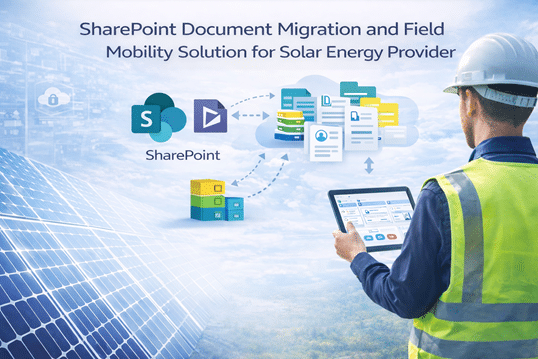
SharePoint Document Migration and Field Mobility Solution for Solar Energy Provider
ReVision Energy Case Study
Introduction
ReVision Energy is a growing solar installation services provider operating primarily in the New England region. As the company expanded through both organic growth and acquisitions, its document management environment became increasingly fragmented.
Important project and customer documents were spread across local file servers and multiple SharePoint Online sites. Leadership recognized the need to consolidate and modernize the organization’s document management platform while maintaining integration with Microsoft Dynamics, the company’s Customer Relationship Management (CRM) system.
ReVision partnered with dataBridge to design and execute a large-scale SharePoint document migration while improving document organization, search capabilities, and field access to job information.
Key Outcomes
✔ Successfully migrated more than 4TB of business-critical documents
✔ Designed a scalable SharePoint document architecture integrated with Microsoft Dynamics
✔ Implemented automated Document Set creation using Power Automate
✔ Introduced a unified enterprise taxonomy for document classification
✔ Improved document discovery through enhanced search solutions
✔ Developed a mobile app enabling installers to access job information in the field
Client Overview
Industry: Renewable Energy / Solar Installation
Organization: ReVision Energy
Primary Platforms: Microsoft 365, SharePoint Online, Microsoft Dynamics, Power Apps, Power Automate
Key Focus Areas
- Enterprise document migration
- SharePoint document architecture
- Microsoft Dynamics integration
- Metadata and taxonomy design
- Field mobility solutions for installers
Project Scope Snapshot
Project Duration: 9–12 months
Primary Platforms
- SharePoint Online
- Microsoft Dynamics CRM
- Power Apps
- Power Automate
Key Workstreams
- Migration of legacy file server content
- SharePoint document architecture design
- Microsoft Dynamics document management integration
- Enterprise metadata and taxonomy development
- Search optimization and discovery improvements
- Mobile application for field engineers and installers
Stakeholders Involved
- IT leadership
- Engineering teams
- Installation teams
- Operations and project management staff
The Challenge
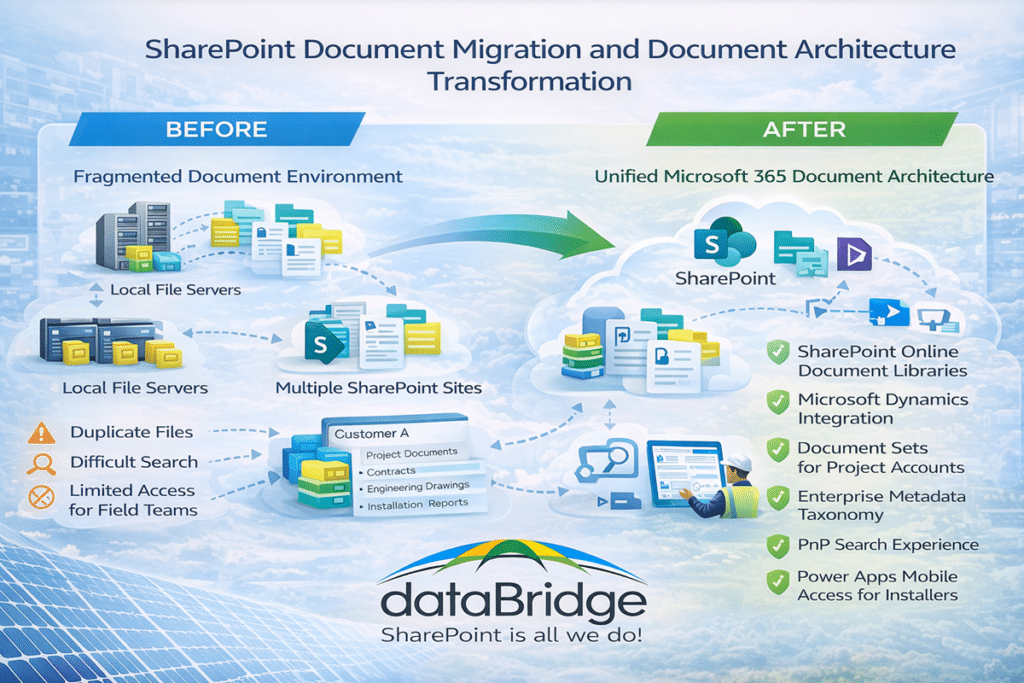
As ReVision Energy continued to grow, its document environment had become fragmented across several systems.
Critical project documentation existed in:
- Local file servers
- Multiple SharePoint Online sites
- Microsoft Dynamics customer records
This fragmented approach created several operational challenges:
- Difficulty locating important documents
- Inconsistent document organization between teams
- Duplicate or outdated files across systems
- Limited visibility into project documentation for field staff
Leadership recognized that the company needed a unified document management platform that could support both office staff and field installers while maintaining integration with Microsoft Dynamics.
The Integration Complexity
ReVision Energy relies heavily on Microsoft Dynamics CRM to manage customer and project data.
Because Dynamics stores supporting documents in SharePoint Online, any migration and document architecture redesign needed to maintain seamless integration between the two systems.
This requirement meant the document management architecture had to support:
- Dynamics document storage structures
- Large volumes of project documentation
- Efficient access for both office and field teams
dataBridge worked with ReVision to design a SharePoint architecture capable of supporting these requirements at scale.
The dataBridge Approach
dataBridge partnered with ReVision Energy to design and implement a scalable SharePoint document management solution.
The engagement focused on four key initiatives.
Large-Scale Document Migration
The project began with the migration of more than 10 terabytes of documents from legacy file servers and existing SharePoint sites.
dataBridge worked with ReVision to design:
- A detailed migration work breakdown structure (WBS)
- SharePoint content types and Document Sets
- Library structures aligned with business workflows
During the migration planning process, the team identified challenges related to SharePoint library limits and the large number of documents associated with individual customer accounts.
To address this, dataBridge designed a multi-library architecture that organizes documents based on the year an account was created.
Power Automate flows were developed to automatically create Document Sets for both migrated content and new documents created after the migration.
Mobile Application for Installers
ReVision’s engineering and installation teams often work in remote locations where connectivity can be limited.
To improve field productivity, dataBridge developed a Power Apps mobile application that allows installers and engineers to view Microsoft Dynamics job information directly from their mobile devices.
The application enables field teams to:
- View job details and associated documents
- Access project information while on-site
- Continue working even in locations with limited connectivity
This solution significantly improved access to critical project information for field personnel.
Enterprise Document Management and Metadata Strategy
As part of the migration effort, dataBridge helped ReVision modernize its document management practices.
Training sessions were conducted to help staff understand how metadata can improve document organization and discovery.
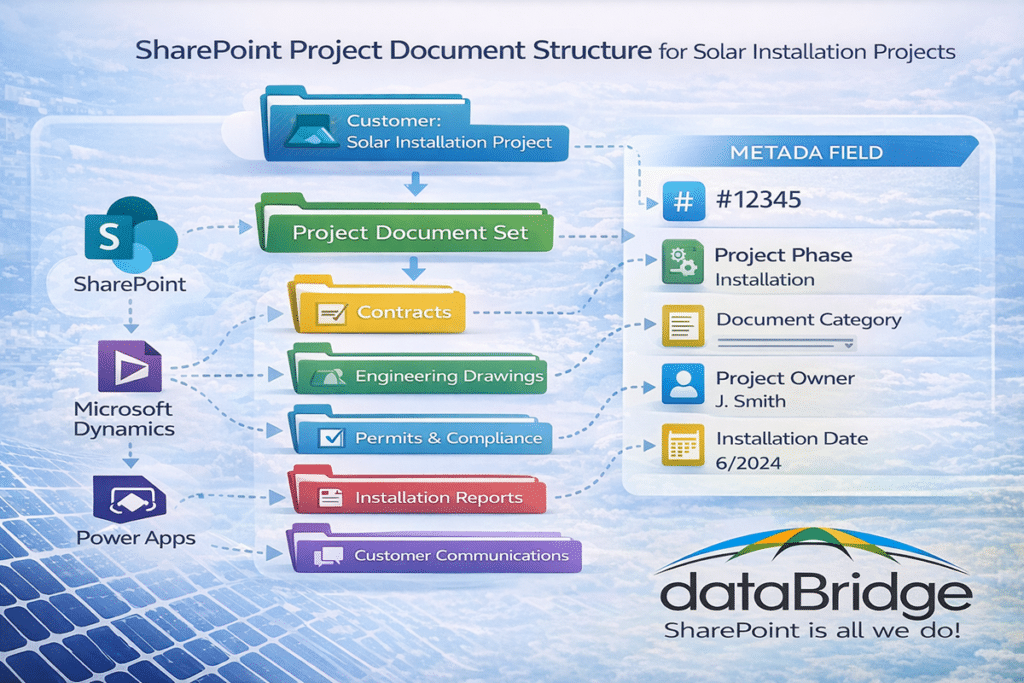
Examples of metadata introduced included:
- Job number
- Document category
- Project owner
- Project phase
Because ReVision had grown through acquisitions, different teams often used different terminology for the same concepts. For example, some departments used the term “SOP” while others referred to the same document as a “procedure.”
dataBridge helped the organization work through these differences and establish a common enterprise taxonomy that supports consistent document classification across the company.
Enhanced Search Experience
To improve document discovery, dataBridge implemented and configured PnP Search solutions that provide user-friendly interfaces for locating documents across the SharePoint environment.
These search experiences were implemented alongside training on standard SharePoint capabilities such as:
- Views
- Rules
- Quick Steps
- Metadata filtering
This combination provided staff with multiple ways to locate the documents most relevant to their work.
Results
The engagement successfully modernized ReVision Energy’s document management environment.
Key outcomes included:
- Migration of more than 4TB of documents into a structured SharePoint environment
- Improved integration between SharePoint and Microsoft Dynamics
- Better document organization through enterprise metadata and taxonomy
- Enhanced document search and discovery capabilities
- Improved access to job information for field installers and engineers
ReVision Energy continues to work with dataBridge to expand the mobile application capabilities and further enhance collaboration across the organization.
Key Takeaways
Organizations experiencing rapid growth often accumulate documents across multiple systems and storage platforms.
By designing a structured SharePoint document architecture that integrates with business systems like Microsoft Dynamics, organizations can improve document organization, search, and collaboration across both office and field teams.
If your organization is facing similar challenges with SharePoint document management, migrations, or Microsoft 365 architecture, dataBridge can help design a structured solution. Start a conversation.
Explore more SharePoint consulting case studies and client success stories.
Related Resources
What our clients say


THE SEARCH IS OVER
We're a Microsoft SharePoint partner - everything you need IS right here
For more information about how dataBridge can transform your business with improved corporate communication, collaboration, forms, workflows, and document management, contact us today.