One of the most common questions organizations ask when designing SharePoint architecture is whether they should organize documents using folders or metadata.
The answer is not always one or the other.
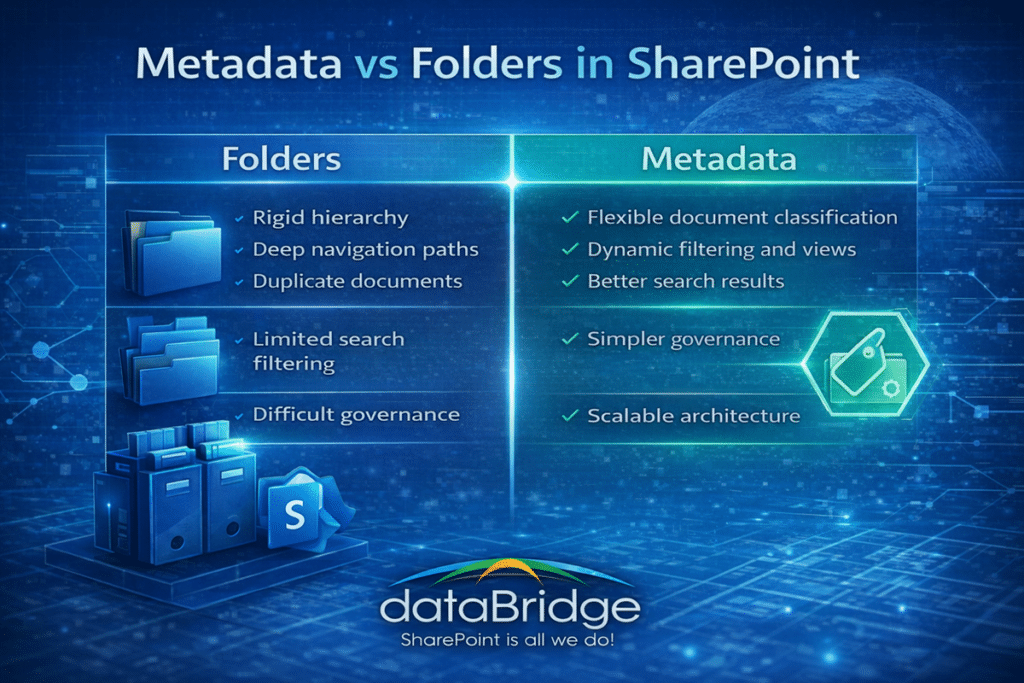
However, modern SharePoint architecture increasingly favors metadata-driven classification over complex folder structures.
Folders create rigid hierarchies that often become difficult to maintain. As organizations grow, users frequently create deeper folder paths, duplicate documents across folders, or apply inconsistent naming conventions.
Metadata offers a more flexible approach.
Instead of navigating through a series of nested folders, users can filter documents dynamically based on attributes such as:
- Department
- Document type
- Program area
- Project name
- Document status
For example, a policy document could appear in multiple filtered views without being duplicated across multiple folders.
In our experience, environments that rely heavily on metadata provide significantly better search results and easier long-term governance.
That same structure decision is what determines what makes SharePoint a good document management system rather than a faster version of the file share.
Organizations implementing a structured SharePoint Information Architecture and Metadata strategy often combine metadata with simplified folder structures to create a balanced and scalable architecture.
3. Build a Managed Taxonomy
A taxonomy defines the classification terms used across the organization.
Examples include:
- Departments
- Program areas
- Document categories
- Client classifications
Without a managed taxonomy, organizations often see inconsistent labeling.
For example:
Marketing
Marketing Dept
Marketing Team
Mktg
These variations weaken search performance.
Managed term sets ensure classification terms remain consistent across the environment.
In our experience, organizations that implement structured taxonomy frameworks see immediate improvements in search accuracy.
For enterprise term store design and controlled vocabularies, see our SharePoint Taxonomy & Metadata Strategy.
SharePoint Taxonomy Design Best Practices
A well-designed taxonomy is one of the most powerful tools for organizing information in SharePoint.
However, poorly designed taxonomy structures can create confusion rather than clarity.
When designing taxonomy frameworks, organizations should follow several best practices.
Keep taxonomy simple
Complex taxonomies can be difficult for users to understand. Start with a small number of meaningful classification terms and expand gradually as needed.
Use business language
Taxonomy terms should reflect language employees naturally use. Avoid overly technical labels that users may not recognize.
Establish ownership
Someone should be responsible for maintaining taxonomy structures. Without ownership, taxonomy terms often become inconsistent over time.
Align taxonomy with governance policies
Taxonomy structures should support document classification, compliance policies, and retention rules.
When taxonomy aligns with governance frameworks, organizations gain both improved search results and stronger information management.
These principles are often incorporated into broader SharePoint governance frameworks used to maintain structured collaboration environments.
4. Implement Content Types for Consistency
Content types standardize how documents are created and classified.
They define:
- Required metadata fields
- Document templates
- Workflow processes
- Governance rules
For example, a “Policy Document” content type might include:
- Policy Owner
- Department
- Effective Date
- Review Cycle
When content types are applied consistently, organizations can enforce governance policies much more effectively.
Content types are also a core component of modern governance frameworks.
5. Optimize SharePoint Search
Search optimization is one of the most visible benefits of strong architecture.
Several architecture decisions directly influence search performance:
- Metadata usage
- Content type structure
- Taxonomy consistency
- Document naming standards
When these elements align, search results become significantly more reliable.
Employees begin to trust the platform as their primary source for information.
Search is one of the clearest indicators of whether SharePoint architecture is working. When users can consistently find documents within seconds, it is a strong sign that metadata, taxonomy, and governance are aligned correctly.
Practical Architecture Improvements Organizations Can Implement
Many organizations already have a SharePoint environment but need to improve its structure.
Several practical steps can deliver meaningful improvements.
Conduct an Architecture Assessment
Start by evaluating the existing structure.
Key questions include:
- Where is content stored?
- Which sites are actively used?
- Where does duplication occur?
This analysis reveals the architectural gaps that need to be addressed.
Organizations often begin with a structured SharePoint Discovery and Readiness Assessment.
Standardize Metadata Fields
Define a consistent set of metadata fields across document libraries.
Common examples include:
- Document Type
- Department
- Project Name
- Status
- Owner
Standardized metadata dramatically improves both search accuracy and governance capabilities.
The next step is making those fields easy to complete. Document library intake forms for required metadata can reduce skipped fields by turning upload, classification, and ownership capture into one guided experience.
Consolidate Redundant Sites
Many organizations accumulate redundant SharePoint sites over time.
This fragmentation spreads information across multiple locations.
Consolidating these sites simplifies architecture and improves discoverability.
Align Permissions with Governance
Permissions should follow a structured governance model.
When permissions are inconsistent, organizations face security risks and administrative overhead.
Structured governance ensures permissions remain manageable as environments grow.
Additional governance and architecture guidance is available through the dataBridge SharePoint and Microsoft 365 Resources hub.
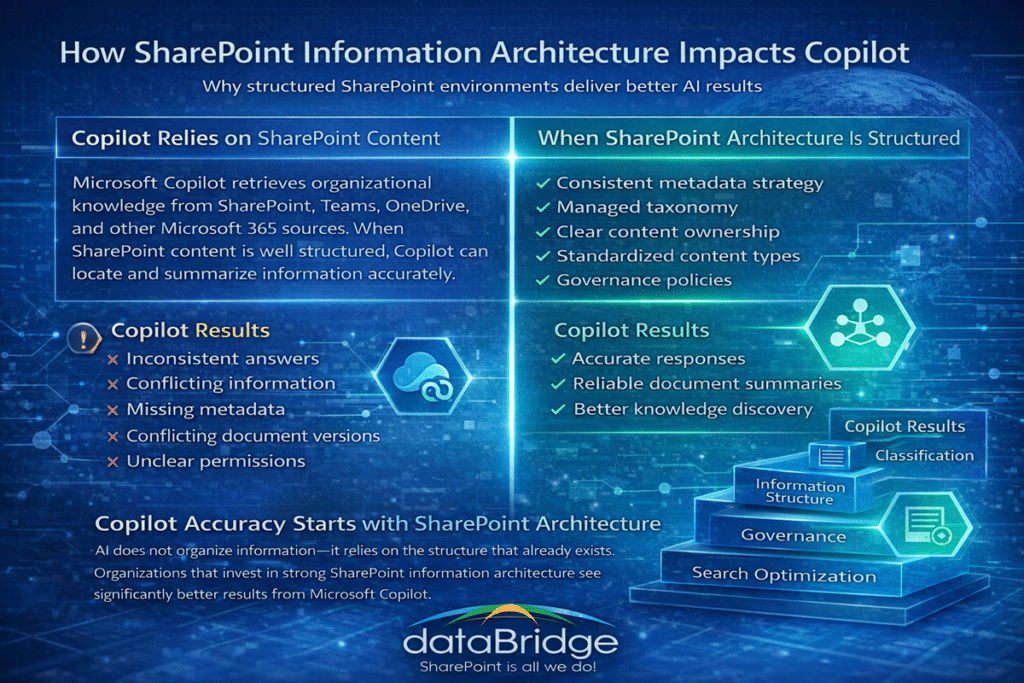
The Connection Between Information Architecture and Copilot