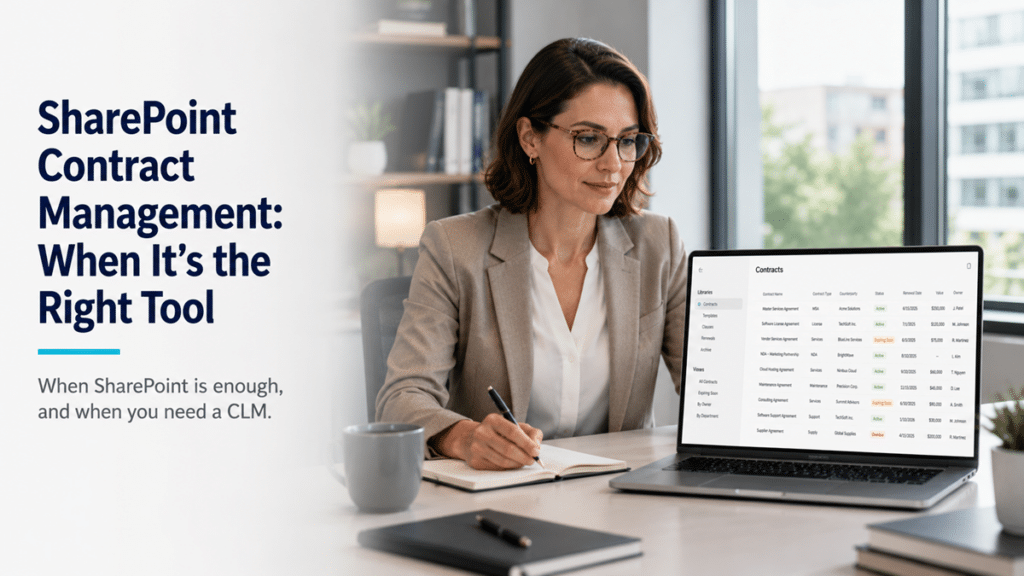
A company calls because a contract auto-renewed that they meant to cancel, or because legal spent two days hunting for a signed version that turned out to be sitting in someone’s inbox. Convinced they have a contract management problem, they start pricing dedicated platforms. Most of the time they don’t need one. They need a place where contracts actually live, with renewal dates tracked and the executed version obvious. SharePoint does that well, and for most organizations it’s the right tool, right up to a clear point.
Can SharePoint be used for contract management?
Yes. SharePoint is an excellent contract repository and lifecycle-tracking system for most organizations, the secure home of record for every agreement, with metadata, status views, renewal reminders, retention, and permissions. What it is not is a full contract lifecycle management platform, and that single distinction is the whole decision. Most organizations need the repository and assume they need the platform.
The difference matters because it sets your expectations and your budget. A well-built SharePoint contract repository, set up as a real document management system rather than a shared drive, handles where contracts live, how they’re found, who can see them, and when they come up for renewal. A CLM adds a layer of authoring, negotiation, and obligation management on top of that. The question is whether you need that layer, and for a large share of organizations the honest answer is no.
What SharePoint does well for contracts
A properly configured SharePoint contract repository covers the capabilities most organizations actually use day to day. Set up correctly, it gives you:
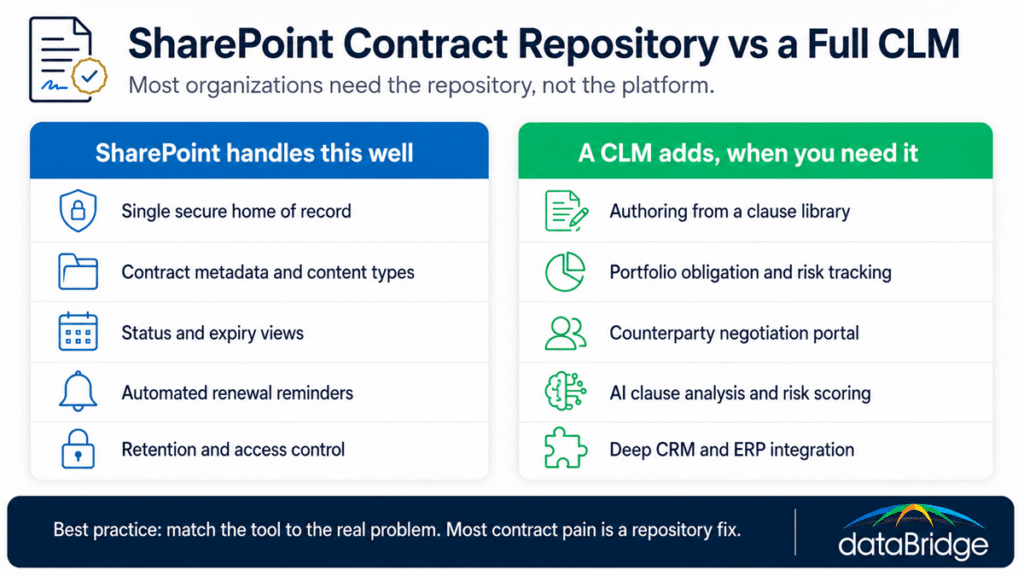
A single secure home of record, so every contract lives in one governed place instead of scattered across email, drives, and desks. This is the source of truth problem that causes most contract chaos.
Metadata and content types built for contracts, capturing counterparty, contract type, effective date, expiry date, value, and status, so any agreement can be found and filtered in seconds. Getting the right metadata in place is what makes the repository usable.
Status and expiry views instead of folders, so you can see at a glance what’s active, what’s expiring this quarter, and what’s lapsed.
Automated renewal reminders through a Power Automate flow that emails the owner ahead of an expiry or notice date, which is the single feature that prevents the missed-renewal call.
Retention tied to the contract lifecycle, through records management, so executed agreements are kept for the right period and disposed of on schedule.
Access control for confidentiality, locking down sensitive agreements with sensitivity labels and permissions so only the right people see commercial terms.
None of that requires a third-party platform. It requires SharePoint set up deliberately, which is a different thing from dragging contracts into a library and hoping.
The two problems most organizations actually have
Almost all contract pain traces back to two failures, and both are repository problems rather than lifecycle-management problems. The executed version gets lost among a dozen drafts, and a renewal or notice date slips by unnoticed. A structured SharePoint repository fixes both directly.
The lost-version problem disappears when there’s one governed home of record with clear status metadata, so the signed copy is marked, findable, and separated from the negotiation drafts. The missed-renewal problem disappears when expiry and notice dates are captured as metadata and a reminder fires automatically before they hit. Solve those two and you’ve solved the contract problems most organizations actually experience, without buying anything new.
Where SharePoint stops, and when a CLM makes sense
SharePoint is not a contract lifecycle management platform, and there are real capabilities it doesn’t provide even when it’s set up perfectly. Once an organization genuinely needs one of these, that’s the signal to look at a dedicated CLM, often running with SharePoint as the repository underneath it.
The capabilities a CLM adds that SharePoint doesn’t have:
Automated authoring from a clause library, generating a contract from approved templates and conditional logic, and flagging non-standard language during drafting.
Portfolio-wide obligation and risk management, tracking the commitments buried inside contracts, the deliverables, SLAs, and payment milestones, and surfacing them across the whole portfolio rather than one file at a time.
A counterparty negotiation portal, giving external parties a controlled space to review, redline, and sign.
AI clause analysis and risk scoring, comparing terms against a standard position and flagging unusual clauses across hundreds of agreements.
Deep integration with CRM and ERP, so a closed deal triggers a contract and an executed contract updates the system of record automatically.
These are real, and they matter to organizations with high contract volume, complex obligations, or legal teams negotiating non-standard terms at scale. If that’s you, a CLM earns its cost. The point isn’t that SharePoint does everything. It’s that most organizations never reach the line where these features pay for themselves.