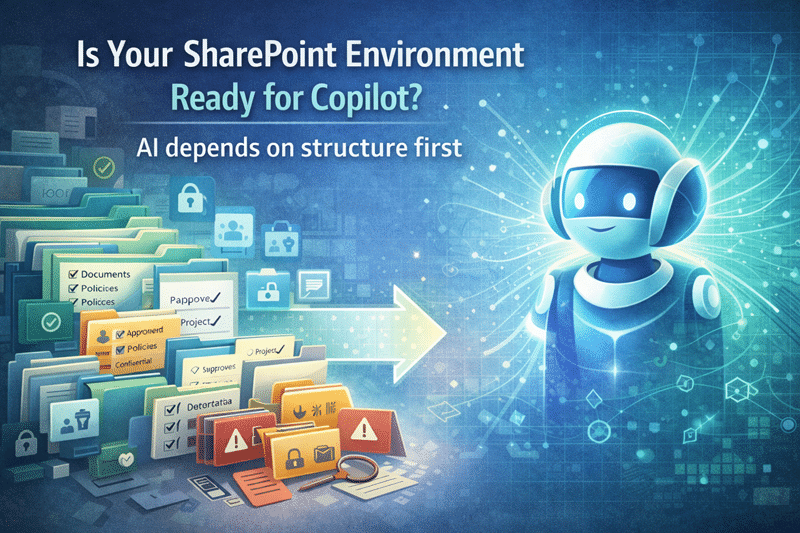
Is Your SharePoint Environment Ready for Copilot?
Copilot Readiness Starts with Preparation — Not Licensing
Many organizations purchase Microsoft Copilot expecting immediate productivity gains.
Initially, excitement is high. However, what often follows is uneven adoption, inconsistent responses, and quiet skepticism from users.
Why?
Because Copilot readiness is not about enabling a feature. It’s about preparing the SharePoint environment Copilot depends on.
At dataBridge, we consistently see the same pattern: organizations invest in AI before investing in structure. That sequence almost always slows adoption.
That’s why Copilot Readiness for SharePoint starts with foundations first. It’s also why our SharePoint Consulting Services prioritize architecture and governance before introducing AI into the equation.
- Copilot doesn’t fail because of AI limitations. It fails because of structural neglect.
Why Copilot Readiness Matters More Than Ever
Copilot does not generate new knowledge. Instead, it synthesizes what already exists in your Microsoft 365 environment.
Therefore, if your SharePoint content is:
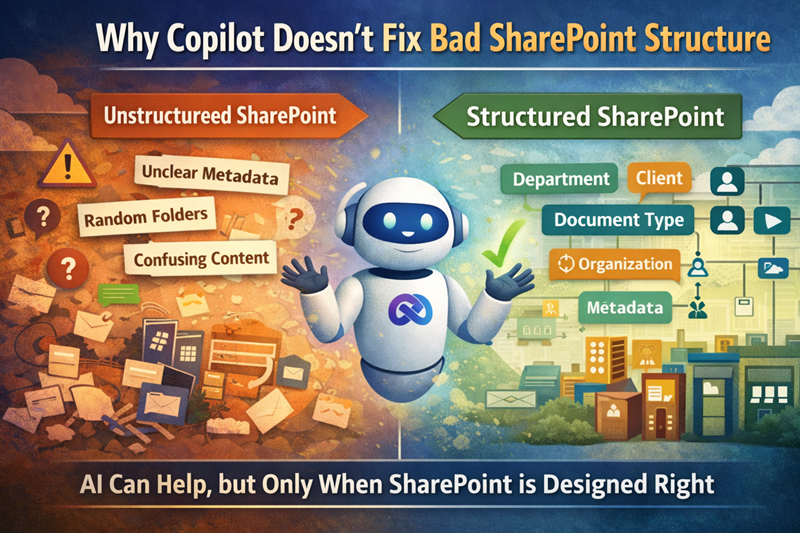
- Disorganized
- Poorly secured
- Outdated
- Inconsistently structured
Copilot will surface those exact weaknesses—only faster and at greater scale.
In real-world environments, this is where trust begins to erode. Users ask a question. Copilot produces an answer. The answer references outdated documents or conflicting content. Confidence drops immediately.
We’ve seen this repeatedly in environments already struggling with structural issues similar to those discussed in Why SharePoint Fails.
By contrast, when readiness work is done first, Copilot responses improve dramatically. Accuracy increases. Relevance improves. And most importantly, user trust builds instead of declines.
Clear Signs Your SharePoint Isn’t Copilot-Ready
In practice, organizations discover readiness gaps quickly. Common indicators include:
- Search results feel inconsistent or unreliable
- Permissions are unclear or overly broad
- Content ownership is undefined
- Libraries rely heavily on folders instead of metadata
- Users struggle to find the “right” version of a document
Each of these issues directly impacts Copilot’s ability to retrieve meaningful answers.
More importantly, they create hesitation. When users hesitate, adoption stalls.
- In environments with heavy folder dependency and weak metadata, Copilot response quality often mirrors the same confusion users already experience in search.
That’s not an AI problem. That’s an architecture problem.
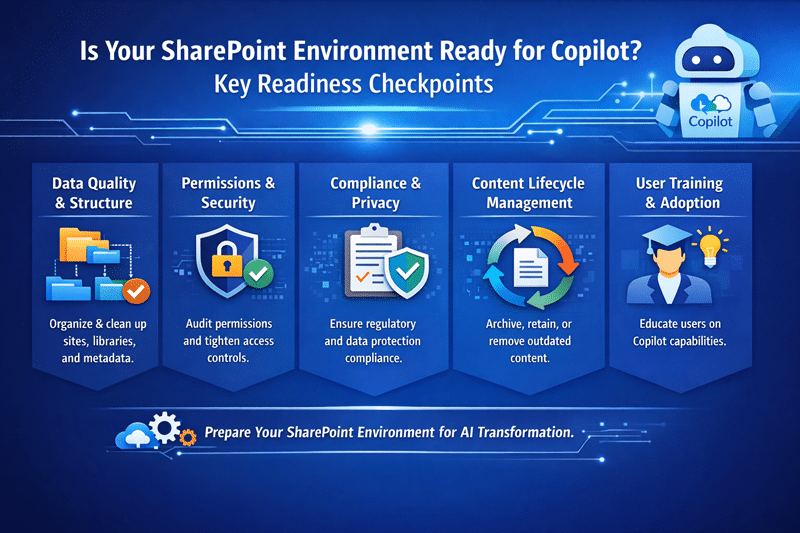
What Copilot Readiness Actually Includes
True Copilot readiness requires intentional structural preparation. Specifically, it involves:
1. Reviewing SharePoint Structure and Architecture
Site hierarchy, content types, navigation, and library design must support clarity. Strong SharePoint Information Architecture & Metadata is foundational.
2. Aligning Permissions and Security Boundaries
Copilot respects existing permissions. If permissions are overly broad or inconsistent, AI will reflect that exposure. A mature SharePoint Governance Framework ensures AI operates within clear, enforceable boundaries.
3. Cleaning Up Outdated and Duplicate Content
Copilot cannot distinguish “important” from “obsolete” without structural signals. Content rationalization improves both search and AI output immediately.
4. Improving Metadata and Findability
Metadata enables contextual retrieval. Without it, Copilot relies on weaker signals. Structured tagging increases response precision.
5. Establishing Sustainable Governance
Governance is not documentation. It is operational discipline. Long-term success depends on ownership, lifecycle management, and consistent enforcement.
Notably, this work strengthens SharePoint even if Copilot is never enabled. That’s why many organizations begin with SharePoint Consulting Services rather than treating Copilot as a standalone initiative.
Copilot Readiness Is Ultimately About Trust
Technology adoption is rarely about features. It’s about confidence.
Users adopt Copilot when they experience:
- Accurate and relevant responses
- Predictable behavior
- Clear security boundaries
- Confidence in content quality
Without those elements, Copilot quickly becomes shelfware.
- AI adoption is a trust problem disguised as a technology rollout.
Trust is built through structure, governance, and consistency—not licensing.
When to Start Copilot Readiness Work
Timing makes a measurable difference.
Organizations benefit most when readiness begins:
- Before purchasing Copilot
- Before rolling it out broadly
- When early adoption stalls
- When compliance or oversharing risks surface
The earlier readiness begins, the smoother adoption becomes.
Many teams formalize this through a Copilot Readiness Assessment for SharePoint, which identifies architectural, security, and governance gaps before they compound.
What Success Actually Looks Like
When SharePoint is truly Copilot-ready:
- AI responses become more consistent
- Users locate information faster
- Security risks decrease
- Adoption improves organically
- Confidence grows across teams
In structured environments, we’ve seen Copilot shift from “interesting experiment” to “daily productivity tool” within weeks—not months.
That transformation doesn’t happen accidentally. It happens because structure supports intelligence.
The Bottom Line
Copilot success does not start with prompts.
It does not start with licenses.
It starts with SharePoint structure, governance, and security.
If SharePoint isn’t ready, Copilot won’t be either.
However, when your environment is intentional, organized, and governed, Copilot becomes what it was meant to be: a productivity engine that accelerates trusted work instead of amplifying confusion.
If you’re evaluating readiness, begin with SharePoint Consulting Services or conduct a structured Copilot Readiness for SharePoint assessment to ensure your foundation can support AI at scale.
Because in the end, Copilot doesn’t create order.
It reveals it.
Related Resources
- The Complete Guide to Building a Modern SharePoint Intranet
- Industry-Specific SharePoint Intranet Solutions
- Healthcare SharePoint Intranet Services
- Financial Services SharePoint Intranet Services
- Manufacturing SharePoint Intranet Services
- Professional Services SharePoint Intranet Services
- Education SharePoint Intranet Services
- Government SharePoint Intranet Services
- Construction SharePoint Intranet Services