Why Microsoft Teams Adoption Stalls After the Initial Rollout
Most Microsoft Teams rollouts start with energy. Usage increases, meetings move into Teams, channels appear quickly, and employees begin using the platform for daily collaboration.
Then adoption often plateaus.
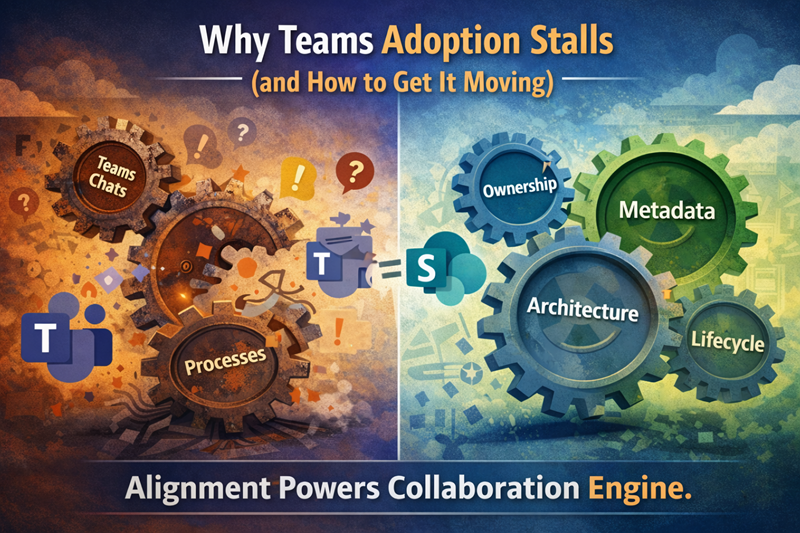
The problem usually is not that users dislike Teams. The problem is that Teams was enabled without enough structure around how it should be used, owned, governed, and connected to SharePoint.
This article focuses specifically on Teams adoption problems after rollout. For broader structure, ownership, lifecycle, guest access, and governance support, use Microsoft Teams Consulting & Governance. For a diagnostic review of Teams structure and adoption readiness, use the Microsoft Teams readiness assessment.
Without a Clear Purpose, Teams Feels Optional
Teams adoption stalls when users do not understand when Teams should be used, when email is still appropriate, where files should live, and which workspace is the right place for a conversation.
Very quickly, employees begin asking practical questions:
- When should I use Teams instead of email?
- Which Team should I post in?
- Should this be a chat, channel post, meeting, document, or SharePoint page?
- Where should files actually live?
- Which workspace is official?
Without clear answers, Teams feels optional rather than essential. Users may still attend meetings in Teams, but they stop treating it as the central place for collaboration.
This is where a Microsoft Teams readiness assessment helps. It evaluates whether Teams has enough structure, naming guidance, ownership, lifecycle control, and user direction to support adoption after rollout.
Channel Sprawl Creates Noise Before It Creates Value
Channel sprawl is one of the fastest ways to weaken Teams adoption.
When channels multiply without a clear purpose, users stop knowing where work belongs. Important conversations get buried. Notifications become overwhelming. Teams becomes another place to check instead of the place where collaboration is easier.
Common symptoms include:
- Channels with overlapping purposes
- Teams created for short-term needs but never retired
- Private and shared channels with unclear ownership
- Repeated conversations across multiple workspaces
- Users muting channels because the volume is too high
- Important decisions buried in long conversation threads
At that point, Teams stops feeling like a productivity tool and starts feeling like background noise.
For a deeper governance view of this issue, use Why Teams Becomes Chaotic. For the broader service path, use Microsoft Teams consulting and governance.
Files Quickly Become a Source of Frustration
Teams adoption also stalls when files become hard to trust.
Users may start by sharing files in chats and channels because it feels fast. Over time, the organization ends up with duplicate files, unclear versions, inconsistent folder structures, and uncertainty about which document is final.
That confusion matters because Teams files are connected to SharePoint. If the SharePoint foundation behind Teams is weak, the Teams file experience becomes harder to manage.
Common file-related adoption problems include:
- Documents duplicated across multiple Teams
- Users unsure which version is current
- Files stored in chats when they should belong in channels or SharePoint libraries
- Channel files with no clear ownership
- Search results that feel inconsistent
- Important documents buried in old conversations
- Teams-connected SharePoint sites with no governance model
This is where Teams adoption connects directly to SharePoint readiness for Teams files and permissions. If the root problem is files, permissions, metadata, search, or lifecycle control, the issue is not only Teams adoption. It is the SharePoint foundation behind Teams.
For user-facing guidance on where work belongs, use SharePoint vs Teams. For deeper file-governance guidance, use Teams Is Not a File System.
Missing Ownership Slows Everything Down
Teams adoption also suffers when ownership is unclear.
A Team may be created for a department, project, committee, leadership group, client initiative, or internal working group. At launch, the purpose may seem obvious. Months later, the owner may have changed roles, the project may have ended, or the Team may still exist even though no one is actively managing it.
Common symptoms include:
- Teams without active owners
- Channels with no clear purpose
- Unmanaged membership and guest access
- Old or unused Teams left behind indefinitely
- Files with no business owner
- No clear decision about when a Team should be archived or retired
Without accountability, Teams environments stagnate. Clutter replaces clarity, and users lose confidence that Teams is worth relying on.
A practical Teams governance readiness review should evaluate ownership, lifecycle rules, Team creation patterns, guest access, and user behavior before adoption problems become normal.
Training Alone Can’t Fix Structural Problems
When Teams adoption slows, organizations often respond with more training.
Training helps, but it cannot fix a poorly structured environment. Users may understand the buttons and still feel unsure about where to work, where to post, which Team to use, where files belong, or who owns the space.
Training cannot fix:
- Unclear Teams purpose
- Too many overlapping Teams
- Channel sprawl
- Weak ownership
- Inconsistent file practices
- Confusing guest access
- Missing lifecycle rules
- Poor alignment between Teams and SharePoint
Adoption improves when Teams makes sense by design. Users should not need to memorize complicated rules just to collaborate effectively.
For broader behavior and reinforcement planning, connect Teams adoption to SharePoint Adoption & Change Management. For Teams-specific structure and governance, use Microsoft Teams Consulting & Governance.
What Actually Sustains Teams Adoption
Sustained Teams adoption comes from clarity.
Organizations with stronger adoption usually define:
- When a new Team should be created
- When a channel should be created instead
- How Teams should be named
- Who owns each Team
- How guests are added and reviewed
- Where files should live
- When a Team should be archived
- Which conversations belong in Teams instead of email
- How Teams connects to SharePoint, OneDrive, meetings, and Copilot
This does not mean every Team needs heavy governance. It means the organization needs enough structure for users to understand how Teams should support work.
A practical adoption model should include:
- Purpose clarity so users know what Teams is for.
- Workspace standards so Teams and channels do not multiply without reason.
- Ownership expectations so Teams remain managed after rollout.
- File guidance so users understand how Teams and SharePoint work together.
- Lifecycle rules so inactive Teams do not remain live forever.
- Training and reinforcement so the behavior becomes routine.
That is why adoption should connect to governance. A Microsoft Teams readiness assessment helps identify whether the environment has the structure, ownership, and controls needed to sustain adoption over time.
Copilot Raises the Stakes Even Higher
Copilot Raises the Stakes for Teams Adoption
Copilot makes Teams adoption more important because Teams conversations, meetings, files, and permissions can all shape the quality of AI-assisted work.
If Teams is noisy, duplicated, poorly governed, or full of unclear workspaces, Copilot may reflect that confusion. If Teams has clearer ownership, better file practices, cleaner channels, and stronger SharePoint alignment, AI-assisted experiences have a better foundation.
Teams adoption affects Copilot readiness in practical ways:
- Conversations need enough context to be useful.
- Files need clear ownership and source authority.
- Meeting content needs to be easy to understand later.
- Permissions need to match business intent.
- Channels need clear purpose.
- Old Teams need lifecycle decisions.
For the deeper Teams-specific AI discussion, use How Teams Impacts Copilot. For the SharePoint-specific AI readiness model, use Copilot Readiness for SharePoint.
The Bottom Line
Microsoft Teams adoption stalls when clarity, structure, ownership, and governance are missing.
The fix is not more training alone. Teams adoption improves when users understand where work belongs, how channels should be used, where files live, who owns each workspace, and how inactive Teams are managed over time.
When Teams is designed intentionally, early excitement can turn into lasting collaboration value. Teams becomes easier to use, easier to govern, easier to trust, and better prepared to support Copilot.
For broader support, start with Microsoft Teams Consulting & Governance. For a diagnostic review, use the Microsoft Teams Readiness Assessment.
Related Microsoft Teams Adoption Resources
Frequently Asked Questions About Teams Adoption
Why does Microsoft Teams adoption stall after rollout?
Microsoft Teams adoption stalls when users do not have clear guidance on when to use Teams, how channels should work, where files should live, who owns each Team, and how inactive Teams are managed over time.
Is Teams adoption a training problem?
Teams adoption is partly a training issue, but training alone cannot fix structural problems. Adoption improves when Teams has clear purpose, channel standards, ownership, lifecycle rules, file guidance, and governance.
How does SharePoint affect Teams adoption?
SharePoint affects Teams adoption because Teams channel files are stored in SharePoint. If the SharePoint foundation behind Teams has weak permissions, poor metadata, unclear ownership, or unreliable search, the Teams experience becomes harder to trust.
What is a Microsoft Teams readiness assessment?
A Microsoft Teams readiness assessment reviews Teams structure, channels, naming, ownership, lifecycle rules, guest access, adoption patterns, and governance controls so organizations can reduce sprawl and improve collaboration.
How does Teams adoption affect Copilot readiness?
Teams adoption affects Copilot readiness because Teams conversations, meetings, files, permissions, and ownership patterns influence the quality of AI-assisted work. If Teams is noisy or poorly governed, Copilot may surface that confusion faster.
Reviewed By