SharePoint Governance: The Complete Guide (2026)
Why SharePoint Governance Determines Whether Your Environment Succeeds or Fails
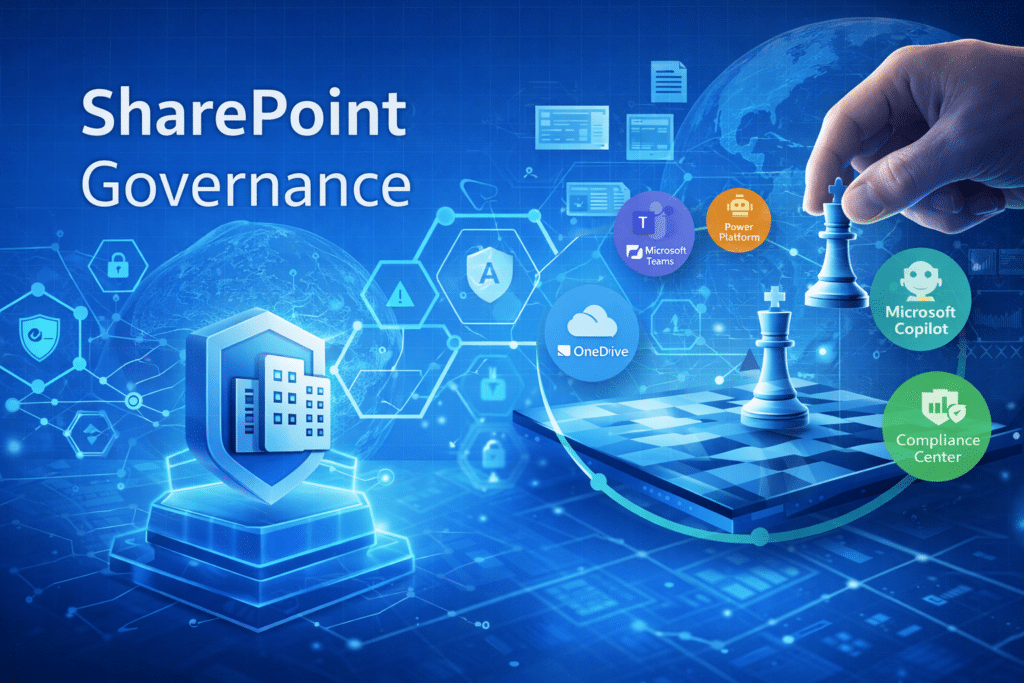
SharePoint governance is the framework of policies, roles, and operational processes that control how content, sites, permissions, and collaboration are managed across Microsoft 365.
Organizations adopt SharePoint expecting a modern digital workplace.
They expect teams to collaborate easily, documents to be easy to find, and knowledge to flow across the organization.
Yet many environments slowly drift in the opposite direction.
Sites multiply without structure.
Permissions become difficult to understand.
Content ownership becomes unclear.
Search results lose credibility.
The problem is rarely the technology.
The problem is governance.
SharePoint governance provides the operational framework that defines how information is organized, who owns it, how it evolves, and how it remains manageable as collaboration grows.
Without governance, even well-designed environments eventually become chaotic.
With governance, SharePoint becomes something far more powerful: a structured knowledge platform that supports collaboration, compliance, and increasingly, artificial intelligence.
This is why governance sits at the center of effective SharePoint & Microsoft 365 consulting solutions.
SharePoint Governance at a Glance
Effective SharePoint governance ensures collaboration environments remain organized, secure, and scalable. A strong governance framework defines ownership, provisioning standards, lifecycle management, permissions policies, and compliance controls across the Microsoft 365 environment.
What Is SharePoint Governance?
Definition
SharePoint governance is the set of policies, roles, processes, and technical controls that guide how SharePoint and Microsoft 365 are structured, used, and maintained across an organization.
In practical terms, governance answers questions such as:
- Who can create new SharePoint sites or Microsoft Teams workspaces?
- Who owns collaboration environments?
- How long should documents be retained?
- How are permissions managed and reviewed?
- What structure ensures information remains discoverable?
These questions may sound administrative, but they directly influence whether SharePoint becomes a reliable knowledge system or a difficult-to-manage content repository.
Organizations that treat governance as a living operational framework rather than a static policy document consistently experience better adoption and lower operational risk.
Why Governance Matters More Than Ever in Microsoft 365
Today, SharePoint is no longer just a document platform.
It sits at the center of the broader Microsoft 365 ecosystem.
In large Microsoft 365 environments, organizations often accumulate hundreds or even thousands of Teams and SharePoint sites over time. Without governance policies controlling site creation, permissions, and lifecycle management, information becomes fragmented and difficult to manage.
That ecosystem now includes:
- Microsoft Teams
- OneDrive
- Power Platform
- Microsoft Copilot
All of these services rely on SharePoint for document storage and permissions.
In other words: SharePoint governance is now Microsoft 365 governance.
When governance is strong:
- Content Is Discoverable
- Permissions Remain Manageable
- Collaboration Spaces Stay Organized
- AI Tools Deliver More Reliable Results
When governance is weak:
- Sites Proliferate Without Ownership
- Duplicate Content Spreads
- Security Risks Increase
- AI Tools Surface Unreliable Information
This is why governance must align closely with SharePoint Information Architecture & Metadata Strategy and broaderMicrosoft 365 consulting strategy initiatives.
The Five Pillars of Effective SharePoint Governance
Strong governance frameworks typically rest on five foundational pillars.
Understanding these pillars helps organizations design governance models that scale.
1. Site Provisioning and Ownership
Every SharePoint environment needs a predictable method for creating new sites and collaboration spaces.
Without a provisioning strategy, environments quickly develop:
- Duplicate Sites
- Unclear Ownership
- Inconsistent Naming
- Redundant Collaboration Workspaces
Effective governance defines:
- Who Can Request New Sites
- How Requests Are Approved
- Who Becomes Responsible For Ownership
Site ownership is particularly important.
Every site should have clearly defined owners responsible for:
- Maintaining Content
- Reviewing Permissions
- Managing Lifecycle Decisions
A simple rule applies:
If No One Owns The Site, The Site Will Eventually Become Unmanaged.
2. Permissions Governance
Permissions are one of the most complex aspects of SharePoint administration.
Over time, permissions often accumulate through:
- Unique Library Permissions
- Individual User Access Grants
- Broken Inheritance
- Legacy Access Patterns
This complexity leads to two common problems:
- Security Exposure
- Administrative Confusion
Governance frameworks should establish principles such as:
- Use Group-Based Permissions Instead Of Individual Access
- Preserve Inheritance Wherever Possible
- Conduct Periodic Access Reviews
Clear permission governance dramatically reduces long-term management complexity.
3. Information Architecture and Metadata
Governance cannot function effectively without structured information architecture.
In fact, many governance challenges originate from poor structural design.
Effective information architecture defines:
- Site Hierarchy
- Content Organization
- Metadata Fields
- Taxonomy Structures
Metadata plays a particularly important role because it improves:
- Search Accuracy
- Content Filtering
- Automated Governance Policies
Organizations looking to strengthen governance often begin by refining theirSharePoint Information Architecture & Metadata Strategy.
When content structure is predictable, governance enforcement becomes significantly easier.
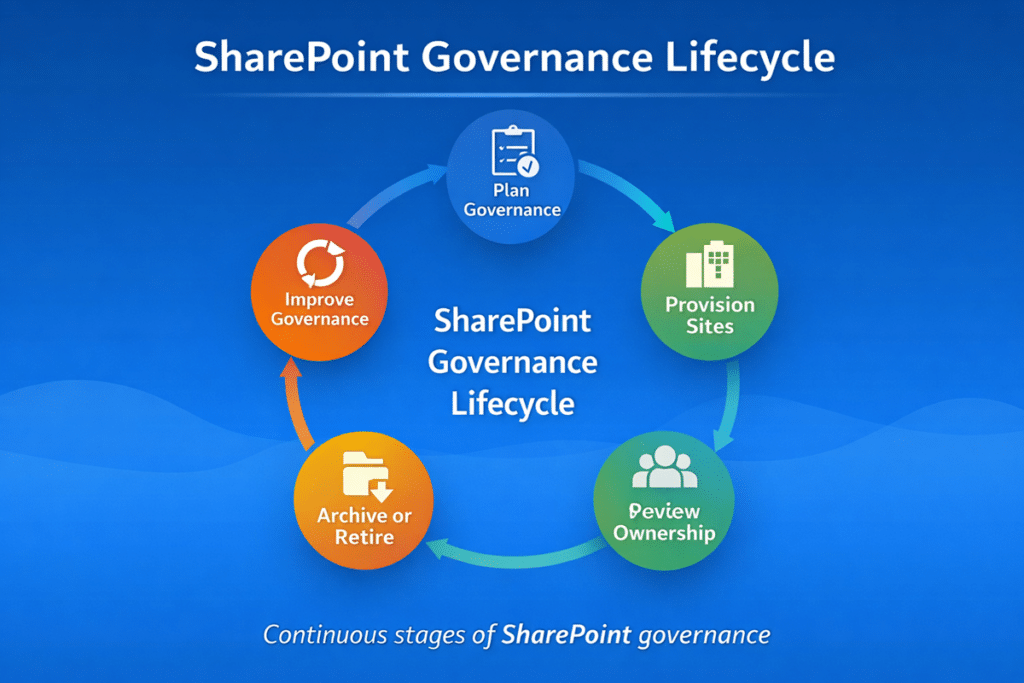
4. Lifecycle Management
Collaboration environments should not exist indefinitely.
Lifecycle governance defines:
- How Long Sites Remain Active
- When Reviews Occur
- When Content Is Archived
- When Sites Should Be Retired
Without lifecycle governance, organizations accumulate large numbers of inactive sites that still contain sensitive information.
A typical lifecycle framework includes:
- Periodic Site Owner Reviews
- Inactivity Detection
- Archival Policies
These practices maintain a healthy collaboration environment.
5. Compliance and Retention
Many organizations operate under regulatory requirements that influence how information must be managed.
SharePoint governance therefore intersects closely with:
- Retention Policies
- Records Management
- Legal Hold Processes
- Audit Requirements
Retention policies allow organizations to:
- Preserve Required Records
- Delete Outdated Information
- Maintain Compliance
Governance ensures those policies are applied consistently across the environment.
This becomes especially important in regulated sectors that often explore industry-specific SharePoint intranet solutions.
The Four Layers of SharePoint Governance
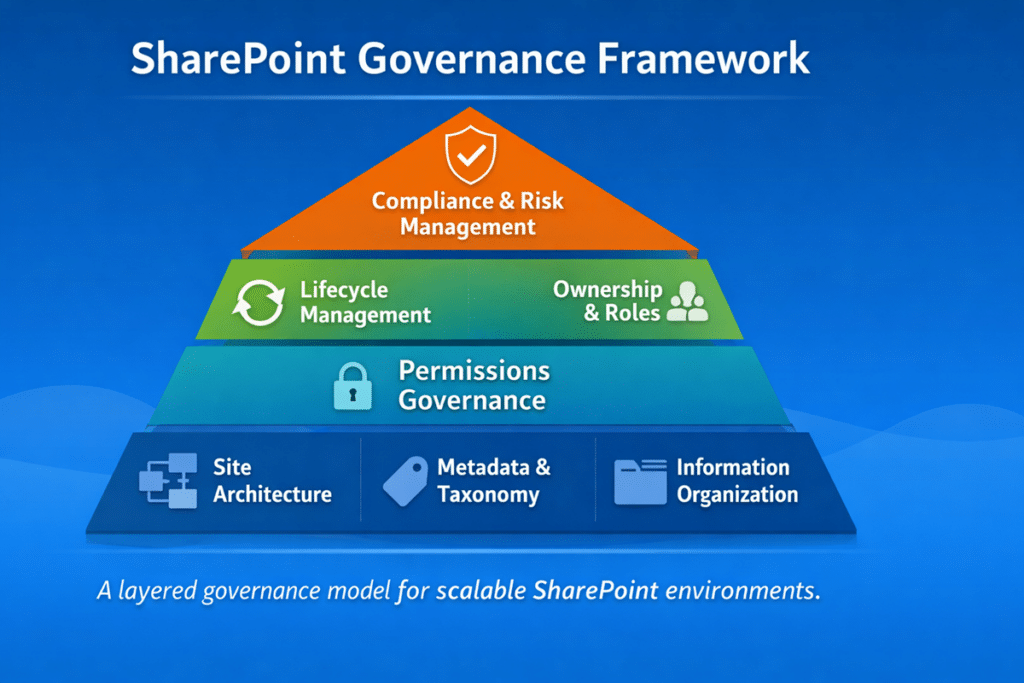
SharePoint Governance Roles and Responsibilities
Governance frameworks succeed or fail based on accountability.
When responsibilities are unclear, governance policies are rarely enforced. When ownership is defined, governance becomes part of daily operations.
Most mature SharePoint environments define several governance roles.
Executive Sponsor
The executive sponsor ensures governance aligns with organizational priorities. This role helps ensure policies receive leadership support and that governance initiatives receive the necessary resources.
Platform Owner
The platform owner is responsible for the overall health of the SharePoint environment. This role typically sits within IT or a digital workplace team and oversees governance policy enforcement, provisioning standards, and lifecycle management.
Site Owners
Site owners manage the day-to-day operations of individual SharePoint sites. They are responsible for maintaining content quality, reviewing permissions, and ensuring collaboration environments remain relevant.
Compliance and Security Stakeholders
In regulated environments, compliance and security teams help define retention policies, audit controls, and access management standards.
Organizations that define these roles early typically experience far fewer governance challenges later.
In practice, role clarity often becomes a key outcome of a SharePoint Discovery & Readiness Assessment engagement.
Common SharePoint Governance Mistakes
Many organizations struggle with governance because they approach it incorrectly.
Several patterns appear repeatedly.
Treating Governance As A Document
Governance frameworks often begin as lengthy policy documents.
Unfortunately, documents alone rarely influence day-to-day behavior.
Effective governance combines:
- Policies
- Automation
- Operational Processes
Ignoring Site Ownership
When sites lack clear owners, they quickly become outdated and unmanaged.
Ownership must be assigned and maintained.
Allowing Unlimited Workspace Creation
Uncontrolled site or Teams creation leads to duplication and confusion.
Provisioning policies prevent unnecessary collaboration sprawl.
Designing Governance After Deployment
Governance works best when it is built into the environment from the beginning.
This is why governance discussions frequently occur during SharePoint migration strategy initiatives.
SharePoint Governance vs. SharePoint Administration
Many organizations confuse governance with administration.
The two concepts are related but very different.
| Governance | Administration |
|---|---|
| Policies and strategy | Technical configuration |
| Defines how SharePoint should be used | Implements settings in Microsoft 365 |
| Guides long-term collaboration structure | Manages day-to-day operations |
| Focuses on organizational behavior | Focuses on platform management |
A useful way to think about the difference:
Governance defines the rules. Administration implements them.
For example:
Governance may define a policy stating that new collaboration sites require defined ownership and lifecycle review.
Administration implements the provisioning process and automation that enforce that policy.
Successful SharePoint environments require both disciplines working together.
This alignment becomes especially important during SharePoint migration strategy initiatives when governance and technical design must evolve simultaneously.
Governance and Microsoft Copilot
As organizations adopt AI capabilities within Microsoft 365, governance becomes even more important.
Microsoft Copilot relies heavily on the underlying content structure.
If content is poorly organized, Copilot may surface:
- Outdated Documents
- Duplicate Information
- Content With Incorrect Permissions
In contrast, well-governed environments provide:
- Structured Content
- Predictable Metadata
- Clear Access Controls
These characteristics improve the accuracy and reliability of AI-generated insights.
Organizations preparing for AI often evaluate governance maturity as part of Copilot readiness for SharePoint initiatives.
Signs Your SharePoint Governance Needs Improvement
Several indicators suggest governance frameworks need refinement.
Common warning signs include:
- Teams and SharePoint Sites With Unclear Ownership
- Duplicate Collaboration Spaces
- Complicated Permission Structures
- Unreliable Search Results
- Outdated Content Appearing In Important Searches
These symptoms usually signal deeper structural issues.
Addressing governance early prevents these problems from compounding.
A Practical Framework for Implementing SharePoint Governance
Organizations often ask where to begin.
A practical governance implementation framework typically includes five steps.
Step 1: Assess The Current Environment
Understand how sites, permissions, and content are currently structured.
Many organizations begin with aSharePoint Discovery & Readiness Assessment.
Step 2: Define Ownership Models
Every collaboration environment must have clearly defined owners.
Ownership accountability drives governance success.
Step 3: Establish Provisioning Standards
Site creation should follow defined processes that prevent duplication and maintain naming consistency.
Step 4: Align Governance With Information Architecture
Metadata, taxonomy, and content structure must support governance enforcement.
Step 5: Automate Governance Where Possible
Automation tools within Microsoft 365 can enforce:
- Lifecycle Policies
- Retention Labels
- Access Reviews
Automation reduces long-term administrative overhead.
What Strong SharePoint Governance Feels Like
In well-governed environments:
- Search Results Surface Authoritative Content
- Ownership Is Clearly Defined
- Permissions Are Predictable
- Collaboration Spaces Remain Organized
- Governance Processes Operate Quietly In The Background
You do not hope the system is structured.
You can demonstrate that it is.
This is one reason governance remains a foundational component of SharePoint & Microsoft 365 consulting solutions.
How SharePoint Governance Supports Long-Term Microsoft 365 Strategy
SharePoint governance does more than organize documents.
It creates the structural foundation for the entire Microsoft 365 ecosystem.
When governance frameworks are well designed, organizations gain several strategic advantages.
Improved Knowledge Discovery
Structured information architecture and metadata make it easier for employees to find relevant information quickly.
Reduced Security Risk
Clear permission models and periodic access reviews reduce the risk of inappropriate data exposure.
Better Collaboration
Defined site ownership and lifecycle policies prevent collaboration environments from becoming cluttered or abandoned.
AI Readiness
Structured content dramatically improves the reliability of AI tools such as Microsoft Copilot.
Organizations often underestimate how much AI performance depends on content structure.
In practice, Copilot surfaces whatever information exists in the environment — whether that information is well organized or not.
That is why governance plays a critical role in Copilot readiness for SharePoint initiatives.
Strong governance improves not only operational efficiency but also the long-term value organizations receive from Microsoft 365.
Final Thoughts
SharePoint governance is not about restricting collaboration.
It is about enabling collaboration to scale.
Without governance, SharePoint environments gradually lose clarity and trust.
With governance, they evolve into structured digital workplaces where information remains discoverable, collaboration remains efficient, and technology investments continue delivering value.
For organizations adopting AI, automation, and advanced analytics within Microsoft 365, governance is no longer optional.
It is the framework that allows those innovations to succeed.
Organizations that treat governance as an afterthought usually struggle with search, security, and adoption. Organizations that design governance intentionally turn SharePoint into a reliable knowledge platform that supports collaboration, compliance, and AI.
Frequently Asked Questions
What Is SharePoint Governance?
SharePoint governance is the framework of policies, processes, and roles that guide how SharePoint and Microsoft 365 environments are structured, managed, and maintained across an organization.
Why Is Governance Important In SharePoint?
Governance ensures content remains organized, permissions remain manageable, and collaboration environments remain scalable as organizations grow.
Does SharePoint Governance Improve Search?
Yes. Governance improves search accuracy by enforcing structured information architecture, consistent metadata, and clear ownership of content.
How Often Should Governance Be Reviewed?
Most organizations review governance frameworks annually, although regulated industries often conduct quarterly governance reviews.