
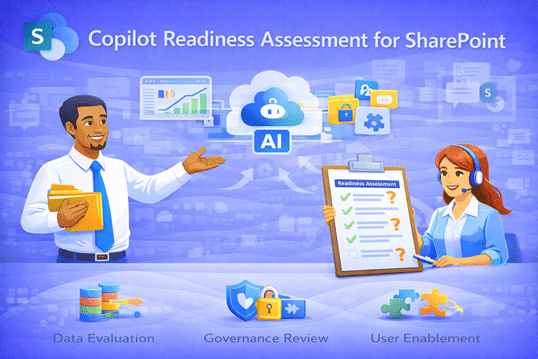
Copilot Readiness Assessment for SharePoint
Microsoft Copilot can only work with the SharePoint environment you give it. dataBridge’s Copilot Readiness Assessment helps organizations identify gaps in structure, permissions, and governance—so Copilot delivers accurate, secure, and trusted results from day one.
Helpful Links
Copilot Readiness Assessment for SharePoint
Make Sure Copilot Is Ready Before Your Teams Rely on It
Microsoft Copilot can be a powerful productivity tool—but only if your SharePoint environment is ready to support it.
Our Copilot Readiness Assessment for SharePoint helps organizations understand whether their content, security, and structure are prepared for AI—and what needs to change before Copilot can deliver real value.
This assessment is practical, focused, and designed to give you clear answers—not generic recommendations.
Who This Assessment Is For
This assessment is ideal for organizations that:
- Have purchased Copilot licenses but see little adoption
- Are planning to roll out Copilot and want to avoid missteps
- Are unsure whether SharePoint security and permissions are ready
- Struggle with content sprawl, search issues, or governance gaps
- Want confidence that Copilot will surface trusted information
Whether Copilot is live or still being evaluated, readiness work pays dividends.
What We Assess
Our Copilot Readiness Assessment focuses on the areas that matter most for AI success.
SharePoint Structure & Content
- Site and library organization
- Folder vs. metadata usage
- Content sprawl and duplication
- Identification of authoritative content
Security & Permissions
- Broken inheritance and over-permissioning
- Role-based access alignment
- External sharing risks
- How Copilot will respect security boundaries
Governance & Ownership
- Site and content ownership
- Lifecycle management gaps
- Policies impacting AI effectiveness
- Sustainability of current practices
Copilot Impact Analysis
- Where Copilot will struggle today
- Where Copilot can add immediate value
- Risk areas that may undermine trust
- Readiness gaps that affect adoption
What You’ll Receive
At the end of the assessment, you’ll receive clear, actionable deliverables—not a technical data dump.
Copilot Readiness Report
- Executive summary of readiness status
- Key risks and priority gaps
- What’s blocking Copilot effectiveness
- Where immediate improvements will have the biggest impact
Prioritized Recommendations
- What to fix first—and why
- What can remain as-is
- What should be standardized
- What requires stakeholder input
Remediation Roadmap
- Practical, phased next steps
- Estimated effort and complexity
- Clear path from assessment to execution
What This Is (and Isn’t)
This assessment is:
- Practical and focused on real-world use
- Grounded in SharePoint and Microsoft 365 best practices
- Designed to support adoption—not just compliance
This assessment is not:
- A sales pitch for Copilot licenses
- A generic security audit
- A theoretical AI workshop
- A “one-size-fits-all” checklist
Why Start with an Assessment?
Copilot surfaces what already exists.
If SharePoint is disorganized, Copilot will amplify the problem.
If SharePoint is structured and secure, Copilot becomes a competitive advantage.
An assessment allows you to:
- Reduce risk before broad rollout
- Increase user trust and adoption
- Avoid wasted AI spend
- Make informed, confident decisions
Why dataBridge
Organizations choose dataBridge because we:
- Specialize in SharePoint and Microsoft 365
- Understand how Copilot actually works
- Focus on foundations before features
- Deliver clear, honest recommendations
- Act as long-term partners—not just implementers
We help you get Copilot right the first time.
Ready to Assess Your Copilot Readiness?
If you’re serious about making Copilot work—not just turning it on—we’re ready to help.
Start with a Copilot Readiness Assessment and gain clarity, confidence, and a clear path forward.

THE SEARCH IS OVER
We're a Microsoft SharePoint partner - everything you need IS right here
For more information about how dataBridge can transform your business with improved corporate communication, collaboration, forms, workflows, and document management, contact us today.