Microsoft 365 Feature Updates That Improve Collaboration, Engagement, and Branding
Microsoft continues to roll out meaningful enhancements across Microsoft 365—and each update brings new opportunities to improve collaboration, communication, and user experience. In this webinar, the dataBridge team walked through several practical features you can start using today, from faster collaboration in Microsoft Teams to better branding in SharePoint.
Below is a recap of the key takeaways and why they matter for modern workplaces. This is one of the many areas where our SharePoint Consulting Services help organizations move from features to strategy.
Meet Now in Microsoft Teams: Faster, More Flexible Collaboration
Microsoft Teams Meet Now makes it easier than ever to jump into real-time conversations—without scheduling a meeting or disrupting others.
With Meet Now in a group chat, you can instantly start a huddle with your colleagues. Because it’s a ringless experience, team members can join when they’re ready instead of being interrupted. As a result, Meet Now works especially well for hybrid teams that need quick collaboration without formal meetings.
This feature supports agile decision-making and keeps conversations moving when time matters most.
Learn how dataBridge helps organizations optimize Microsoft Teams collaboration on our Microsoft Teams Consulting & Readiness page.
Create Event Sign-Ups with Microsoft Bookings and Power Automate
If you offer internal training, workshops, or classes, Microsoft Bookings just became even more powerful.
In this session, we demonstrated how to use Microsoft Bookings to manage event and class sign-ups—including seat limits, rosters, and availability. More importantly, the new Power Automate integration allows you to automate confirmations, reminders, and follow-up communications.
As a result, organizations can reduce manual effort while delivering a smoother registration experience for employees or customers.
Explore how dataBridge designs scalable scheduling and automation solutions on our Power Automate & Workflow Solutions page.
Official Campaigns in Viva Engage: Drive Focused Employee Engagement
Official Campaigns in Viva Engage (formerly Yammer) offer a structured way to promote initiatives, align messaging, and boost visibility across the organization.
Instead of scattered posts, campaigns let you group content around a single goal—such as a change initiative, internal program, or company milestone. This approach increases clarity, encourages participation, and helps leaders measure engagement more effectively.
Ultimately, campaigns help organizations communicate with intention rather than noise.
See how dataBridge supports internal communications and engagement strategies on our SharePoint Adoption& Change Management page.
Stream App in Teams: Watch Videos Without Leaving Your Flow
Microsoft Stream now integrates directly into Teams chats and channels, making video content easier to access and consume.
With the updated Stream app, users can watch Stream videos, view their watchlist, and access Teams meeting recordings—all without leaving Teams. As a result, employees stay focused and productive while accessing critical content.
This change also improves video discoverability and reinforces Teams as the central hub for work.
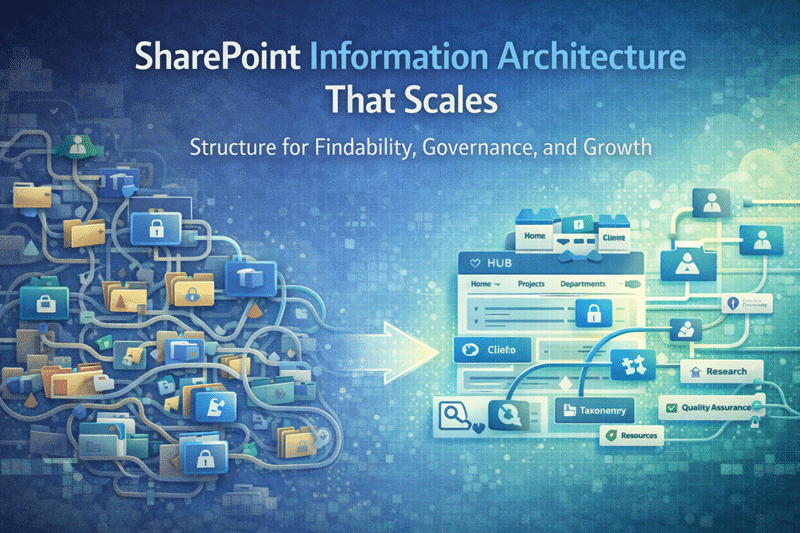
Learn how dataBridge improves content organization and discoverability on our SharePoint Information Architecture & Metadata page.
Custom Fonts in SharePoint: Brand Consistency Finally Arrives
For the first time, SharePoint modern sites support custom fonts through the Brand Center.
This long-awaited update allows organizations to align SharePoint sites with brand guidelines by applying approved fonts across pages and related experiences. As a result, intranets feel more cohesive, polished, and aligned with corporate identity.
Branding is no longer limited to colors and logos—typography now plays a key role in modern SharePoint design.
See how dataBridge delivers branded intranet experiences on our SharePoint Design & Branding Services page.
Bringing It All Together
Each of these updates—Meet Now, Bookings automation, Viva Engage campaigns, Stream in Teams, and custom SharePoint fonts—may seem small on their own. However, when implemented thoughtfully, they create a more connected, efficient, and engaging Microsoft 365 environment.
At dataBridge, we help organizations evaluate these features, align them with business goals, and implement them the right way—with governance, adoption, and long-term success in mind.
If you’d like help applying these updates in your environment, we’re ready to help—The dataBridge Way.