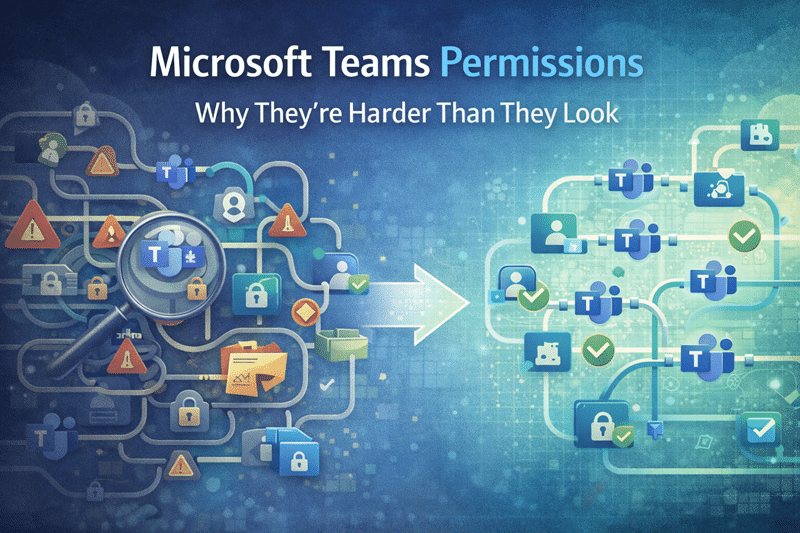
Microsoft Teams Permissions: Why They’re Harder Than They Look
Permissions Feel Simple — Until They Aren’t
At first glance, Microsoft Teams permissions look straightforward.
You add a user to a Team.
They gain access.
However, that simplicity is misleading.
Under the surface, Teams relies on a layered permission model that interacts directly with SharePoint, Microsoft 365 Groups, channels, and external sharing settings. In small environments, this complexity may stay hidden. At scale, it doesn’t.
In our experience, most Teams security issues don’t come from malicious behavior. They come from misunderstood structure.
And structure always matters more than convenience.
Teams Permissions Are Actually SharePoint Permissions
Here’s the fundamental truth many organizations miss:
Every Microsoft Team is backed by a SharePoint site.
That means Teams membership directly controls access to documents stored in SharePoint. When someone joins a Team, they’re not just joining conversations — they’re inheriting file permissions.
Because of this relationship:
- Team membership directly controls document access
- Channel permissions can break inheritance
- Private channels create separate SharePoint sites
- Shared channels introduce cross-tenant security considerations
When organizations overlook this connection, permissions drift. Over time, security gaps widen quietly.
This is why Teams readiness must align with SharePoint architecture. Treating Teams as a standalone tool is a governance mistake.
Private and Shared Channels Increase Complexity
Private and shared channels solve real collaboration challenges. They allow focused discussions, restricted visibility, and cross-organization collaboration.
However, flexibility without guardrails creates exposure.
We frequently see confusion around:
- Who can see which files
- Why certain documents appear restricted
- How inheritance was broken
- Why Copilot surfaces content unexpectedly
Private channels create separate SharePoint sites. Shared channels extend access across tenants. Without disciplined design, these features introduce fragmented permission structures that are difficult to audit later.
In other words, collaboration features amplify architectural weaknesses.
This is where structured Microsoft Teams governance and consulting becomes critical.
Guest Access Often Goes Unmanaged
Guest access is another area where convenience quietly introduces risk.
Inviting external users into Teams is simple. Reviewing and removing them later is not.
Common patterns we see:
- Guests remain long after projects end
- Access expands beyond original intent
- Owners forget who invited whom
- Audit trails become difficult to interpret
Guest access works well when organizations define clear policies, assign ownership accountability, and align behavior with a broader SharePoint governance framework.
Without that alignment, exposure grows gradually — not dramatically — which makes it harder to detect.
Over-Permissioning Becomes the Default
To reduce friction, many teams take shortcuts.
They:
- Add users broadly “just in case”
- Grant more access than necessary
- Delay permission cleanup indefinitely
In the moment, this feels efficient. Over time, it creates environments that are over-permissioned, difficult to audit, and hard to trust.
We’ve seen environments where nearly everyone had access to nearly everything. No one intended that outcome. It happened gradually.
Security rarely breaks all at once. It erodes.
Why AI Raises the Stakes
Now introduce Microsoft Copilot.
Copilot does not change your permission model. It respects it. However, it surfaces content faster, more clearly, and across multiple contexts.
As a result, permissions that once stayed buried inside file structures suddenly become visible.
Poorly designed access models:
- Combine information in unexpected ways
- Surface content across conversations
- Reveal outdated or misclassified documents
Importantly, AI does not create risk. It reveals structural weaknesses that already existed.
This is why permissions design plays a central role in Copilot readiness for SharePoint and Teams. Without governance discipline, AI amplifies confusion.
What Good Teams Permission Design Looks Like
In contrast, well-designed Teams environments share common traits.
They:
- Align membership to roles, not individuals
- Limit private and shared channel use intentionally
- Review access regularly
- Define clear guest policies
- Keep SharePoint and Teams governance aligned
- Assign ownership accountability
In structured environments, permissions are predictable. When access is predictable, trust improves. And when trust improves, adoption increases.
Governance does not slow collaboration. It stabilizes it.
The Bottom Line
Microsoft Teams permissions are more complex than they first appear.
Because Teams is built on SharePoint, permission design is architectural — not cosmetic. Small decisions made early often determine long-term security posture.
In our experience, organizations that treat Teams as a collaboration layer succeed. Organizations that treat it as a file-sharing shortcut struggle.
When permissions are intentional:
- Security becomes defensible
- Audits become manageable
- AI readiness improves
- Scale becomes sustainable
Teams is powerful. But without structured permission design, that power creates risk.
Design first. Scale second.
Reviewed By