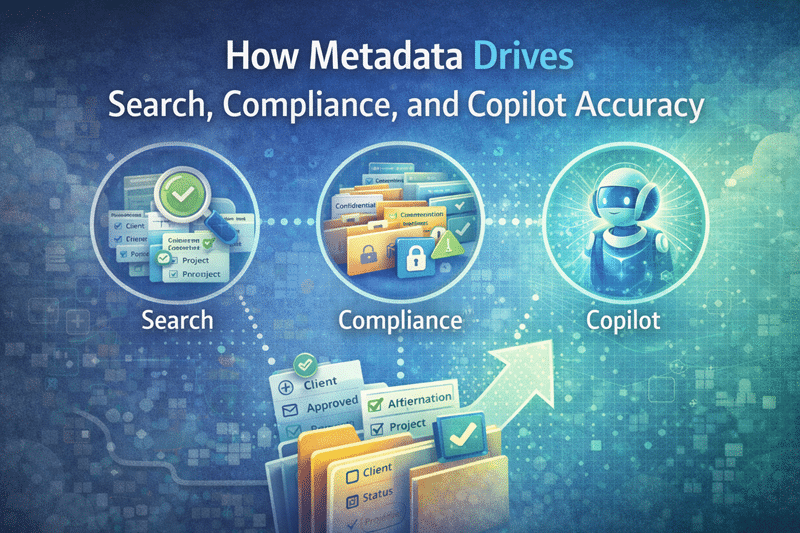
How Metadata Drives Search, Compliance, and Copilot Accuracy in SharePoint
Folders tell you where something lives.
Metadata tells you what it is.
Organizations that want to understand how metadata architecture actually works across SharePoint can explore our complete SharePoint metadata strategy guide, which walks through taxonomy design, content types, governance models, and search optimization.
That distinction matters more than ever.
Modern SharePoint success depends on three systems working together: reliable search, scalable compliance, and accurate Copilot results. In all three areas, metadata is not optional. It is foundational.
Metadata works best when it supports clear authority signals. A SharePoint source of truth model helps organizations connect metadata, ownership, approval status, review cadence, and source quality so search and AI tools can identify the most reliable content.
When organizations struggle with search quality, compliance enforcement, or Copilot accuracy, the root cause is often the same: inconsistent or missing SharePoint metadata. This is where structured SharePoint Consulting Services make the difference.
In our experience, when metadata improves, everything else improves with it.
Metadata Improves SharePoint Search by Adding Meaning
Search works best when content is described consistently and predictably.
Without metadata, SharePoint search relies heavily on filenames and full-text indexing. That approach breaks down quickly.
For example:
- Filenames vary widely between users
- People describe the same document differently
- Older versions compete with current ones
- Libraries fill up with files named final_FINAL_v7.docx
That tells search very little.
Metadata changes the equation.
Instead of guessing, SharePoint search can rely on standardized fields such as:
- Document type
- Client
- Project
- Department
- Status
- Owner
- Effective date
As a result, users can filter quickly instead of scrolling endlessly.
That outcome depends on complete metadata. File intake and metadata capture in SharePoint gives teams a practical way to collect useful classification details while the submitter still understands the document.
When metadata is intentionally designed as part of SharePoint Information Architecture & Metadata Strategy, search stops feeling unpredictable and starts feeling reliable.
Reliable search increases productivity. More importantly, it builds user trust.
Metadata Enables Compliance and Governance at Scale
Microsoft 365 includes powerful compliance capabilities. However, those tools only work consistently when content is clearly classified.
Metadata provides that classification layer.
With well-designed SharePoint metadata, organizations can:
- Apply retention rules consistently
- Separate records from working documents
- Support legal holds and audits
- Enforce confidentiality and sensitivity standards
- Automate lifecycle controls
Without metadata, compliance becomes reactive. Teams rely on training, policy reminders, or cleanup projects to maintain control. That approach rarely scales.
We have seen organizations attempt compliance enforcement without metadata. It almost always turns into a manual effort that collapses under growth.
By contrast, when metadata aligns with a strong SharePoint Governance Framework, compliance becomes embedded. Governance shifts from policy enforcement to structural design.
And structure scales.
Metadata Improves Copilot Accuracy by Providing Reliable Signals
Copilot depends on signals to determine relevance, authority, and context.
It needs to understand:
- What is approved versus draft
- What is current versus outdated
- Which documents are authoritative
- What belongs to a specific department or project
Metadata provides those signals.
When metadata is consistent, Copilot can:
- Prioritize current and approved content
- Filter results by department or business unit
- Reduce surface-level noise
- Deliver more contextually relevant responses
When metadata is inconsistent or missing, Copilot has fewer reliable indicators. As a result, it may surface outdated files, incomplete drafts, or irrelevant documents.
Importantly, Copilot does not create inaccuracy. It exposes structural weaknesses that already exist.
In our experience, improving Copilot accuracy almost always starts with improving SharePoint structure and metadata consistency — not with AI configuration settings. That is why Copilot Readiness Consulting should begin with governance and architecture, not deployment.
AI amplifies structure. It does not replace it.
Common Metadata Mistakes We See
Many organizations fall into predictable patterns:
Too many fields with no purpose
- Inconsistent naming conventions
- Optional metadata that should be required
- No ownership for term store management
- No lifecycle alignment
Metadata should be purposeful, minimal, and enforced where necessary.
In our work designing structured environments through SharePoint Strategy Development Consulting, we often recommend fewer fields — but better ones.
Quality beats quantity every time.
The Real Goal: Trust
Ultimately, metadata supports trust.
When users can:
- Find content quickly
- Understand what they are looking at
- Confirm whether it is current and approved
Adoption increases.
That trust carries forward into automation, reporting, workflow approvals, and AI usage.
Metadata is often viewed as “extra work.” In reality, poorly designed metadata creates friction. Well-designed metadata reduces it.
The key is alignment. Metadata should reflect how the business actually works — not how IT wishes it worked.
When designed correctly, metadata becomes invisible infrastructure. Users experience clarity without thinking about the structure underneath.
That is the goal.
Bottom Line: Structure Creates Trust
Metadata multiplies the value of SharePoint.
It improves search by adding meaning.
It strengthens compliance by enabling consistent governance.
It improves Copilot accuracy by providing reliable signals.
When organizations treat metadata as a foundational design element instead of an afterthought, everything built on top of SharePoint works better.
Structure creates trust.
Metadata makes structure usable.
For more insights on governance, architecture, and Microsoft 365 strategy, explore our Microsoft 365 resources.
Related Resources & Posts
Reviewed By