
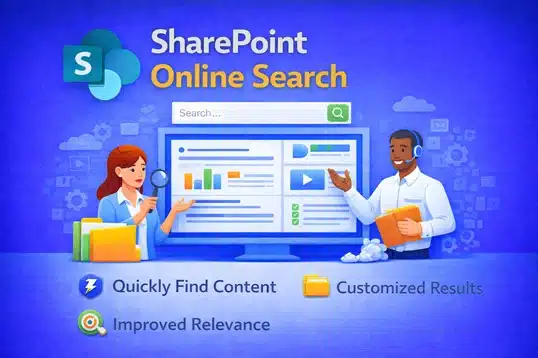
dataBridge helps organizations design, tune, and govern SharePoint Online search so people can find the right content quickly—and trust what they find. With over 20 years of SharePoint experience, we focus on the foundations that make search work at scale, not quick fixes that fade over time.
Key SharePoint Strategy Resources
SharePoint Online Search Optimization
Make Search Work the Way Your Organization Thinks
Most organizations assume SharePoint search “just works.” However, search only works well when structure exists behind it.
In SharePoint Online, search relevance depends on metadata, managed properties, permissions, and information architecture. Those same elements are also foundational to a successful SharePoint Document Management System, where findability depends on more than search settings alone. If those elements are inconsistent, search results feel unpredictable. As a result, users lose trust — and they stop using the intranet.
At dataBridge, we help organizations design and optimize SharePoint search through structured SharePoint Consulting Services so employees can find information quickly, securely, and confidently.
How SharePoint Online Search Actually Works
Before you optimize search, you need to understand what drives it.
SharePoint Online search is powered by Microsoft Search and relies on four core components:
1. Crawled Properties
SharePoint automatically discovers fields in lists and libraries.
2. Managed Properties
These are mapped fields that control how content is searchable and sortable.
3. Metadata & Content Types
Structured columns improve relevance, filtering, and refiners. This is why strong SharePoint Information Architecture & Metadata planning is critical.
4. Permissions
Search only surfaces what a user has access to, which ties directly into effective SharePoint Governance & Compliance.
Because of this architecture, search relevance is not random. It is structural.
If your metadata is inconsistent, your results will be inconsistent.
Why SharePoint Search Fails in Many Organizations
Search problems rarely come from technology limitations. Instead, they come from structural gaps.
Common issues include:
- Folder-heavy document storage
- No standardized content types
- Inconsistent naming conventions
- Missing managed property mappings
- Excessive broken permissions
- Duplicate content across libraries
When these conditions exist, search results feel irrelevant. Employees compensate by asking coworkers instead of trusting the system.
In many cases, these issues originate during rushed deployments or poorly planned SharePoint Migrations.
Over time, productivity declines.
What Effective SharePoint Search Optimization Looks Like
Optimizing SharePoint search is not about tweaking a setting. It requires architectural clarity.
Here is what we implement during a search optimization engagement:
✔ Metadata Strategy
We define structured columns aligned to business context — not just document type. This work builds on strong SharePoint Strategy & Roadmapping for Long-Term Success.
✔ Managed Property Mapping
We map important columns so they influence ranking and refiners.
✔ Search Refiners & Filters
We configure refiners that reflect how employees actually search within a modern SharePoint Intranet & Portal Design.
✔ Content Cleanup
We eliminate duplication and archive outdated material to improve signal quality.
✔ Permissions Rationalization
We reduce broken inheritance and unnecessary permission sprawl through structured SharePoint Governance Maturity Model principles.
When these elements align, search becomes predictable and trustworthy.
SharePoint Search and Copilot Readiness
Search structure now directly impacts AI performance.
Microsoft Copilot relies on the same content signals as SharePoint search — metadata, permissions, ownership, and structure.
If your search experience is inconsistent, AI responses will be inconsistent.
That is why search optimization is a critical step in any Copilot Readiness for SharePoint & Microsoft 365 initiative.
How to Tell If Your Search Needs Improvement
You likely need optimization if:
- Employees frequently say, “I can’t find it.”
- Search returns outdated documents.
- Results vary drastically between users.
- Refiners are missing or irrelevant.
- You rely on folders instead of metadata.
- You cannot explain how ranking works.
Search problems are rarely isolated. They usually indicate deeper information architecture issues best addressed through structured SharePoint Design & Development practices.
Our Approach to SharePoint Online Search
At dataBridge, we follow a structured methodology aligned with The dataBridge Way:
1. Assess & Discover
We review current structure, metadata, and search behavior.
2. Architecture & Governance Alignment
We define taxonomy, ownership, and lifecycle controls through SharePoint Governance Consulting.
3. Implementation & Optimization
We configure managed properties, refiners, and ranking improvements.
4. Validation & Testing
We test search scenarios with real user queries.
5. Ongoing Optimization
We monitor analytics and refine relevance over time as part of long-term Microsoft 365 Consulting Strategy initiatives.
Search is not a one-time configuration. It is an ongoing operational capability.
Measuring SharePoint Search Success
You should measure more than page views.
Effective search performance includes:
- Reduced time to find documents
- Higher first-result accuracy
- Decreased duplicate content
- Improved adoption rates
- Increased use of refiners
- Fewer support requests related to findability
Search success is behavioral. When employees trust results, usage increases naturally.
Improve SharePoint Search with Structure, Not Guesswork
Search optimization is not about adding more technology. It is about improving structure. Improving search accuracy is only part of the equation. A structured SharePoint intranet adoption strategy ensures employees consistently use search-first behavior, which strengthens relevance and reduces duplicate content.
When metadata, governance, and permissions align, SharePoint search becomes a strategic asset — not a frustration point.
If your organization struggles with findability, our SharePoint Consulting Services team can help you design a search experience that works the way your business thinks.
Related Resources

THE SEARCH IS OVER
We're a Microsoft SharePoint partner - everything you need IS right here
For more information about how dataBridge can transform your business with improved corporate communication, collaboration, forms, workflows, and document management, contact us today.