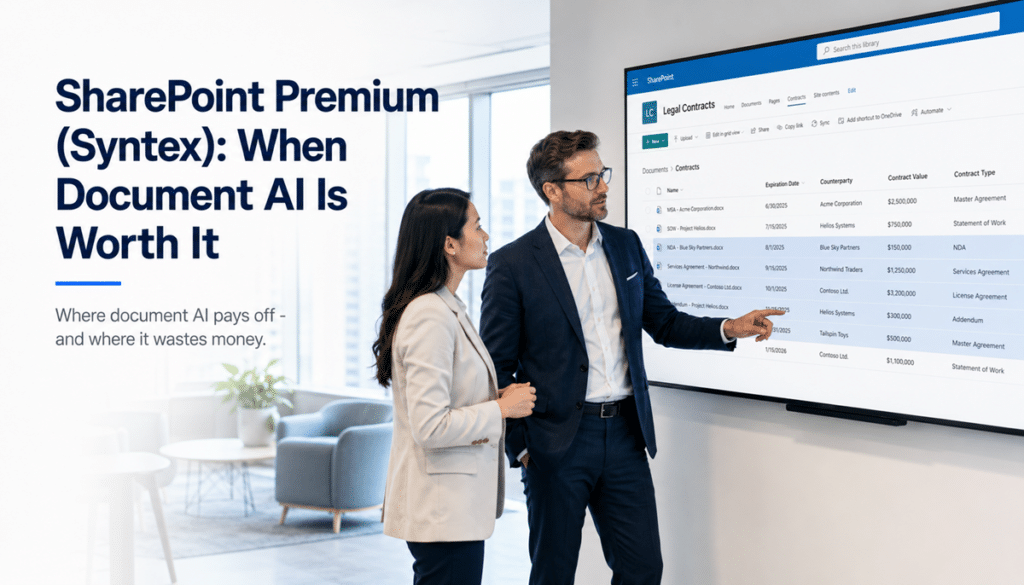
A legal team has 4,000 executed contracts in a SharePoint library. Renewal dates, counterparties, payment terms, termination clauses – all of it is in the documents. None of it is in a column. So when leadership asks which agreements expire next quarter, someone opens 400 PDFs and builds a spreadsheet by hand. Again.
That is the single most common scenario where we see SharePoint Premium earn its cost at dataBridge. It is also the cleanest way to understand what the product actually does, because document AI has one job: pull the information trapped inside your documents out into structured metadata that SharePoint, search, and Copilot can actually use.
Whether that’s worth paying for depends entirely on what your documents look like. This post walks through where SharePoint Premium clearly pays off, where it quietly burns budget, and how to tell the difference before you turn it on.
What SharePoint Premium is – and what happened to Syntex
Microsoft introduced SharePoint Premium as the next evolution of Syntex – an advanced content management platform that brings AI, automation, and added security to content processing and governance, folding in the services originally released under the Syntex name. The Syntex brand is being retired, though you’ll still see it everywhere. Many Microsoft articles still refer to Microsoft Syntex, and the documentation is being updated only gradually. Microsoft Community HubAaron Rendell
So if you’ve heard of Syntex, SharePoint Premium is the same family of capabilities under a broader umbrella: document classification, metadata extraction, document processing, eSignature, and content lifecycle tooling.
The part most people miss is how it’s licensed. SharePoint Premium is not included in any Microsoft 365 E-series plan – not E3, not E5, and not the new E7 SKU that launched in May 2026. It’s billed pay-as-you-go through an Azure subscription, metered against what you actually process. That cuts both ways: there’s no big license commitment to get started, but an always-on model pointed at a high-volume library generates a real monthly bill. Redress ComplianceMicrosoft Learn
The mechanics have also gotten simpler. The original approach – centralized content centers and manually trained models – has given way to natural language prompts and autofill columns that extract fields directly in the library. Less setup, faster proof of concept, same underlying question: is there anything patterned in your documents worth extracting? Collab365
The clearest case: contracts and agreements
Contracts are where document AI stops being abstract. A contract library has everything the technology needs to succeed:
- High volume – hundreds to thousands of documents, with more arriving every month
- Consistent structure – every agreement has parties, dates, terms, and obligations in predictable places
- Valuable metadata locked in the text – renewal dates, counterparties, payment terms, termination clauses
- A real downstream consumer – someone who has to act on those dates and terms
When SharePoint Premium extracts “expiration date” as an actual column, the question that used to take a day of opening PDFs becomes a filtered view: every agreement expiring next quarter, sorted, exportable, done. Add counterparty and contract value as columns and the legal or procurement team suddenly has a contract management system where they used to have a folder.
Legal, procurement, and real estate teams are the usual buyers, and the pattern repeats across them. The documents were never the problem. The problem was that the answers lived inside the documents and nowhere else.
The pattern behind the payoff
Strip the contract example down and you get a test you can apply to any document type. SharePoint Premium is worth evaluating when all four of these are true:
- Volume is high enough that manual tagging will never happen
- The document type is repeatable – same fields show up in roughly the same form every time
- The extracted metadata feeds something downstream – a process, a retention policy, search, or Copilot
- Someone owns the outcome and will actually use the columns
Invoices hit all four. So do insurance claims, HR onboarding files, statements of work, and compliance records. The specific industry matters less than the shape of the content.
Notice what’s not on that list: “we have a lot of documents.” Volume alone is the most common false signal. A million documents with no repeatable structure is not a document AI opportunity. It’s a cleanup project.
Where document AI wastes money
The failure mode is almost always the same. An organization turns SharePoint Premium on against a general-purpose document dump – the shared library that’s accumulated ten years of everything – and expects AI to make sense of it. It can’t. There’s no consistent document type to learn, no predictable fields to extract, and no column anyone agreed to use. The model has nothing patterned to find, so it finds nothing useful.
This is the same lesson we’ve written about with folders versus metadata: AI doesn’t replace structure. It amplifies whatever structure already exists – including none.
The fix isn’t to skip the AI. It’s to do the unglamorous work first: define your document types, decide which fields matter, and build the taxonomy and metadata strategy the extraction will feed. SharePoint Premium pointed at a well-defined contract library produces a contract management system. Pointed at a junk drawer, it produces a bill.
What this has to do with Copilot
The Copilot connection is real, and it’s becoming the main reason organizations look at SharePoint Premium at all. Copilot uses the metadata extracted by these models to give more accurate, context-aware answers – a well-classified, properly tagged library gives Copilot far better context than an unorganized file dump. A question like “show me all contracts expiring in Q2” only works because the expiration date exists as structured metadata, not just free text inside the document body. EPC Group
In other words, SharePoint Premium is one of the tools that makes content AI-ready – but only after the information architecture is Copilot-ready to begin with. The extraction populates the structure. It doesn’t invent it.
If you’re evaluating Copilot and SharePoint Premium together, start with the structural side. Our SharePoint AI Readiness Center covers what has to be true of your environment before either investment pays off.
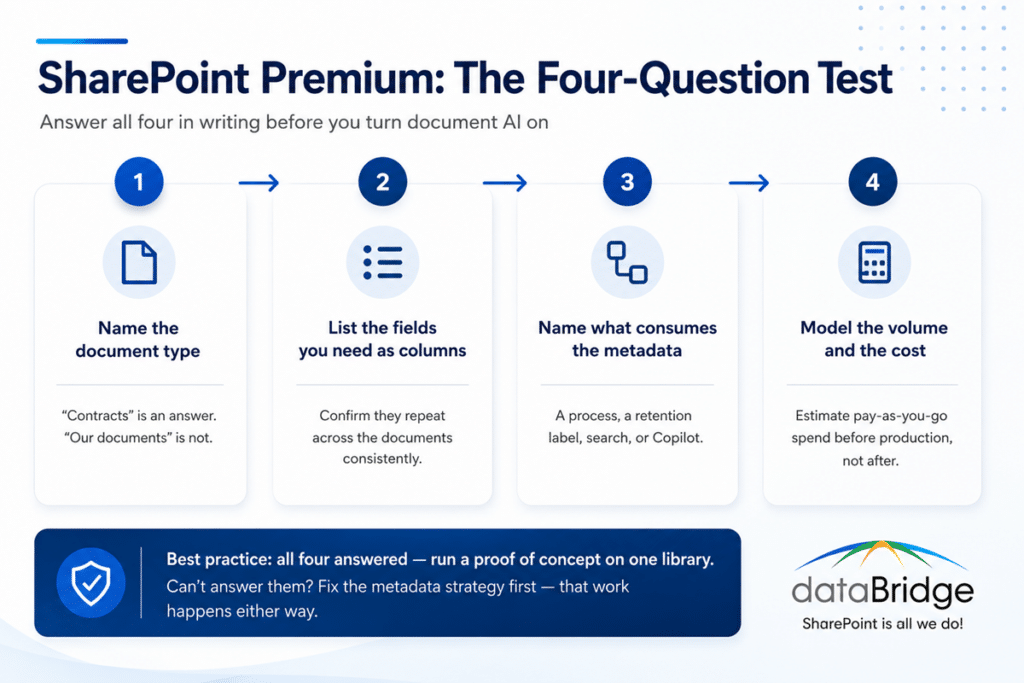
How to decide: a four-question test
Before turning anything on, answer these in writing:
- Which specific document type are we targeting? Name it. “Contracts” is an answer. “Our documents” is not.
- What fields do we need as columns? List them, and confirm they appear consistently across the documents. This is also the point to decide whether the type justifies a custom content type to carry those columns.
- What consumes the metadata once it exists? A renewal process, a retention label, a search experience, a Copilot scenario – something has to act on it.
- What does the volume look like in pay-as-you-go terms? Estimate documents per month and model the consumption cost before production, not after the first invoice.
If you can answer all four, run a proof of concept on one library and one document type. The pay-as-you-go model makes that cheap. If you can’t answer them, the honest move is to spend the budget on metadata strategy first – because that work has to happen either way, and it’s the difference between the contract library outcome and the junk drawer outcome.
FAQ
Is SharePoint Premium the same as Microsoft Syntex?
Functionally, yes. SharePoint Premium is the successor to Microsoft Syntex and absorbed its document processing capabilities, alongside newer additions like eSignature and expanded content governance. The Syntex name is being retired, but plenty of Microsoft documentation still uses it, so treat the two names as the same product family.
Is SharePoint Premium included in Microsoft 365 E3 or E5?
No. SharePoint Premium document processing is not included in E3, E5, or the E7 plan – it’s billed separately, pay-as-you-go through an Azure subscription. Users do need an eligible Microsoft 365 or SharePoint Online license for the underlying platform. Redress Compliance
What document types work best with SharePoint Premium?
Document types with high volume and repeatable structure: contracts, invoices, insurance claims, HR paperwork, statements of work, and compliance records. Contracts are the most common success case because the extracted fields – renewal dates, counterparties, terms – immediately answer questions teams currently handle manually.
Do I need SharePoint Premium to use Copilot?
No. Copilot works without it. But Copilot’s answers are only as good as the structure behind your content, and SharePoint Premium is one way to generate that structure at scale. Extracted metadata gives Copilot context it can’t get from raw document text alone.
How do I know if my environment is ready for it?
If you can name the document type, list the fields, and point to what will consume the metadata, you’re ready for a proof of concept. If your target is a general-purpose library with mixed content and no agreed structure, fix the information architecture first – document AI amplifies structure, and it can’t amplify what isn’t there.
Reviewed By