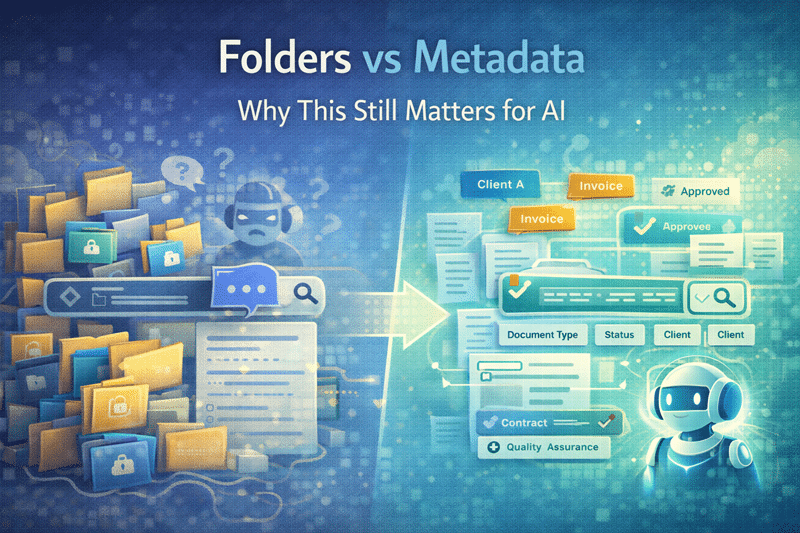
Folders vs. Metadata: Why This Still Matters for AI
The Debate Isn’t Over—In Fact, It Matters More Than Ever
The folders-versus-metadata debate has existed since SharePoint’s earliest days.
However, with AI tools like Microsoft Copilot now relying on content context, this discussion has become far more than academic.
While folders aren’t inherently bad, relying on them exclusively limits SharePoint’s ability to scale, govern content, and support AI-driven insights. In short, what once felt like a preference now directly impacts Copilot Readiness for SharePoint.
What Is Metadata in SharePoint?
Metadata in SharePoint is structured information that describes a document—such as document type, department, project, or owner—allowing content to be filtered, searched, and understood without relying on folder hierarchy.
Why Organizations Still Default to Folders
First, folders feel comfortable.
They’re:
- Familiar from file servers
- Easy to understand
- Quick to create
As a result, many organizations recreate legacy file server structures in SharePoint. Unfortunately, familiarity doesn’t equal scalability. What works for a few hundred files quickly breaks down as content grows.
In many environments we assess, more than 70% of content is stored in deeply nested folder structures, making search and governance significantly harder.
This is one of the most common patterns we see in environments struggling with Why SharePoint Fails.
The Hidden Limitations of Folder-Heavy Libraries
As libraries become folder-heavy, problems surface quickly.
For example:
- Deep nesting hides important content
- Search results feel inconsistent
- Permissions become harder to manage
- AI struggles to understand context
Over time, these issues compound. What once felt organized now slows users down and undermines trust in the platform.
What Metadata Does Better—And Why It Scales
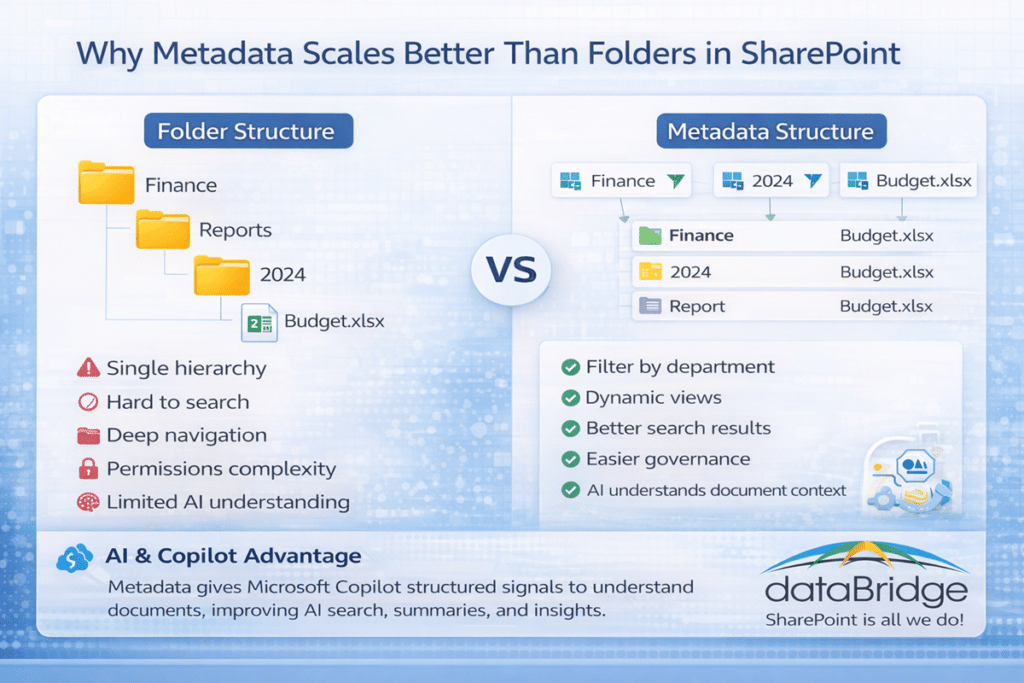
By contrast, metadata provides context.
Instead of forcing content into a single hierarchy, metadata allows files to be:
- Categorized without duplication
- Filtered dynamically
- Viewed in multiple ways
- Understood more accurately by AI
Because metadata describes what a document is—not just where it lives—it scales far better than folders alone. This is a core principle of SharePoint Information Architecture & Metadata design.
That principle is central to a modern SharePoint Document Management System, where classification, search, permissions, and governance all depend on structured metadata rather than folder depth.
Folders vs Metadata in SharePoint
| Feature | Folders | Metadata |
|---|---|---|
| Organization | Single hierarchy | Multiple classifications |
| Search | Limited | Highly optimized |
| Permissions | Complex at scale | Easier to govern |
| AI understanding | Low | High |
| Scalability | Poor | Excellent |
Why Metadata and Copilot Go Hand in Hand
Now, AI raises the stakes.
Copilot relies on signals to determine relevance, accuracy, and intent. Metadata provides those signals.
Specifically, metadata:
- Supplies structured context
- Improves search accuracy
- Helps AI distinguish between similar documents
- Enables better summaries and answers
Without metadata, Copilot has far less to work with. As a result, AI responses feel generic, noisy, or unreliable—regardless of how good the prompts are.
Designing a SharePoint Metadata Strategy
Understanding the difference between folders and metadata is the first step. Designing a metadata strategy is where the real value begins.
Metadata works best when it is intentional. The same is true for access control. A well-structured environment makes it easier to apply permissions consistently instead of solving visibility problems one folder at a time, which is why this topic connects naturally to our SharePoint permissions guide.
Instead of letting each team create their own tags and classifications, organizations benefit from defining a consistent structure that describes documents across sites, libraries, and departments. This structure typically includes document types, business units, project names, lifecycle stages, and other attributes that help describe what a document represents.
When metadata is implemented thoughtfully, several things improve at once:
- Search becomes dramatically more accurate because documents can be filtered by meaningful attributes instead of only by keywords.
- Governance becomes easier because policies can apply to specific document types or classifications.
- Automation becomes possible because workflows can respond to metadata values.
- AI tools such as Microsoft Copilot can interpret content with greater context and produce more reliable responses. Metadata gives AI the signals it needs to understand relationships between documents and surface the most relevant information.
However, creating a scalable metadata model requires planning. Organizations must decide which fields are required, which taxonomies should be centrally managed, and how metadata will evolve as the business grows.
For organizations looking to design a sustainable approach, our complete guide to SharePoint metadata strategy explains how to structure taxonomy, managed metadata, and document classification so SharePoint becomes easier to search, govern, and automate over time.
This Isn’t About Eliminating Folders
Importantly, effective SharePoint design doesn’t force an either-or choice.
Instead, a balanced approach works best:
- Use folders sparingly for simple grouping
- Rely on metadata for classification and context
- Design views that reduce the need for deep navigation
The goal isn’t ideology—it’s usability. This balance supports both users and long-term governance, as outlined in the SharePoint Governance Framework.
Simplicity Drives Metadata Adoption
Of course, metadata only works when people actually use it.
Successful implementations:
- Use a small number of meaningful fields
- Apply defaults wherever possible
- Teach through design, not documentation
When metadata feels invisible and intuitive, adoption follows naturally. This approach aligns closely with SharePoint Adoption & Change Management best practices.
The Bottom Line
Folders can organize content—but metadata makes it intelligent.
If you want to see how a full metadata architecture works in SharePoint, our SharePoint metadata strategy guide explains the framework organizations use to support search, governance, automation, and AI-driven collaboration.
In a world where AI depends on context, metadata is no longer optional. It’s foundational. When organizations design SharePoint with metadata in mind, they unlock better search, stronger governance, and more trustworthy AI outcomes.
For more insights on governance, architecture, and Microsoft 365 strategy, explore our SharePoint architecture resources.
Review real world experience in the dataBridge Client Success and Case Studies