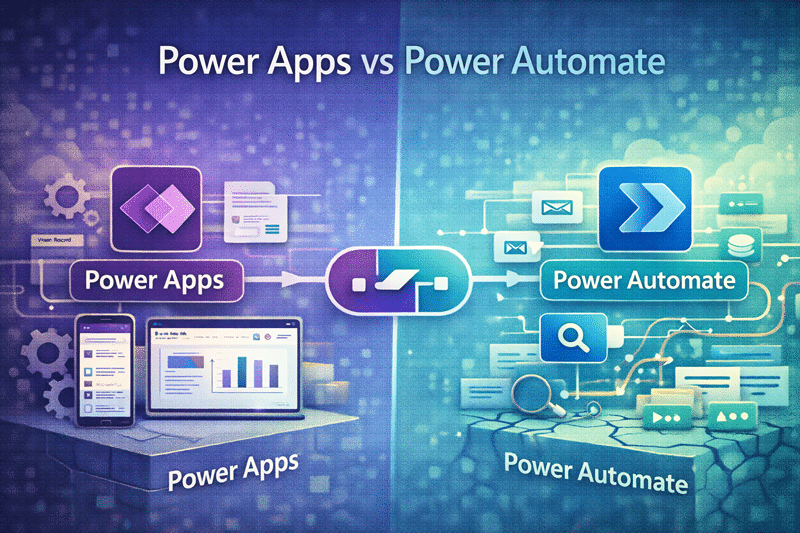
Power Apps vs. Power Automate: Why Most Organizations Get the Balance Wrong
Most organizations don’t struggle with Power Apps or Power Automate because of the tools—they struggle because they never clearly define how each tool should be used.
First, Tools Are Not the Strategy
Many organizations treat Power Apps and Power Automate as interchangeable tools. As a result, they often blur responsibilities between the two.
However, while both tools live in the Power Platform, they serve very different purposes. When teams misuse them—or lean too heavily on one—the result is fragile, overcomplicated solutions that break under real-world use.
In short, tools don’t define strategy. Design does.
Most Power Platform failures are not technical problems—they are design decisions made too early and revisited too late.
This article is a comparison guide. It explains the different roles of Power Apps and Power Automate so teams can avoid fragile solutions. For broader strategy, use Microsoft Power Platform Consulting. For app architecture, use Power Apps Strategy & Architecture. For workflow design, use Power Automate Best Practices & Use Cases.
Power Apps Should Be the Front Door
Power Apps work best when they act as the front door to a business process.
Specifically, Power Apps excel at:
- Structured data entry
- Guided, role-based user experiences
- Replacing spreadsheets, emails, and manual forms
When designed well, Power Apps create consistency. They standardize how users interact with systems and ensure that data enters the process in a clean, predictable format.
However, when organizations skip Power Apps, they push responsibility downstream. Consequently, workflows must compensate for inconsistent, incomplete, or poorly structured inputs.
This is why strong Power Apps strategy and architecture matters from the start.
If your data is inconsistent at the start, automation will only make the problem faster—not better.
Power Automate Should Be the Engine
Power Automate works best as the engine behind the scenes.
In particular, it shines when handling:
- Approvals and routing
- Notifications and integrations
- Process automation across systems
When used correctly, Power Automate orchestrates business processes without exposing unnecessary complexity to users.
However, problems arise when workflows attempt to fix poor form design. As logic piles up inside flows, complexity grows rapidly—and troubleshooting becomes painful.
Well-designed Power Automate best practices and use cases keep automation clean, readable, and maintainable.
Flows should orchestrate processes—not compensate for broken inputs.
When to Use Power Apps vs Power Automate
Organizations often ask a simple question: “Which tool should we use?”
The better question is: “What role should each tool play?”
Use Power Apps when:
- You need structured user input
- Users interact directly with the process
- Data quality and consistency matter
- You are replacing forms, spreadsheets, or emails
Use Power Automate when:
- You need process automation behind the scenes
- Steps require approvals or routing
- Systems need to integrate
- Tasks must run automatically without user interaction
Most failed solutions don’t pick the wrong tool—they assign the wrong role.
Real-World Example: Where Organizations Get It Wrong
We frequently see organizations attempt to automate a document approval process using only Power Automate.
At first, it works.
However, because there is no structured intake layer (Power Apps), users submit inconsistent data through emails or loosely structured forms. Over time, exceptions increase and workflows must account for edge cases that were never designed upfront.
As a result:
- Approval logic becomes overly complex
- Workflows become difficult to troubleshoot
- Maintenance depends on a single knowledgeable individual
In contrast, when Power Apps standardizes inputs at the beginning of the process, Power Automate workflows become significantly simpler and more reliable.
We often see organizations reduce workflow complexity significantly when they redesign the intake layer before adding more automation.
Another Real-World Scenario: Workflow Overload
In another common scenario, organizations attempt to manage complex processes entirely within Power Automate.
At first, the approach seems efficient. A single flow is created to handle intake, approvals, routing, notifications, and exception handling.
However, over time, the flow grows.
New conditions are added. Exceptions are layered in. Additional integrations are introduced. Eventually, what started as a simple workflow becomes a complex web of logic that few people fully understand.
As a result:
- Changes become risky and time-consuming
- Errors are difficult to diagnose
- Performance issues begin to surface
- Knowledge of the solution becomes siloed
In contrast, when organizations separate responsibilities—using Power Apps to manage structured input and Power Automate to handle focused process steps—the same solution becomes significantly easier to maintain.
We often see flows reduced from dozens of conditions to a handful of clean, modular steps simply by redesigning the intake and separation of responsibilities.
If your workflow requires a diagram to explain it, the design is already working against you.
So Where Does the Balance Break Down?
In practice, we see the same failure patterns repeatedly.
For example:
- Teams bury business logic entirely inside flows
- Forms collect unstructured or inconsistent data
- Workflows become so complex no one understands them
As a result, solutions become fragile, dependent on specific individuals, and nearly impossible to maintain after the first year.
This breakdown often stems from missing Power Platform governance and security.
If only one person understands your flow, you don’t have a solution—you have a liability.
Common Power Platform Design Mistakes
Most Power Platform challenges are not technical—they are architectural.
Common mistakes include:
- Treating Power Automate as a replacement for user interfaces
- Allowing unstructured inputs to drive automation
- Embedding business logic across multiple flows without documentation
- Building solutions without governance or ownership
- Over-customizing apps without standard patterns
If your flow diagram looks like a maze, the problem started before Power Automate.
Before vs After: Structured vs Unstructured Design
The difference between structured and unstructured Power Platform solutions becomes clear quickly in real-world use.
| Unstructured Approach | Structured Approach |
|---|
| Inconsistent data input | Standardized, guided input |
| Complex, difficult-to-read flows | Simple, modular workflows |
| Business logic buried in automation | Clear separation of responsibilities |
| Frequent errors and rework | Predictable, reliable execution |
| Low user trust and adoption | High confidence and usability |
| High maintenance effort | Scalable, sustainable design |
Over time, these differences compound.
Small design decisions made early—especially around data structure and tool responsibility—have a significant impact on long-term performance.
The gap between good and bad design isn’t visible on day one—but it becomes impossible to ignore by year one.
How Power Apps and Power Automate Depend on SharePoint
Behind most Power Platform solutions is SharePoint.
SharePoint acts as:
- The data layer (lists and libraries)
- The governance layer (permissions, compliance, lifecycle)
- The structure that automation depends on
When SharePoint architecture is weak:
- Apps collect inconsistent data
- Flows fail due to permission issues
- Search and reporting break down
A well-designed SharePoint and Power Platform integration model helps ensure lists, libraries, permissions, metadata, and process data are structured enough for apps and workflows to operate reliably at scale.
Power Platform success is almost always a SharePoint architecture story in disguise.
Governance: The Missing Layer in Most Solutions
Even well-designed solutions fail without governance.
Strong governance defines:
- Who owns apps and workflows
- How changes are managed
- Naming conventions and standards
- Security and compliance controls
Without governance:
- Solutions sprawl
- Ownership becomes unclear
- Risk increases over time
This is why organizations investing in Power Platform governance and security see significantly better long-term outcomes.
Without governance, every solution eventually becomes technical debt.
A Better Design Approach Starts with Separation of Concerns
Successful Power Platform solutions follow a simple principle: clarity over cleverness.
Specifically, strong designs:
- Use Power Apps to standardize input
- Use Power Automate to orchestrate process
- Keep logic visible, documented, and intentional
When each tool plays its proper role, solutions scale more easily and survive change.
This design mindset aligns closely with Power Platform adoption and change management, ensuring solutions last beyond their initial rollout.
Clarity scales. Complexity collapses.
What a Well-Designed Power Platform Solution Looks Like
When Power Apps and Power Automate are used intentionally, solutions become simpler, more scalable, and easier to support over time.
A well-designed Power Platform solution typically includes:
- A Power Apps interface that standardizes data entry and guides users through the process
- Power Automate flows that are modular, focused, and easy to understand
- Clearly defined ownership for apps, flows, and data
- A structured SharePoint environment that supports permissions, metadata, and lifecycle management
- Governance policies that ensure consistency as the solution evolves
In this model, each component has a clear role. Power Apps handles interaction. Power Automate handles orchestration. SharePoint provides the structured foundation.
Good solutions feel simple—not because they are basic, but because they are well designed.
Organizations that adopt this model consistently report faster onboarding, fewer support issues, and significantly lower long-term maintenance effort.
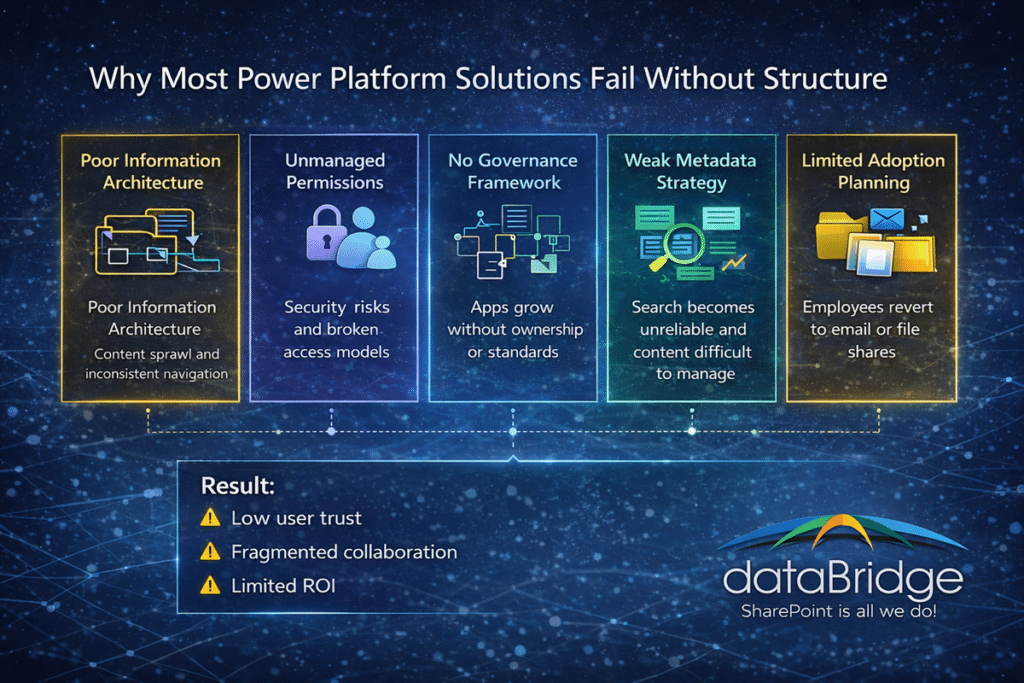
Why Most Power Platform Solutions Fail Without Structure
Most organizations don’t fail because of the tools—they fail because of how those tools are used together.
Without structure:
- Inputs become inconsistent
- Workflows become fragile
- Users lose trust
With structure:
- Data becomes reliable
- Automation becomes predictable
- Solutions become sustainable
Why Power Platform Solutions Fail Without Structure | dataBridge