Fix SharePoint, Rebuild It, or Start Over?
The Decision Most Organizations Make Too Late with SharePoint
Most organizations don’t fail with SharePoint because of bad execution — they fail because they make the wrong decision too late.
By the time teams start asking whether SharePoint should be fixed, rebuilt, or replaced, the real damage has already been done. Information architecture was ignored, ownership was unclear, and SharePoint governance became an afterthought. What follows is a cycle of patchwork fixes that make the platform more complex, not more effective.
At dataBridge, we see the same pattern repeatedly: organizations rush to do something instead of slowing down to make the right decision. This post breaks down the questions leaders should be asking before they invest more time, money, and credibility into SharePoint consulting services.
Do We Need to Fix SharePoint or Rebuild It?
In most cases, organizations try to fix SharePoint long after structural SharePoint issues are embedded.
If your issues are limited to isolated libraries, permissions, or page layouts, targeted fixes can work. But if your environment suffers from widespread sprawl, unclear ownership, inconsistent structure, and broken trust in SharePoint search and discoverability, fixing symptoms won’t solve the problem.
At dataBridge, we typically see rebuilds succeed when information architecture, SharePoint governance, and ownership are redesigned together — not when fixes are applied piecemeal.
When Does Rebuilding SharePoint Actually Make Sense?
Rebuilding makes sense when the cost of living with the current structure exceeds the cost of change.
Clear signals include:
- Users creating workarounds outside SharePoint document management
- Teams sites multiplying with no standards
- Governance policies that exist but aren’t followed
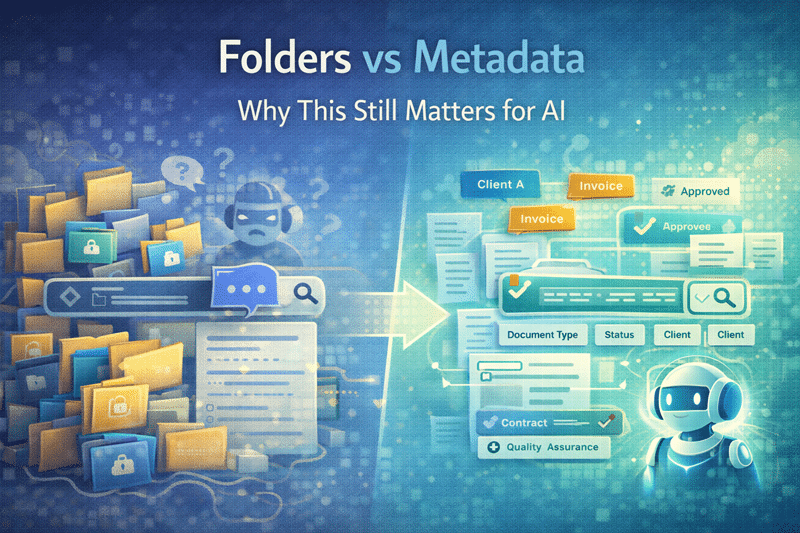
- Copilot readiness or search producing unreliable results
A rebuild isn’t about starting over blindly. It’s about intentionally preserving what works while correcting foundational SharePoint architecture decisions that can’t be fixed in place.
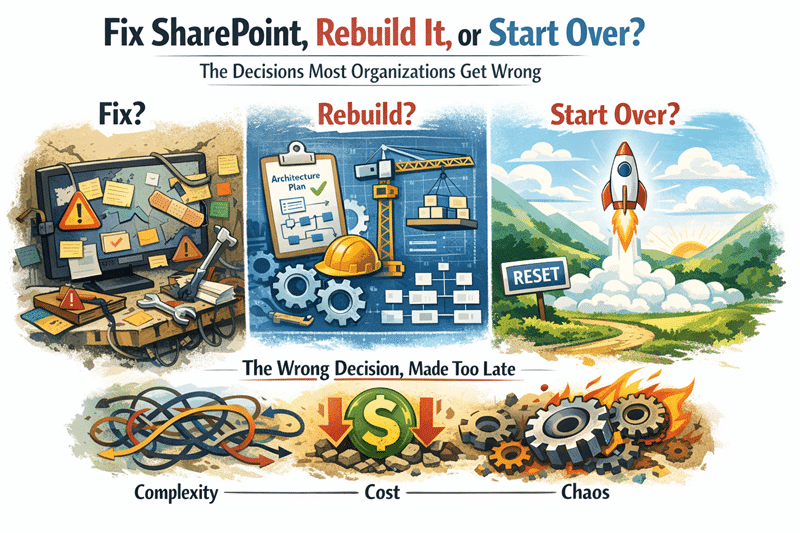
When to Fix, Rebuild, or Start Over
Fix SharePoint when:
- Problems are limited to a few sites, libraries, or permissions issues
- Core architecture still makes sense
- Users still trust search and navigation
Rebuild SharePoint when:
- Site sprawl is widespread
- Ownership is unclear
- Governance exists on paper but not in practice
- Search, permissions, and structure are no longer aligned
Start over when:
- The environment has lost credibility
- Teams have moved work outside SharePoint
- There is no realistic path to regain trust without major redesign
Can an Internal Admin Handle This, or Do We Need a Consultant?
Internal admins are essential — but they’re rarely positioned to redesign SharePoint objectively.
Admins live inside the system. Consultants step outside it.
A SharePoint consultant brings pattern recognition across dozens or hundreds of environments. That perspective is critical when decisions affect SharePoint architecture, governance models, and long-term adoption strategy — not just configuration.
The strongest outcomes happen when consultants define the structure and admins own it going forward.
Should Governance Come Before or After the Rebuild?
Governance that comes after structure almost always fails.
Policies only work when the system enforces them by design. If site architecture, ownership, and permissions aren’t defined first, governance becomes documentation — not behavior.
Good SharePoint governance is not a rulebook. It’s an operating model built directly into SharePoint’s structure.
Is Custom Development the Answer to These Problems?
Custom development often masks structural issues instead of solving them.
When SharePoint lacks clarity, teams ask for features. Over time, custom SharePoint development grows, maintenance increases, and adoption drops.
Development should support a well-designed system — not compensate for missing structure. When SharePoint consulting leads and SharePoint development follows, custom work becomes lighter, cheaper, and easier to sustain.
How Do We Know If We’re Ready for Copilot?
Copilot doesn’t fix SharePoint problems — it amplifies them.
If your content is poorly structured, poorly governed, or inconsistently owned, Microsoft Copilot for SharePoint will surface confusion faster and more confidently.
Copilot readiness is not a licensing question. It’s a structural one. Organizations that prepare SharePoint correctly see Copilot accelerate productivity. Those that don’t see trust erode quickly.
What’s the Cost of Delaying These Decisions?
The hidden cost isn’t technical debt — it’s organizational friction.
Every month of indecision increases:
- Time spent searching for information
- Work duplicated across systems
- User skepticism about “the next SharePoint fix”
- Resistance to future initiatives like Copilot adoption
At some point, the question stops being “Can we live with this?” and becomes “Why did we wait so long?”
The dataBridge Perspective
After years of SharePoint consulting, one pattern is consistent:
The quality of your decisions matters more than the quality of your tools.
Fixing, rebuilding, or redesigning SharePoint isn’t about effort — it’s about intent. When organizations slow down long enough to make the right decisions, execution becomes simpler, cheaper, and far more effective.
For more insights on governance, architecture, and Microsoft 365 strategy, explore our SharePoint knowledge center.
Organizations implementing these improvements often engage our SharePoint and Microsoft 365 consulting solutions.