A new project manager joins your PMO. They need Microsoft Project, the PMO site, the team where the project managers collaborate, and four security groups. Someone grants each one by hand. Six months later that person shifts to a different group, and most of that access is still sitting on their account, because nobody circled back to take it away.
That quiet accumulation is what Microsoft Entra access packages are built to stop. Whether they are worth turning on for your organization is a separate question, and the answer comes down to your size, how often your staffing changes, and one licensing decision that catches most mid-market teams off guard.
What is a Microsoft Entra access package?
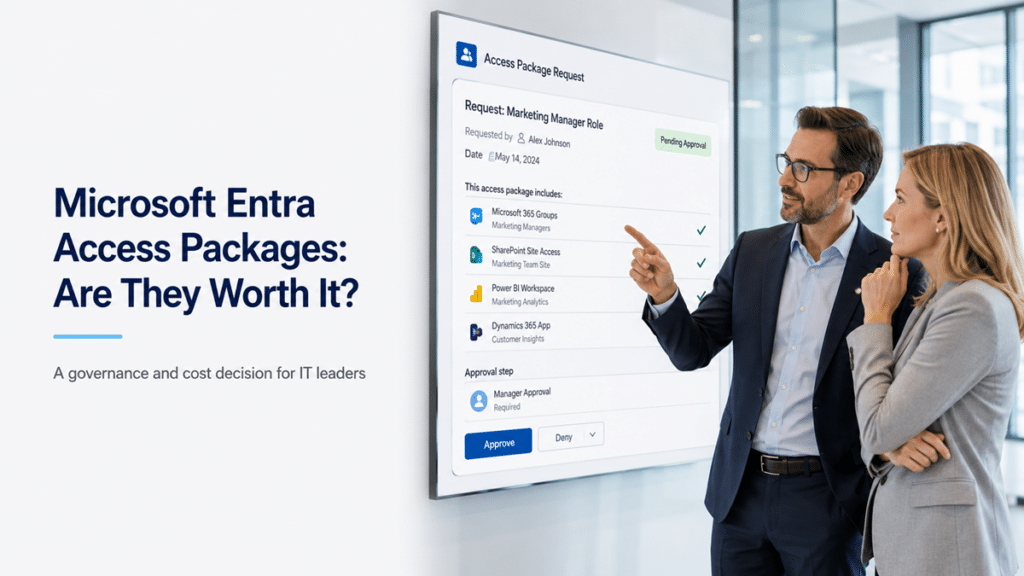
A Microsoft Entra access package is a single requestable bundle of everything a role needs – applications, group and team memberships, SharePoint sites, and security groups – with an approval step attached. Instead of granting each resource by hand, you build one catalog item, and a user or their manager requests it. The person receives the whole set at once, and the request is logged.
Take the project manager above. Rather than checklisting Microsoft Project, the PMO site, the team, and the security groups one at a time, you build a single “new project manager” catalog item. The PM requests it, or their manager kicks it off for them, and an approval routes to whoever should sign off – the manager, the manager’s manager, or different approvers for different application stacks. One request, one decision, one clean grant.
What problem do access packages actually solve?
Access packages solve two problems that manual permission grants create: access that never gets reviewed, and access that piles up as people change roles. When every grant is a one-off, nobody owns the cleanup, and entitlements outlive the reason they were given.
The failure is quiet. A person moves teams and keeps the old access alongside the new. A contractor wraps up a project and stays in the group. A manager grants something “just for now” that becomes permanent. None of this shows up on a status report. It surfaces during an audit, after a departure, or the first time someone runs an access review and finds accounts holding far more than the job requires. Packaging the grant is only half the fix. The other half is that the package can take the access back on its own.
Two features carry the value: automatic expiry and recertification
The bundling is convenient. The reason to pay for access packages is what they do after the grant: expire access without a ticket, and re-confirm it on a schedule.
Time-boxed access
Access packages can hand out access that ends on its own. Loan an expensive license – Power BI Pro or Visio – for two or four weeks, and the tool reclaims it when the window closes. There is no reminder to set and no manual removal to forget, which is usually where temporary access quietly becomes permanent.
Periodic recertification
On a set cadence, quarterly or twice a year, the system asks whether a person still needs what they hold and removes what goes unconfirmed. This is the piece that turns access from a one-time grant into a reviewed decision, and it is the piece that matters most for regulated organizations.
In healthcare and financial services, confirming that staff carry only the access their job requires is not a nice-to-have. HIPAA and similar frameworks expect it, and the recurring review gives you the evidence to prove it. If access reviews are already on your radar for a Copilot rollout, the SharePoint permission review checklist for Copilot covers the manual version of the same discipline, and access packages automate the recurring part of it.
Where access packages help Copilot readiness
Access packages help Copilot readiness by shrinking the access that Copilot can see on a user’s behalf. Copilot only surfaces content a person already has permission to open, so every stale entitlement is a potential wrong-audience answer waiting to happen. Tighter, reviewed access means fewer surprises when AI-assisted search goes live across the tenant.
This is why access governance and AI readiness are the same conversation now, not two. The work of getting SharePoint Copilot-ready leans heavily on reducing oversharing, and access packages are one of the cleaner ways to keep access from drifting back open after you clean it up. For guest and partner access, which is where oversharing tends to concentrate, pair the packages with SharePoint external sharing governance so outside access gets the same recurring review as internal.
The honest catch: they need higher-tier licensing
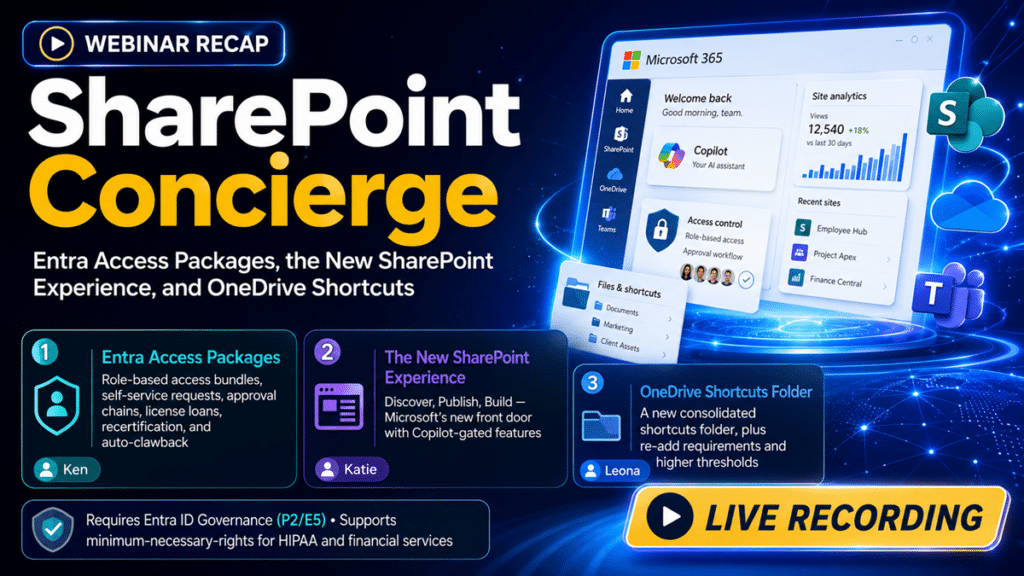
Access packages are not free, and this is where the decision gets real for mid-market teams. The full feature set – packages with recurring recertification – sits behind Microsoft Entra ID Governance, an add-on that layers on top of Entra ID P1 or P2. It also comes inside the Microsoft Entra Suite and Microsoft 365 E7. Some pieces run on Entra ID P2 alone, which is included in Microsoft 365 E5, but the recurring access reviews that make packages worth having generally need the Governance license.
So the real cost is not the feature. It is the tier you have to be on to use it well. For an organization already sitting on E5 with the Governance add-on, this is a switch to flip. For an organization on E3, it is a budget line to justify. Licensing terms and bundle names shift, so confirm exactly what your tenant covers before you plan around it – the difference between “we already own this” and “we need to buy up a tier” changes the answer completely.
When access packages are worth it, and when they are not
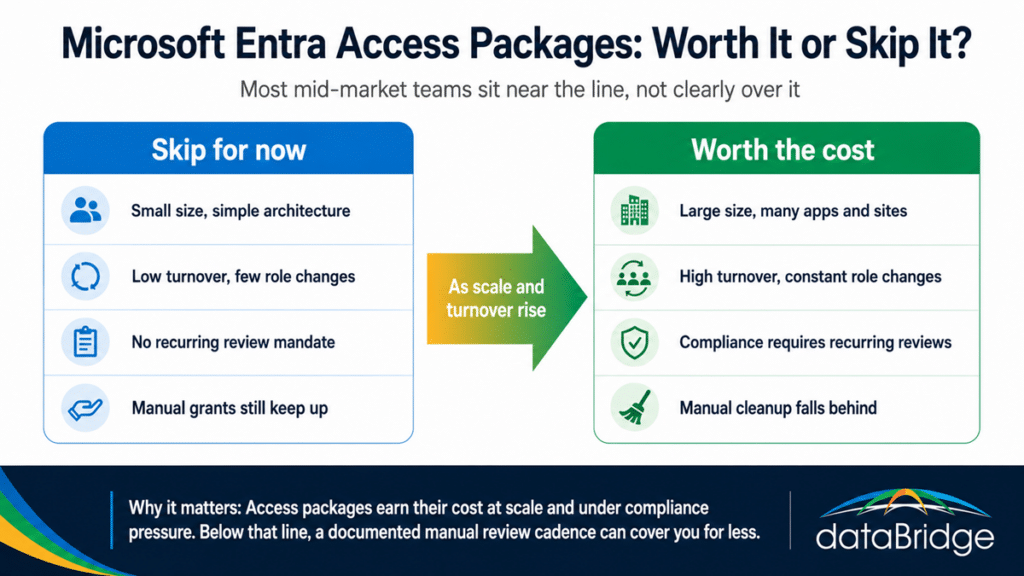
Access packages earn their cost at scale, not everywhere. If you run a smaller organization with simple architecture and few staffing changes, granting and reviewing access by hand is a reasonable way to work, and the licensing would buy you automation you do not need yet. The tool pays for itself once you are managing hundreds or thousands of people across a large application estate, where the manual version quietly stops happening and the risk of stale access climbs every quarter.