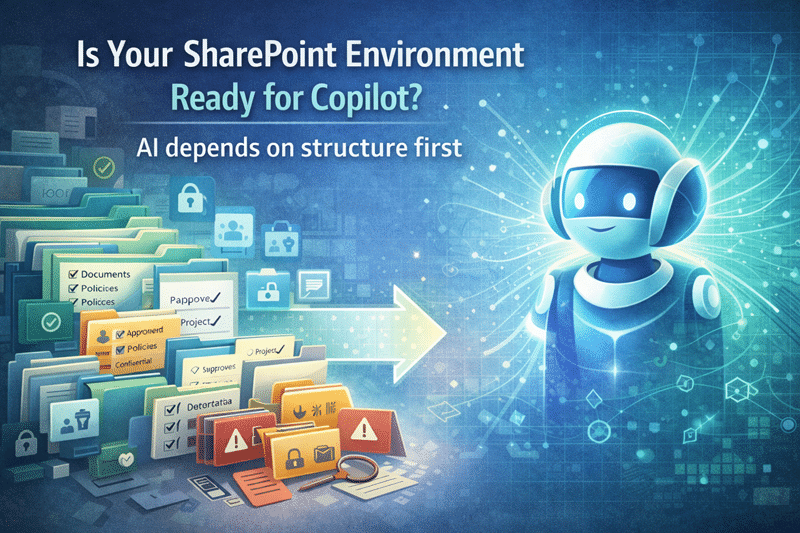
Microsoft 365 Copilot can only be as useful as the SharePoint environment it depends on.
If SharePoint content is organized, governed, current, and permissioned correctly, Copilot has a stronger foundation for returning useful answers. When SharePoint is cluttered, overshared, outdated, or hard to search, Copilot can surface those same problems faster.
This checklist is a quick diagnostic. It is not meant to replace a full Copilot Readiness for SharePoint strategy, but it can help you spot the most common gaps before rollout, expansion, or deeper assessment work begins.
For a more formal review, dataBridge also provides a structured Copilot Readiness Assessment for SharePoint that evaluates permissions, content quality, governance, oversharing risk, metadata, lifecycle issues, and next-step priorities.
How to Use This Checklist
Review each section and mark it as:
- Green: This area is clear, documented, and working.
- Yellow: This area exists, but it is inconsistent or incomplete.
- Red: This area is unclear, unmanaged, risky, or not reviewed.
A few yellow items do not mean you should stop everything. They mean you should slow down, prioritize high-value content areas, and clean up the biggest risks first.
One or more red items should be treated seriously before broad Copilot rollout. For the newer worksheet-style resource, use the Copilot Readiness Checklist for SharePoint to review readiness areas in a more structured way across oversharing, stale content, sensitive libraries, source authority, metadata, search, archive readiness, and ownership.
1. Content Structure and Source of Truth
Copilot readiness starts with content clarity.
Ask these questions:
- Do your most important SharePoint sites have a clear purpose?
- Can employees tell which library, page, or document is the official source?
- Are policies, procedures, templates, client documents, and department files stored in predictable places?
- Are duplicate versions creating confusion?
- Are old libraries still active even though nobody uses or owns them?
- Are Teams-connected SharePoint sites organized well enough for long-term use?
- Are high-value documents separated from drafts, working files, and outdated content?
If the answer is unclear, Copilot may return content that technically exists but is not the best answer.
A practical first step is to define a SharePoint source of truth model for the content areas users rely on most. Start with policies, SOPs, HR documents, finance content, client files, leadership materials, and operational knowledge.
2. Permissions and Oversharing
Copilot respects permissions, but that does not mean your permissions are ready.
Poor permission design is one of the biggest Copilot readiness risks because AI can make existing exposure easier to discover. The problem is usually not that Copilot bypasses security. The problem is that SharePoint access has grown over time without enough review.
Ask these questions:
- Do site owners know who has access to their sites?
- Have broad groups such as “Everyone except external users” been reviewed?
- Are guest users and external sharing links understood?
- Are broken permission inheritance points documented?
- Are sharing links reviewed regularly?
- Are sensitive sites protected by clear access rules?
- Are Teams-connected SharePoint permissions aligned with business intent?
- Can IT quickly identify which sites are most broadly accessible?
If the answer is no, review your permission model before expanding Copilot. The SharePoint Permissions Guide explains the access patterns that often create long-term risk.
For organizations preparing for AI, SharePoint Data Access Governance reports for Copilot readiness can also help identify sites with broad access, sharing links, external exposure, and sensitive content patterns that deserve attention first.
3. Metadata and Findability
Copilot readiness is closely tied to search quality.
If users cannot find the right content through SharePoint search, Copilot may struggle with the same underlying signals. Metadata, naming standards, content types, library design, and page structure all help SharePoint and Microsoft 365 understand content more clearly.
Ask these questions:
- Do important libraries use metadata where it adds business value?
- Are document types, departments, clients, projects, or record categories captured consistently?
- Are file names understandable without opening the document?
- Are content types used where documents follow repeatable patterns?
- Do search results usually return the right content near the top?
- Are important pages and documents reviewed for accuracy?
- Do users know why search results may vary based on permissions?
When metadata is weak, Copilot has fewer reliable signals to work with. A stronger SharePoint information architecture and metadata model helps improve findability, search relevance, and AI-assisted retrieval.
For deeper AI preparation, review how Copilot-ready SharePoint information architecture supports metadata, hub structure, source authority, and content models.
4. Content Lifecycle and Cleanup
Outdated content weakens trust.
Copilot can surface stale, duplicate, or unowned content if that content still exists in places users can access. Before rollout, organizations should decide what stays active, what gets archived, what requires retention, and what should be removed.
Ask these questions:
- Are inactive sites reviewed?
- Are stale documents identified?
- Are duplicate libraries or old folder structures cleaned up?
- Are content owners responsible for review cycles?
- Are policies and procedures assigned review dates?
- Are outdated files archived instead of left in active libraries?
- Are retention and records requirements considered before deletion?
- Are old migration leftovers still cluttering search results?
A cleanup effort does not need to fix every site at once. Start with the content most likely to influence Copilot answers: HR, finance, legal, leadership, policies, operations, sales, client delivery, and regulated content.
For larger environments, SharePoint Advanced Management for Copilot can support oversharing review, lifecycle visibility, access governance, and temporary discovery controls while deeper cleanup work continues.
5. Governance and Ownership
Copilot readiness is not a one-time cleanup project.
SharePoint will keep changing after Copilot is enabled. New sites will be created. Teams will reorganize. Documents will age. Owners will move roles. Permissions will drift. Without governance, the environment can become unreliable again.
Ask these questions:
- Does every important site have an owner?
- Do owners know what they are responsible for?
- Are site creation rules defined?
- Are naming standards documented?
- Are permission reviews scheduled?
- Are content review cycles assigned?
- Are archive and retirement decisions part of governance?
- Are exceptions handled consistently?
A practical SharePoint Governance Framework gives Copilot readiness staying power because it defines how structure, ownership, permissions, lifecycle, and accountability continue after launch.
Governance does not need to be heavy. It needs to be real.
6. Security, Compliance, and Sensitive Content
Copilot readiness should include more than site permissions.
Some content requires stronger controls because of privacy, compliance, confidentiality, contracts, financial exposure, HR sensitivity, or regulated operations. Permissions are part of the model, but they are not the whole model.
Ask these questions:
- Is sensitive content classified consistently?
- Are retention labels or records controls needed?
- Are sensitivity labels used where appropriate?
- Are DLP policies aligned with real business risk?
- Are high-risk sites reviewed before Copilot rollout?
- Are external sharing settings appropriate?
- Are compliance owners included in readiness planning?
- Are audit and monitoring expectations defined?
If sensitive content is spread across SharePoint, Teams, and OneDrive without a clear model, address those gaps before broad AI adoption. The guide to Microsoft Purview DLP for SharePoint, Teams, OneDrive, and Copilot explains where data loss prevention fits alongside permissions, labels, retention, and governance.
7. User Behavior and Adoption
Copilot readiness is also a people issue.
Users need to understand where content belongs, how to identify trusted information, and what good SharePoint behavior looks like. Without that guidance, they may keep saving important content in personal OneDrive folders, old Teams channels, email attachments, or duplicate libraries.
Ask these questions:
- Do users know where official content belongs?
- Do departments follow consistent document practices?
- Are site owners trained?
- Are users encouraged to maintain content quality?
- Are outdated documents flagged or reported?
- Are Copilot users taught how to validate answers?
- Are expectations clear about what Copilot can and cannot do?
- Are adoption champions involved in rollout?
Copilot adoption improves when users trust the environment. That trust usually starts with better SharePoint habits, clearer ownership, and practical training.
How to Read Your Results
If most items are green, your organization may be ready for a controlled pilot or broader Copilot expansion with monitoring.
If several items are yellow, focus on the highest-risk content areas first. Prioritize permissions, sensitive content, source-of-truth documents, metadata, and ownership.
If any section is mostly red, avoid treating Copilot as a simple licensing decision. The environment likely needs readiness work before a broad rollout.
The goal is not perfection. The goal is enough structure, governance, and trust for Copilot to support real work without amplifying confusion.
What to Do Next
Use this checklist as a first pass.
For a full SharePoint-specific readiness framework, review Copilot Readiness for SharePoint.
For a structured diagnostic review of your actual environment, use the Copilot Readiness Assessment for SharePoint.
If your biggest concern is oversharing, start with permissions, sharing links, guest access, and broad groups. If the concern is answer quality, start with information architecture, metadata, source-of-truth content, and stale content cleanup.
Bottom Line
Copilot readiness does not start with prompts.
It starts with SharePoint structure, permissions, content quality, governance, lifecycle control, and user trust.
If SharePoint is confusing, Copilot can make that confusion more visible. If SharePoint is structured and governed, Copilot has a much stronger foundation for useful, secure, and trusted answers.
Related Copilot Readiness Resources
Use these related resources to go deeper into the SharePoint structure, permissions, governance, and content quality issues that affect Microsoft 365 Copilot readiness.
Copilot Readiness for SharePoint
Learn the full SharePoint-specific readiness model for preparing content, permissions, ownership, governance, and information architecture before Microsoft 365 Copilot rollout.
Copilot Readiness Assessment for SharePoint
Use a structured assessment to identify oversharing risk, stale content, weak ownership, permission issues, governance gaps, and cleanup priorities before Copilot is expanded.
SharePoint Data Access Governance Reports for Copilot Readiness
Review how Data Access Governance reports can help identify broad access, external sharing, oversharing patterns, and permission exposure before Copilot makes content easier to discover.
SharePoint Permission Review Checklist for Copilot
Use this permission-focused checklist to review broad groups, guests, sharing links, broken inheritance, stale access, and high-risk sites before Copilot rollout.
Copilot-Ready SharePoint Information Architecture
See how site structure, metadata, source authority, content models, and search signals affect the quality and trustworthiness of Copilot responses.
SharePoint Source of Truth Model for Copilot Readiness
Learn how to define trusted content sources so employees, search, SharePoint agents, and Copilot can rely on clearer, more authoritative information.
SharePoint Advanced Management for Copilot
Understand how SharePoint Advanced Management can support oversharing review, content governance, lifecycle control, and Copilot readiness planning.
Reviewed By