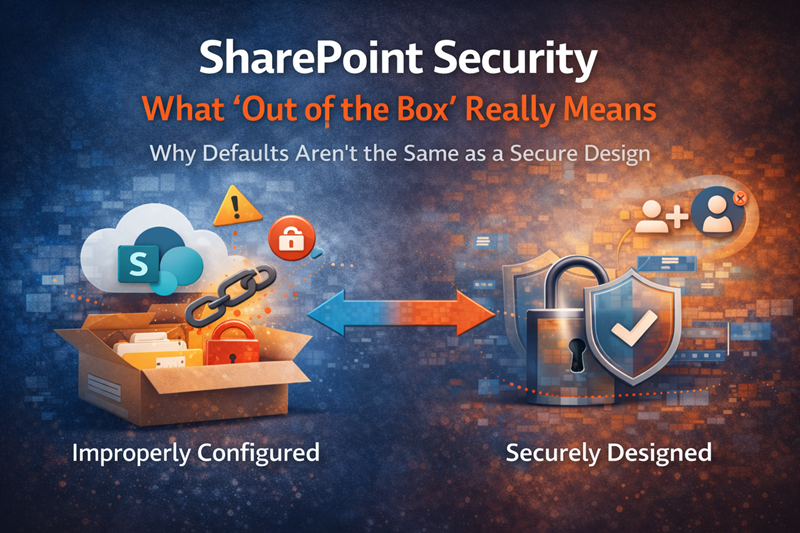
SharePoint gives organizations a strong security foundation, but that foundation still has to be configured around real people, real content, and real business rules. Out-of-the-box security protects the platform. It does not automatically decide who should own each site, which libraries need tighter access, or how external sharing should be governed.
That difference matters.
A SharePoint environment can be technically protected by Microsoft and still be risky for the organization using it. The issue is usually not whether SharePoint is secure. The better question is whether your SharePoint environment has been designed, reviewed, and governed in a way that matches how your business actually works.
Out-of-the-box security is a foundation, not a finished model
When people say SharePoint is secure “out of the box,” they are usually talking about the Microsoft 365 platform layer. Microsoft handles the cloud infrastructure, service availability, patching, encryption, identity integration, and many of the baseline protections that make SharePoint Online a trusted enterprise platform.
That is important, but it is not the whole story.
Once your organization starts creating sites, adding members, sharing files, inviting guests, connecting Teams, and storing sensitive documents, the security model becomes more specific. SharePoint has the controls. Your organization still has to make decisions about how those controls should be used.
A better way to think about it is this:
SharePoint provides secure building materials. It does not automatically build the right house.
That is why SharePoint security and compliance should never be treated as a one-time admin setting. It is part architecture, part governance, part training, and part ongoing review.
Where SharePoint security usually starts to drift
Most SharePoint security problems do not begin with one dramatic mistake. They build up through small decisions that felt reasonable at the time.
A department creates a site quickly because a project needs a home. Someone breaks inheritance on a folder because a few files are sensitive. A site owner grants edit access because it is faster than explaining the difference between members and visitors. Another team shares a link externally and assumes someone else will clean it up later.
None of those choices looks alarming by itself.
Over time, they create an environment that is hard to explain and harder to audit. Permissions become a patchwork. Site ownership gets stale. External access remains active longer than intended. Libraries that were once small and harmless turn into repositories for contracts, HR files, finance documents, or client information.
The problem is not that SharePoint failed. The problem is that the environment kept growing without a clear SharePoint governance framework behind it.
The biggest risk is usually permissions, not the platform
Permissions sit at the center of most SharePoint security issues.
In healthy environments, access is easy to understand. Owners know who belongs in each site. Members understand what they can edit. Visitors can read what they need without being able to change or share too much. Sensitive libraries have a reason for being separate, and that reason is documented.
In weaker environments, permissions tell a very different story.
You may find direct user access scattered across libraries, old employees still listed in unique permissions, broad edit rights where read access would have been enough, or folder-level exceptions that nobody remembers approving. That type of security model does not break all at once. It slowly becomes unmanageable.
A practical SharePoint permissions guide should help teams answer simple questions before they grant access:
- Who should own this site?
- Who should be able to edit content?
- Who only needs read access?
- What content should be restricted?
- When should access be reviewed?
- Who is responsible for removing access later?
Those questions sound basic. In real SharePoint environments, they are often where the biggest gaps appear.
“Secure” and “appropriate” are not the same thing
A file can be stored in SharePoint securely and still be available to the wrong audience.
That distinction gets missed often. Security teams tend to ask whether the platform is protected. Business leaders usually care whether the right people can get to the right information. Site owners are often focused on whether the team can keep working without delay.
All three concerns are valid. Trouble starts when nobody connects them.
For example, an internal policy library may be “secure” because only authenticated employees can access it. That does not mean every employee should be able to edit it. A project library may be protected behind a Microsoft 365 group, but that group may include users who left the project months ago. A finance document may sit in a private team site, yet still be exposed to too many members because the library inherited permissions from the site.
SharePoint security has to be judged by fit, not just by technical protection.
The access model should match the sensitivity of the content, the role of the user, and the business reason for access. That is where SharePoint information architecture and metadata becomes part of security. When content is organized clearly, it is easier to decide what belongs in broad collaboration spaces and what needs stronger controls.
External sharing needs rules before users need a workaround
External sharing is not bad. In many organizations, it is necessary.
Clients need documents. Vendors need files. Partners need project access. Boards, auditors, agencies, and contractors may all need controlled access to SharePoint content. Blocking external sharing completely often pushes people toward worse options, such as email attachments, personal drives, or unsanctioned tools.
The real question is not whether external sharing should exist. The better question is how it should be allowed.
A mature external sharing model defines which sites can be shared externally, who is allowed to share, which domains are approved, whether anonymous links are allowed, how long guest access remains active, and how external users are reviewed. Without those decisions, SharePoint sharing becomes a user-by-user judgment call.
That is risky because users are usually trying to get work done, not design a security model.
A stronger SharePoint external sharing governance approach gives people safe lanes. They know when external sharing is acceptable, when it needs approval, and when a different process should be used.
Site ownership is a security control
Site ownership is often treated as an administrative detail. It should be treated as a security control.
Every important SharePoint site needs an accountable owner who understands the content, the audience, and the business purpose of the site. IT can help manage the platform, but IT is rarely the right group to decide whether a specific employee still needs access to a client delivery library or whether a policy page is still current.
Good site owners do more than approve access requests. They help keep the site healthy.
That includes reviewing membership, confirming external users, cleaning up stale content, watching for overuse of unique permissions, and knowing when a site has outlived its purpose. When ownership is unclear, SharePoint security becomes reactive. Access requests get approved because nobody has enough context to say no.
For sites that contain sensitive or business-critical information, ownership should be documented in the same way you document records owners, process owners, or system owners. The SharePoint site ownership governance matrix can help clarify that responsibility before permissions become a guessing game.
Why Copilot makes SharePoint security more visible
Microsoft 365 Copilot does not remove SharePoint permissions. It works within the access a user already has.
That is reassuring, but it is also the reason SharePoint security matters more now. If users already have too much access, Copilot can make that overexposure easier to notice. Content that was technically available before may become more visible through summaries, answers, search-like experiences, and AI-assisted discovery.
In other words, Copilot usually does not create the permission problem. It reveals the permission problem.
This changes the conversation. Before AI, many organizations could live with messy access because users had to know where to look. With Copilot, the cost of over-permissioning can become more obvious. Old libraries, outdated files, sensitive content, and broadly shared folders may surface in ways leaders did not expect.
That is why Copilot readiness for SharePoint should start with permissions, ownership, external sharing, stale content, and source-of-truth decisions. Prompt training will not fix a poorly governed content estate.
What good SharePoint security looks like in practice
A strong SharePoint security model is usually not flashy. It is clear, boring, and easy to explain.
That is a good thing.
In a well-designed environment, most access is granted through groups instead of individual exceptions. Site owners are current. Visitors, members, and owners are used intentionally. Sensitive content is separated when there is a real business reason. External sharing is allowed where appropriate, but controlled by policy. Permission inheritance is broken only when the exception is justified and understood.
Regular reviews matter too. SharePoint security is not finished after launch because teams change, projects end, employees move roles, vendors rotate, and content gets repurposed. A site that was appropriate six months ago may be too open today.
At a practical level, healthy SharePoint security usually includes:
- Role-based access instead of scattered individual permissions
- Clear site ownership for every important workspace
- Limited use of unique permissions
- Defined rules for external sharing
- Review cycles for sensitive sites and guest access
- Separate handling for confidential libraries
- Training for site owners and content contributors
- Governance that explains who can make security decisions
These controls do not have to slow people down. Done well, they remove confusion.
A simple way to assess your current risk
You do not need a full security audit to spot the early warning signs.
Start with a small sample of important sites. Pick one department site, one project site, one leadership or HR-related site, one external collaboration site, and one site connected to Teams. Then ask a few practical questions.
Can someone quickly explain who owns the site? Are the owners still current? Do members need edit access, or would some users be better placed in the visitors group? Are there unique permissions at the library, folder, or file level? Has external sharing been used? Are guest users still valid? Does the site contain content that should have a sensitivity label, retention policy, or additional review?
The answers will tell you a lot.
If every site requires detective work, the issue is bigger than one site. At that point, a SharePoint permission review checklist can help turn scattered concerns into a repeatable cleanup process.
When out-of-the-box settings are not enough
Out-of-the-box settings are useful for getting started. They are not enough when SharePoint becomes a core business system.
Organizations usually need a more intentional security design when they have regulated data, executive content, HR or finance files, external collaboration, client portals, legal documents, acquisition activity, or plans to roll out Microsoft 365 Copilot. The same is true when SharePoint has grown organically for years and nobody is confident the permissions model still reflects the business.
At that point, security should be addressed through SharePoint strategy and roadmapping, not random cleanup.
A roadmap helps decide which controls matter first. Some organizations need to reduce anonymous or broad sharing. Others need to clean up site ownership. Many need to simplify permissions before adding Purview controls, sensitivity labels, retention policies, or Copilot readiness steps.
The sequence matters. Adding more tools on top of a confusing structure often makes the environment harder to manage.
The bottom line
SharePoint security out of the box is a starting point. It is not a complete security operating model.
Microsoft provides the platform, but your organization still has to design the permission structure, ownership model, sharing rules, content boundaries, and review process. That work is what turns SharePoint from a secure tool into a trustworthy information environment.
The most practical goal is not to lock everything down. It is to make access intentional.
When SharePoint security is designed well, users know where content belongs, site owners understand their responsibilities, IT has better visibility, and leaders can trust that sensitive information is not being exposed simply because nobody reviewed the permissions.
For organizations that want a stronger model before risk becomes visible through search, sharing, or Copilot, dataBridge helps assess the current environment and build a more sustainable approach through SharePoint consulting services.
Reviewed By