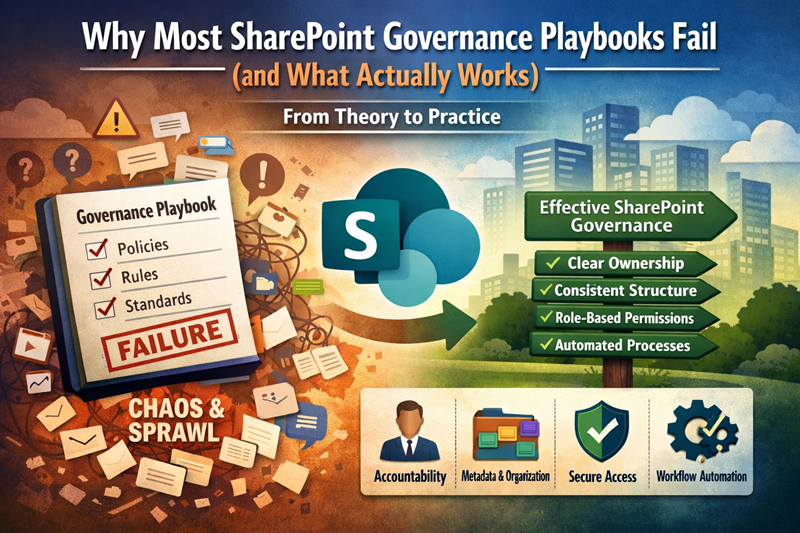
SharePoint governance playbooks fail when they describe rules but do not define ownership, structure, permissions, site provisioning, and daily operating habits. This article explains why governance documents alone rarely work, how ownership turns governance into behavior, and when a playbook problem should become a broader SharePoint governance framework conversation.
On paper, governance sounds simple. Write policies. Define rules. Publish standards. Then expect people to follow them. SharePoint is different because the environment keeps changing. Content grows, owners change, Teams gets involved, new sites spin up, and governance becomes a daily operating model, not a PDF.
At dataBridge, we typically see organizations create governance playbooks with good intent, but without the structural foundation that makes governance enforceable. As a result, governance becomes optional, inconsistent, and eventually ignored.
For the full governance foundation, start with The Complete Guide to SharePoint Governance for Microsoft 365. For the operating model behind enforceable governance, use the SharePoint Governance Framework.
What this article covers
This article explains:
- Why SharePoint governance playbooks fail when ownership is unclear
- How governance documents become disconnected from daily SharePoint behavior
- Why structure, permissions, provisioning, metadata, and site ownership matter more than written rules alone
- How weak governance affects adoption, search trust, content quality, and Copilot readiness
- When a governance playbook should become a stronger operating model, advisory discussion, governance sprint, or larger SharePoint consulting project
Governance fails when structure comes second
When teams launch SharePoint without clear information architecture, they create a governance gap from day one. People start storing documents wherever it feels convenient. Permissions spread organically. Ownership becomes unclear. Eventually, SharePoint starts feeling unpredictable.
Then governance tries to “fix it” after the fact.
Unfortunately, that approach almost always backfires. Instead of increasing adoption, new rules feel like friction. Users don’t trust the system, so they work around it. They keep documents in Teams chats, email attachments, or personal OneDrive folders. Meanwhile, IT tries to enforce policies that don’t match reality.
The most common governance playbook mistakes
Governance documents typically fail because they:
- Define rules without defining ownership
- List standards without making them easy to follow
- Focus on compliance instead of usability
- Ignore how Teams changes content sprawl
- Assume everyone uses SharePoint the same way
- Don’t tie governance to business outcomes
In other words, governance becomes theory, not operations.
Replace the Playbook With an Operating Model
A governance playbook is useful only when it becomes part of how SharePoint operates.
A stronger model defines:
- Who approves new sites
- Which templates are allowed
- Who owns each site
- How permissions are assigned
- When access is reviewed
- Which content requires review
- How exceptions are escalated
- When sites are archived or retired
- How site owners are trained and supported
That is the difference between governance documentation and governance execution.
What actually works: governance built into the environment
Strong governance works when you embed it into SharePoint’s structure and daily workflows. That means you design the environment so the “right behavior” becomes the path of least resistance.
That kind of enforceable operating model is what a SharePoint Governance Framework is designed to provide.
Specifically, effective governance includes:
1) Clear ownership and accountability
Someone must own each site, library, and content area. If no one owns content, no one maintains it. Over time, that leads to sprawl and risk.
2) A repeatable architecture
Users adopt what feels predictable. When every site looks different and every library uses different rules, users stop trusting the system.
3) Metadata and content types that reflect how the business works
If metadata feels like “extra work,” users won’t use it. However, when metadata matches real business language (department, client, status, document type), it supports findability, reporting, and Copilot readiness.
4) Permissions that match roles—not individuals
People change roles. Teams change. If security is person-based, it becomes brittle and breaks constantly. Role-based access is more stable and easier to maintain.
5) Automation that supports governance
Automation should reduce manual enforcement. For example, simple flows for approvals, reminders, and lifecycle steps reinforce governance without policing.
Governance is not a document—it’s behavior
The real goal of governance is consistency and trust.
When governance is built into structure, SharePoint becomes easier to use. People know where content goes. They can find what they need. Permissions feel predictable. That’s when governance stops being “rules” and starts becoming “how work gets done.”
Bottom line: Governance succeeds when you design it into the system from day one.
Want tactical guidance on maintaining adoption momentum? Read: SharePoint Intranet Adoption Strategy & Launch Framework
For more insights on governance, architecture, and Microsoft 365 strategy, explore our SharePoint & Microsoft 365 Knowledge Center.
Reviewed By