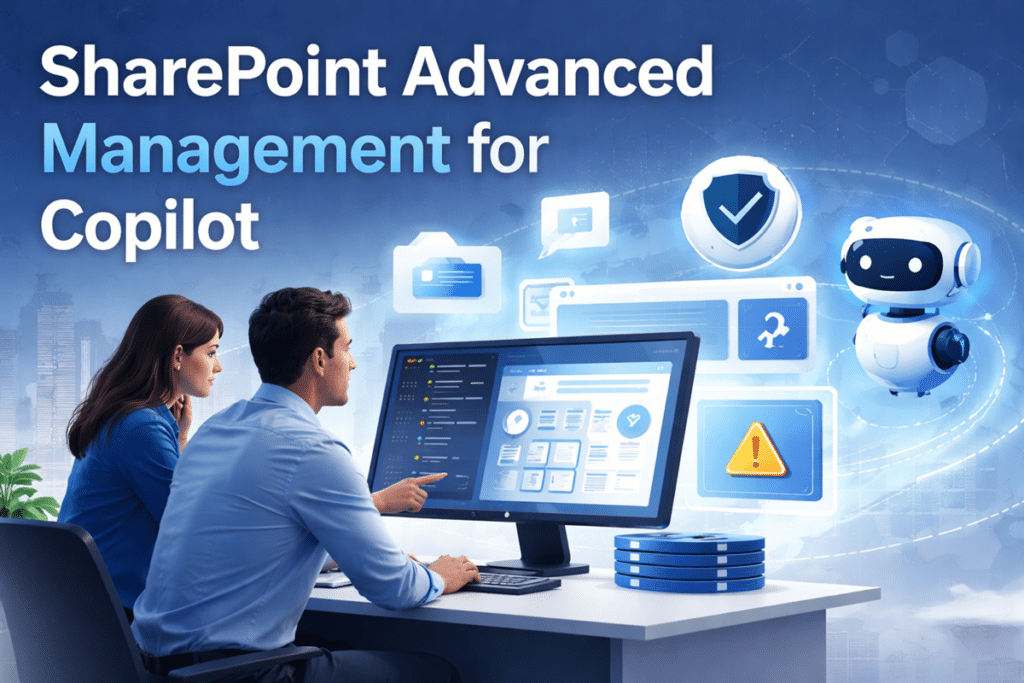
SharePoint Advanced Management helps reduce oversharing, access risk, and content sprawl before Microsoft 365 Copilot makes governance weaknesses more visible. It gives administrators stronger insight and control, but it is not a substitute for sound SharePoint governance, clear ownership, clean permissions, and disciplined lifecycle management.
How to Reduce Oversharing, Sprawl, and Access Risk
Most organizations do not uncover SharePoint oversharing during a tidy permissions review. They discover it when Copilot makes existing governance weaknesses easier to surface.
That is one reason SharePoint Advanced Management is drawing more attention.
Microsoft is clearly positioning it as part of the governance foundation around Microsoft 365 Copilot, especially where oversharing, risky access patterns, lifecycle management, and discovery controls are concerned. Even so, SharePoint Advanced Management is not a replacement for governance.
It is better understood as a control layer.
Used well, it gives SharePoint administrators stronger visibility, more practical reporting, and better ways to limit exposure while deeper cleanup work moves forward. What it cannot do is repair a weak permissions model, restore clear ownership, or clean up years of structural drift by itself.
That distinction matters. Microsoft 365 Copilot only returns content users already have permission to access. So the real concern is not that Copilot creates oversharing. The concern is that it can reveal oversharing that was already present but easier to ignore.
For organizations preparing for AI, that is the real issue. The challenge is rarely the tool alone. More often, it is what the tool exposes inside an environment that has gone too long without enough governance discipline.
If you are already thinking seriously about Copilot readiness for SharePoint, SharePoint permissions, and SharePoint governance, SharePoint Advanced Management deserves a place in the conversation. It just should not be treated like the whole answer.
Why Copilot Raises the Stakes on SharePoint Governance
Microsoft 365 Copilot only shows users content they already have permission to access. That is an important safeguard. At the same time, it is exactly why Copilot raises the governance stakes.
When access is broader than it should be, Copilot can make that problem easier to surface through natural-language prompts, search, and grounded responses.
That shifts the impact of governance debt.
A site with messy permissions used to sit quietly in the background. A library full of stale content often felt like an administrative nuisance more than a business issue. Environments with too many sharing links, too many inactive sites, and too little ownership often remained tolerated longer than they should have.
Then Copilot enters the picture.
Once people start asking better questions across their work content, old governance problems become harder to ignore. Suddenly, content that should have been archived matters more. Permissions that should have been reviewed matter more. Sites that should have had a real owner matter more.
AI does not create governance risk from scratch. It raises the visibility and the business cost of risk that was already there.
How weak governance becomes more visible
When organizations roll out Copilot into a cluttered SharePoint environment, the same patterns tend to show up quickly. Search feels broader than expected. Access feels less predictable. Ownership gaps stand out. Old content starts surfacing from places people had mentally written off years ago.
That is not a Copilot problem. It is a governance problem becoming easier to see.
In our experience, the issue usually is not one dramatic permissions disaster. It is the accumulation of smaller issues over time. A broad sharing link here. Broken inheritance there. A stale team site nobody really owns anymore. Old project files still living in active libraries because no one wanted to make a retention decision.
None of that feels especially urgent until retrieval gets easier.
Why this matters before rollout
That is why the smarter organizations do not wait until after rollout to think seriously about SharePoint governance. They use the Copilot conversation to force overdue decisions.
That is usually the healthier move.
If your environment already has clearer ownership, cleaner permissions, stronger information architecture, and practical lifecycle expectations, Copilot becomes much easier to introduce with confidence. If not, SharePoint Advanced Management can help you spot and reduce risk, but it still will not do the governance work for you.
What SharePoint Advanced Management Actually Is
SharePoint Advanced Management is a Microsoft capability set focused on content governance, access governance, lifecycle management, and administrative insight across SharePoint and OneDrive.
In practical terms, it helps administrators answer questions like these:
- Which sites appear potentially overshared?
- Which parts of the environment show risky sharing patterns?
- Which sites have weak ownership or need recurring review?
- Which sites should remain broadly discoverable, and which ones should be limited while cleanup is underway?
- Which Copilot or agent-related behaviors deserve closer administrative oversight?
That is where the value starts to become real. SharePoint Advanced Management gives administrators a better way to see governance issues that are otherwise difficult to identify clearly in large, messy environments.
Before getting into specific features, this is the simplest way to visualize where SharePoint Advanced Management helps and where governance work still has to happen.
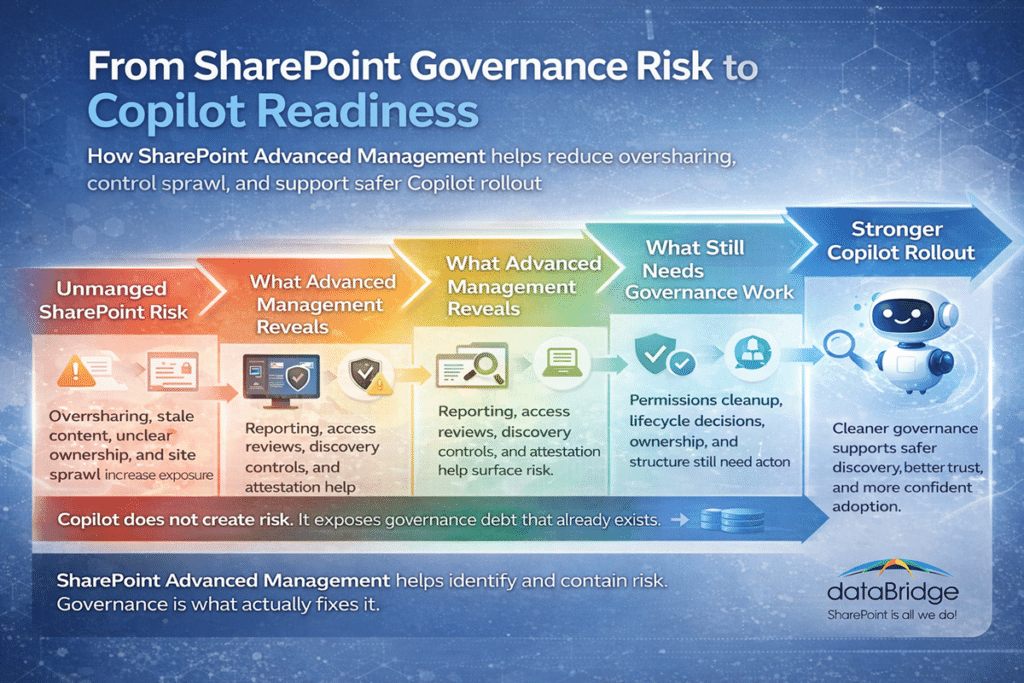
Why this matters in practice
Too many organizations still treat governance like something that only matters after a problem becomes obvious. That mindset gets expensive.
A better way to think about it is this: governance is what keeps the environment trustworthy as adoption grows.
That is why tools like SharePoint Advanced Management matter. They help administrators see where risk is building before it turns into a larger operational, compliance, or trust problem. Just as importantly, they reduce guesswork. Better reporting tends to produce better decisions, and better decisions produce stronger rollout outcomes.
Where SharePoint Advanced Management Helps Most Before Copilot Rollout
The most practical way to think about SharePoint Advanced Management is this: it helps reduce exposure, improve visibility, and support cleanup.
Before Copilot rollout, those are the three jobs that matter most.
Reducing accidental oversharing
Most SharePoint environments drift over time. Access exceptions pile up. Broad links get created. Ownership gets fuzzy. Permissions inheritance breaks without anyone stepping back to evaluate the long-term effect.
That drift is common. It is also risky.
SharePoint Advanced Management helps administrators identify patterns that may point to oversharing and narrow in on the sites that deserve review first. That is valuable because few organizations can realistically clean up a large environment through manual review alone.
Controlling site and content sprawl
Many organizations do not just have a permissions problem. They also have an environment-shape problem.
There are too many sites. Too many lightly managed workspaces. Too much stale content still sitting in place because nobody wants to decide whether it should be archived, retained, or removed.
That kind of sprawl creates more than risk. It creates noise. And noisy environments are harder to govern, harder to search, and harder to trust.
SharePoint Advanced Management helps support lifecycle controls, recurring review, and clearer accountability around site ownership. That becomes especially useful when organizations are preparing for Copilot and need to know which parts of the environment still deserve active visibility.
Identifying risky patterns before broader AI usage
This is where the tool becomes especially practical.
A lot of organizations already suspect they have governance issues. What they usually lack is a clear starting point. SharePoint Advanced Management helps turn broad concern into visible patterns that can be acted on.
That is a meaningful shift.
The goal is not to create more reporting for its own sake. The goal is to use reporting to decide where deeper cleanup belongs first.
The Most Useful SharePoint Advanced Management Features for Copilot Readiness
The most useful SharePoint Advanced Management features are the ones that help you move from general concern to visible, actionable risk.
Data access governance reports
Data access governance reports help identify sites that may contain overshared or sensitive content. That makes them one of the best practical starting points because they show where risk may actually be concentrated instead of forcing administrators to work from assumptions.
For many organizations, this is where the real conversation starts. Not with a vague question about whether the tenant is ready for AI, but with a concrete list of sites that deserve closer review.
These reports become even more useful when paired with a stronger SharePoint information architecture and metadata strategy. Structure makes reporting easier to interpret. A disorganized environment is always harder to govern than a well-structured one.
Why these reports matter
This is where the conversation usually gets better.
Instead of asking, “Are we ready?” teams begin asking, “Which sites are the actual problem?” That is a more useful question and a more actionable one.
Readiness discussions stay abstract for too long when no one is looking at site-level patterns. Data access governance reporting helps ground the discussion in something operational.
Site access reviews
Site access reviews help shift review activity to the people closest to the business context: site owners. That matters because central IT rarely has enough context to judge whether broad access is truly appropriate across every site.
Often, site owners are in the best position to confirm whether access still makes sense or whether a site has quietly drifted into risky territory.
That point gets missed all the time.
Permissions cleanup is not just a technical exercise. It is a business review exercise. Governance gets stronger when ownership becomes real, visible, and recurring.
Why ownership is the real lever
If nobody truly owns the decision, no tool is going to fix the problem.
That is one of the most common patterns we see. Risk grows when ownership becomes assumed, informal, or invisible. Site access reviews help move governance back toward the people who can actually validate what is appropriate.
Restricted Content Discovery
Restricted Content Discovery helps limit how sites and their content are discovered. That can be useful when an organization needs to reduce exposure while working through permissions issues, site review, or broader remediation.
A feature like this can buy time, and sometimes buying time matters.
Still, buying time is not the same as solving the problem.
That is the mindset worth keeping. Temporary controls can be useful when used honestly. They become risky when organizations start treating them like a permanent governance strategy.
Restricted SharePoint Search
Restricted SharePoint Search gets a lot of attention because it can temporarily keep certain SharePoint sites from appearing in enterprise search and Copilot experiences.
That sounds powerful, and in the right context, it can be helpful.
Still, it needs to be understood correctly. It is temporary. It is not a security boundary. It does not fix permissions.
That nuance matters because some organizations are tempted to treat discovery controls like a durable workaround. That is not really governance. It is a pause button.
When it makes sense to use it
Restricted SharePoint Search makes the most sense when you know a site needs review, but you are not ready to expose it more broadly while cleanup is still underway. Used carefully, it can reduce short-term risk while access and content issues are being addressed.
Used casually, it can delay the real work.
Site attestation policies
Recurring site attestation policies are one of the strongest operational features in this area because they reinforce accountability over time.
That is exactly what many SharePoint environments have been missing.
Good governance is not a one-time cleanup sprint. It is a recurring ownership process. Site attestation helps support that idea by making review expectations more visible and more consistent.
Why this is more important than it sounds
A surprising number of organizations still treat governance as a one-time event. That is one of the biggest mistakes in SharePoint.
Healthy environments run on recurring decisions. Is this site still active? Is this access still appropriate? Is this owner still the right owner? Does this content still deserve visibility?
When those questions stop getting asked, sprawl takes over.
AI insights and admin insights
AI insights and related admin insights can help administrators move through reporting faster and focus attention on the areas most likely to deserve it.
That does not replace judgment, but it does reduce friction.
And that matters, because large environments rarely suffer from a lack of data. More often, they suffer from a lack of practical prioritization. Better insight helps administrators spend less time sorting through noise and more time acting on real issues.
What SharePoint Advanced Management Does Not Fix
This is the section that matters most.
SharePoint Advanced Management is useful. It is timely. It is increasingly relevant in Copilot conversations. Even so, it does not solve the underlying issues that make Copilot risky in a poorly governed environment.
A weak permissions model still needs to be redesigned.
Business decisions about what should remain private, what should be shared broadly, and what should be segmented by role still need to be made.
Stale, duplicate, low-value, or misleading content still needs cleanup.
An environment with weak ownership still needs stronger accountability.
You still need content cleanup before Copilot rollout.
You still need SharePoint governance framework work.
And you still need structure.
This is the core point dataBridge would stress to any organization evaluating these tools:
Copilot does not need another layer of wishful thinking. It needs a better governed content environment.
Why this distinction matters
This is where tools and strategy often get blurred together.
A reporting and control layer can absolutely help you identify and contain risk. What it cannot do is make weak governance disappear. If the environment is full of stale content, unclear ownership, inconsistent permissions, and loose sharing habits, the only real answer is to improve the environment itself.
That takes decisions. It takes process. It takes follow-through.
How to Use SharePoint Advanced Management Without Treating It Like a Shortcut
The healthiest way to use SharePoint Advanced Management is as part of a phased governance response.
Start with sharing and access risk
Review tenant and site-level sharing defaults first. Look closely at how much flexibility users currently have to create broad links or expose content too loosely.
Do not start with theory. Start with exposure.
If the organization is worried about Copilot surfacing the wrong content, the first question should be simple: where is access broader than it should be?
Then identify high-risk sites
Use governance reporting, permissions reporting, sharing activity signals, and administrative insight to narrow in on where risk is likely concentrated.
Trying to audit everything manually is slow, expensive, and usually not very effective.
Better prioritization matters more than broader effort.
Then apply temporary discovery limits where appropriate
If some sites need review before they should appear broadly in search or Copilot experiences, use discovery-limiting features carefully and deliberately.
Just stay honest about what they are. They are temporary controls, not root-cause fixes.
That honesty matters because shortcuts have a way of turning into long-term governance debt.
Then reinforce ownership
Use site access reviews and recurring attestation to make ownership more explicit and more repeatable.
Governance almost always improves when review responsibility stops being hypothetical. Once site owners know they are expected to confirm access, validate relevance, and participate in lifecycle decisions, the environment starts getting healthier.
Then fix the source problems
This is where mature environments separate themselves from reactive ones.
Clean up permissions.
Simplify sharing patterns.
Archive or remove stale content.
Clarify ownership.
Improve structure.
Revisit information architecture and metadata where the environment has become too flat, too inconsistent, or too difficult to govern.
That is the work that actually reduces long-term risk.
Then expand Copilot with more confidence
That sequence is much healthier than rolling out Copilot first and hoping controls will compensate later.
That is the difference between a feature launch and a governance-led rollout.
Licensing Reality: What Organizations Need to Know
One practical reason this topic deserves attention is that some organizations may already have more capability available than they realize.
If the organization is moving toward Microsoft 365 Copilot, SharePoint administrators may already have access to the SharePoint Advanced Management capabilities needed for Copilot deployment.
That shifts the question. It becomes less about whether a new tool needs to be purchased and more about whether the right governance capabilities are being used well.
That is an important distinction. Capability alone does not improve governance. Operational follow-through does.
Why licensing is not the real issue
In many environments, licensing is not the true blocker. Clarity is.
Organizations often have access to useful features before they have a practical plan for how to use them. That is one reason governance maturity matters more than feature availability.
Where This Fits in a Real Copilot Governance Strategy
If your organization is serious about Copilot, SharePoint Advanced Management should sit in the middle of the governance stack, not at the top of it.
At the top should be your governance decisions.
What content should be retained?
What content should be archived?
What kinds of sites need stronger access models?
Which owners are accountable for review?
What sharing practices are acceptable?
What parts of the environment should remain broadly discoverable, and what parts should be controlled more carefully?
Under that should be the information architecture, permissions model, lifecycle expectations, and ownership standards that support those decisions.
Then SharePoint Advanced Management helps reinforce that model with reporting, controls, attestation, and administrative insight.
That order matters.
Tools work better when the operating model is already clear.
A stronger way to frame the role of the tool
This is the healthiest way to think about it:
SharePoint Advanced Management should support governance decisions, not substitute for them.
That is the role it should play in a mature environment.
When Organizations Should Bring in Outside Help
This is often the point where internal teams realize the challenge is not purely technical.
If leadership is worried about oversharing but nobody trusts the current permissions model, that is not a minor cleanup task.
If the environment is full of ownerless sites, inherited sprawl, inconsistent sharing habits, and stale content, a few admin settings will not solve it.
If Copilot rollout is moving faster than governance cleanup, the organization usually needs a practical roadmap, not more abstract advice.
That is where outside help becomes valuable.
The right engagement is not about turning on more controls. It is about helping the organization decide what needs to be fixed first, which risks are real, where reporting should lead action, and how to improve structure and governance without freezing the business.
That is also why a strong SharePoint consulting services approach matters here. Copilot governance is not just a product conversation. It is a business architecture and operating model conversation.
What experienced guidance changes
Good outside guidance does more than produce a recommendation list. It helps organizations make sequencing decisions.
What should be cleaned up now?
What should be controlled temporarily?
What can wait?
What needs executive attention?
What should site owners handle versus central IT?
Those are often the questions that determine whether Copilot rollout feels controlled or chaotic.
Final Thoughts
SharePoint Advanced Management is worth paying attention to.
It gives administrators practical ways to identify oversharing risk, reduce content sprawl, support recurring ownership reviews, and limit discovery while deeper cleanup is underway.
That matters.
The biggest takeaway, though, is still this:
SharePoint Advanced Management can help you manage risk around Copilot. It cannot replace the governance work your environment already needed.
If permissions are weak, if site sprawl is out of control, if ownership is fuzzy, or if information architecture has been neglected, Copilot will make that debt matter faster.
That is not a reason to avoid Copilot.
It is a reason to approach rollout like an enterprise governance decision rather than a simple feature launch.
Need help assessing oversharing risk, cleanup priorities, permissions exposure, or SharePoint governance before Copilot rollout? dataBridge helps organizations build a stronger foundation for SharePoint, Microsoft 365, and long-term platform success.
Frequently Asked Questions
Is SharePoint Advanced Management required for Copilot?
Not as a separate requirement in every situation. However, it is increasingly relevant because it supports the governance and risk-reduction work that responsible Copilot rollout requires.
Does SharePoint Advanced Management fix oversharing?
No. It helps identify potentially overshared content, improve visibility, support reviews, and apply temporary controls. It does not replace fixing permissions, ownership, content lifecycle, and governance at the source.
What is Restricted SharePoint Search?
It is a temporary way to reduce discovery of selected SharePoint sites in search and Copilot-related experiences. It can be useful in the right situation, but it is not the same thing as fixing permissions.
What are site attestation policies in SharePoint?
They help organizations create recurring review expectations around site ownership and lifecycle. That makes governance more repeatable instead of one-time.
Does Copilot show users everything in SharePoint?
No. Copilot only shows users content they already have permission to access. That is exactly why permissions quality and governance discipline matter so much before rollout.